
Like, Favorite, Bookmark: 3 Importance-Marking Features, 3 Jobs, Too Many Mixed-Up Icons

Summary: Marking mechanisms are the cheapest usability win on the web: a tap turns a fleeting encounter into a durable, refindable object. But marking serves three distinct jobs (evaluate, curate, retrieve) that designers keep mashing into a single overloaded button. Use a heart for likes, a star for favorites, and a flag for bookmarks. Marks travel a 3-stage journey (keep, manage, exploit), so plan for collections that grow into the thousands.

(All images in this article made with GPT Image 2.5, except as noted.)
Watch my 5-minute explainer video for a quick overview of this article (YouTube).
A well-used cookbook falls open to its owner’s favorite recipe. Nobody designed that feature: 20 years of gravy spatter and thumb grease built it, one page at a time. The book remembers what mattered through physical wear that accumulates with use, a process my former Bellcore colleague Will Hill dubbed “readwear.” Our software mostly stays frictionless and amnesiac, so we bolt on hearts, stars, flags, pins, and thumbs: tiny 1-tap mechanisms that let users declare “this item is special to me.”

In the physical world, frequently used things gain prominence as a side effect of use: the lasagna page wears the stains. The virtual world holds billions of pristine, undifferentiated objects.
This article covers the three dominant marking mechanisms (like, favorite, and bookmark) and their supporting cast of pins, flags, watchlists, and wishlists. It maps the 7 dimensions that distinguish marks, the icon confusion that undermines them, and the design challenges that emerge once a user marks item 1,000. It also asks what counts as an “item” and which insights AI changes (fewer than you’d think).

Amnesiac software greets a 6-year regular as a stranger. A mark is how users tell the system what it should have noticed.
The Feed Forgets: Mark It or Lose It
Herbert Simon diagnosed our condition in 1971, before feeds multiplied the information supply a millionfold: “a wealth of information creates a poverty of attention.” Once a post scrolls off the screen, it’s gone for most practical purposes: the user doesn’t remember its exact wording, platform search is feeble, and algorithmic feeds don’t replay. Nor is the overload limited to social media. The same user owns 40,000 photos, a 6-figure email archive, and a file system nobody has navigated on purpose since 2019. Thus the first law for users in the attention economy: mark it now, or lose it forever.

Algorithmic feeds don’t replay. If a post matters, mark it on the first pass, because there won’t be a second.
Linda Tauscher and Saul Greenberg (University of Calgary) logged 6 weeks of browsing by 23 users and found that 58% of page visits were revisits (Tauscher & Greenberg, 1997). Andy Cockburn and Bruce McKenzie later measured an even higher revisitation rate: 81%. Most “navigation” is really re-navigation. A mark converts it from recall (“what was that article called, and where did I see it?”) into recognition (scan a short list and pounce). Recognition rather than recall has been one of my 10 usability heuristics since 1994. Marking is its purest application: users offload memory to the interface for 1 tap instead of paying the retrieval price later, which can mean minutes of searching or outright failure.

Refinding without a mark depends on recall, and recall produces a composite sketch. A bookmark swaps the sketch artist for a lineup, where users only need to point.
That asymmetry explains why marking pays off. A mark costs 1 second; an unmarked item can cost anywhere from 5 minutes to forever to find through the wretched search features of most systems. If an item has even a 1% chance of being needed again and refinding it without a mark takes 5 minutes, the expected saving is 0.01 × 300 seconds = 3 seconds, or triple the cost of the mark. And at a 10% chance, the mark repays its cost 30 times over. In information foraging theory, a mark is enrichment: a small investment that makes a patch more profitable to revisit later. Wall Street would kill for that return, and any mechanism that delivers it deserves prime placement in your UI.

A feather of effort now saves a boulder of searching later. Even at a 1% chance of reuse, the mark pays for itself 3 times over.
Users don’t run these numbers. They offload memory on instinct, and their bias points in a direction designers must plan for. Daniel Wegner and co-authors introduced transactive memory in 1985 to explain how couples divide remembering: one partner keeps the contents, the other keeps a pointer (“she knows where the insurance papers are”). A marking system makes the software the second partner, and a lopsided one: the human keeps a vague feeling of having saved something, and the machine keeps everything else.

Couples therapy for transactive memory, digital edition: the human keeps a vague feeling of having saved something, and the computer does the rest.
Sam Gilbert and colleagues at University College London ran 3 experiments with 417 participants who could either remember delayed intentions unaided or set external reminders, with cash rewards for choosing well. Underconfident in their own memories, people set reminders far more often than was optimal, even when overuse cost them money. Because users overestimate how much they’ll forget, a 1-second mark always looks like a bargain.
Don’t fight the bias; design for it. Marks will be plentiful, so make the system carry the cost of sorting them.
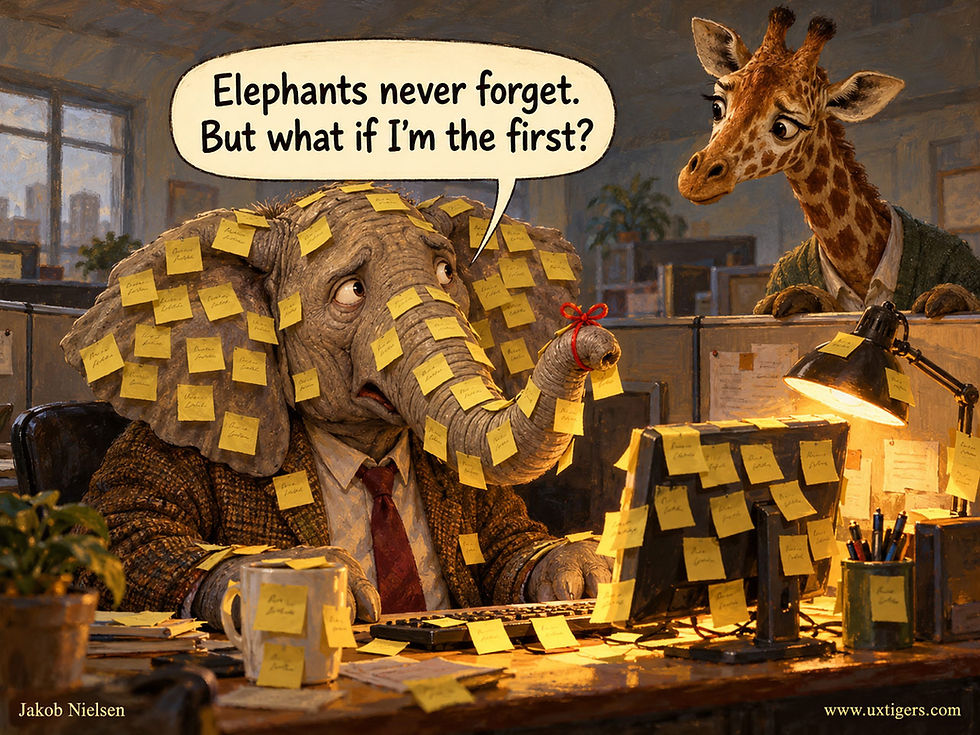
People set more reminders than they need because they underestimate their own memory. Expect a blizzard of marks, and make the system carry the cost of sorting them.
3 Jobs, 1 Gesture
Definition: A marking mechanism is a 1-action control that attaches a persistent, user-created signal of importance to an item, serving the user’s future self, other users, the item’s creator, or the ranking algorithm (usually some mixture).

Hearts, stars, flags, pins, and thumbs are cheap to bolt on. The expensive mistake is mounting several jobs on a single button.
The mixture is where designs go wrong, because marking bundles three jobs with incompatible requirements:
Evaluate. Tell the creator, the audience, and the algorithm that this item is good. Public, counted, emotional. This is the like.
Curate. Maintain a small, select set of the best or most-used items for fast repeated access. Personal, bounded, ordered. This is the favorite.
Retrieve. Leave a pointer so the future self can come back. Private, unbounded, judgment-free. This is the bookmark.

A mark that evaluates, curates, and retrieves does all three jobs badly, and the side effects land on the user.
Overload a single control with two or more of these jobs, and users get burned: they save something privately (they think) and discover they have broadcast an endorsement, or they applaud something and find it polluting their recommendations.
Worse, overloading triggers Goodhart’s Law (“When a measure becomes a target, it ceases to be a good measure”) inside the interface: once a social button doubles as the recommender’s steering wheel, it ceases to be a decent measure of either applause or interest. The fix belongs in the information architecture: 1 job per control.

Applaud a person, and the recommender serves you that person’s topic forever. Coupling social warmth to feed steering corrupts both signals.
Anatomy of a Mark: 7 Dimensions That Settle Most Design Arguments
The three jobs are the coarse taxonomy. But design teams still argue for hours about whether a proposed feature is “really” a like or a favorite, and the argument dissolves once you specify the mark along 7 dimensions. Fill in the table before you pick an icon.
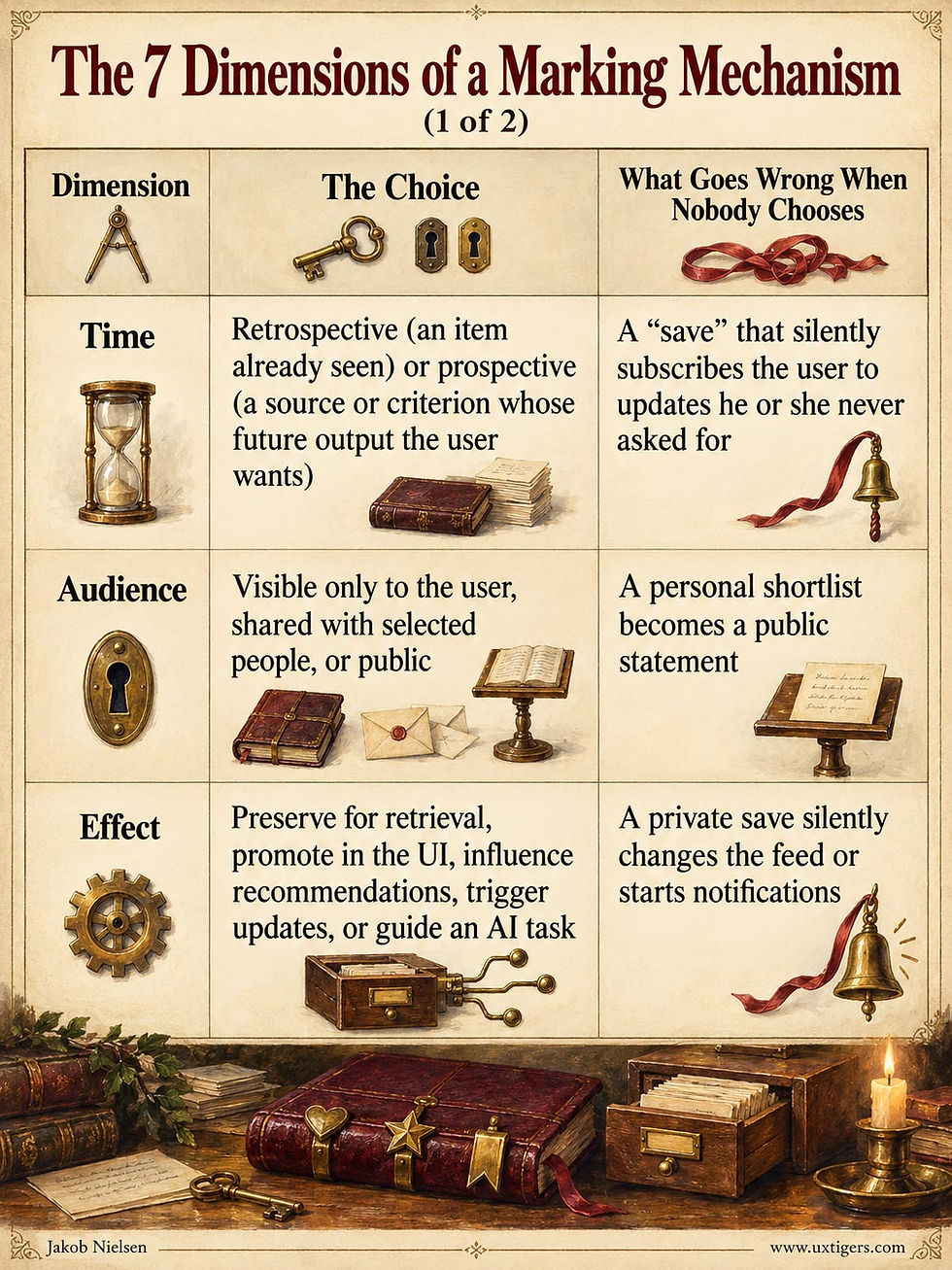


Time is a design dimension: a retrospective save must not become a prospective subscription.

Origin is a design dimension, too: an implicit trace recorded by the system shouldn’t resurface as if the user had chosen it. Watch history doesn’t know who held the remote.
Like, favorite, and bookmark are all retrospective, item-level, explicit gestures, so on paper they look identical in time, scope, and origin. And that resemblance is why they’re so easily confused. They differ on the other 4 dimensions (audience, valence, effect, and cardinality), and those are the ones that bite users. Bring the table to your next design review.

Bureaucracy that earns its keep. Seven checkboxes settle what a mark is before anyone argues about its icon.

Valence: a bookmark asserts future usefulness without implying approval. As any crow will tell you, plenty of faces are worth remembering precisely because you dislike them.
Two questions deserve separate answers: who can see this mark, and what will change because of it? A private save can still reshape recommendations. A public expression of thanks need not subscribe its author to more of the same subject.
Privacy labels explain visibility and stay silent about consequences. Specify both before choosing the icon, because users need to understand both before tapping it.

Privacy labels explain who can see a mark. They say nothing about what the mark will change, such as a private save that unexpectedly rewrites the feed.
One economic law applies to every row. A mark is a currency, and currencies can inflate. A like count carries information only while likes are scarce, so auto-likes and engagement bait debase it; a favorites list is useful only while it’s short; a pinned item is prominent only while few things are pinned. Markflation, the erosion of a mark’s signal value as marks multiply, is the disease that the guidelines below keep treating under different names: caps, ranking, readwear, and triage are all monetary policy for marks.

Markflation: a mark is a currency, and every auto-like and engagement-bait tap prints more of it. Germany learned in 1923 where that ends, with marks hauled to the bakery by the wheelbarrow.
Like = Applause

The like button as a marble shrine, complete with its own pilgrims’ entrance. The illustration is deliberately monumental, but the real design goal is the opposite: a gesture so cheap that users perform it dozens of times a day without breaking stride. (GPT Image 2)
Definition: A like is a 1-tap public expression of appreciation for an item, typically aggregated into a visible count and fed into the platform’s ranking algorithm.
Its main use cases are lightweight feedback to creators, social proof for other users (4,317 people can’t be wrong, except when they can), and training data for the feed.
The history is younger than most people assume. Vimeo added a like button in November 2005, and FriendFeed (Paul Buchheit and Bret Taylor’s aggregator) shipped its Like on October 30, 2007. Facebook’s engineers had been pushing a similar button internally since 2007 under the working name “awesome button,” but Mark Zuckerberg resisted for nearly 2 years before the thumbs-up Like launched on February 9, 2009.
The name matters: “like” is the mildest verb of approval in English, and that blandness is the design. A stronger word (Adore/Love/Endorse) raises the emotional price of the gesture; “like” keeps the commitment, and thus the interaction cost, near zero.

“Like” is the mildest verb of approval in English, and that blandness is the design: the lower the commitment, the cheaper the gesture.
Likes earn their place in the UI because of participation inequality: roughly 90% of users lurk, 9% contribute occasionally, and 1% produce most of the content (the 90-9-1 rule). The like is the only production tool the 90% will ever touch. With it, a lurker can participate, encourage a creator, and register presence without composing a word. And likes match how users evaluate content: when YouTube ran 5-star ratings, its own data showed that the overwhelming majority of ratings were 5 stars, with 1 star a distant second and the middle grades nearly unused. YouTube switched to thumbs in 2010.
Users don’t grade on a curve. They applaud, or they scroll.

Roughly 90% of users lurk, and the like is the one production tool they’ll ever touch: it registers presence without composing a word.

Users don’t grade on a curve. YouTube’s 5-star ratings piled up at the extremes while the middle grades went nearly unused.
Netflix reached the same verdict by a different route. Its 5-star ratings were aspirational: members gave 5 stars to documentaries and then spent their evenings watching silly comedies. So in April 2017, Netflix replaced the stars with thumbs, which had drawn 200% more ratings in a 2016 test with hundreds of thousands of members (Variety).
Netflix product executive Todd Yellin explained: “We made ratings less important because the implicit signal of your behavior is more important.” A star asks users what they ought to like; a thumb asks whether they liked it; watching asks nothing and learns the most. So the explicit mark earns its place only where it tells the system something behavior can’t.

Star ratings record who users aspire to be; behavior records who they are. Ask for an explicit mark only where it tells the system something behavior can’t.
How likes hurt usability, and what to do about it:
Semantic ambiguity. “My cat died this morning.” 47 likes. The single positive gesture fails for sad or complicated content, which is why Facebook added Reactions in February 2016. Reactions restore range. But every added option taxes the choice that made the like cheap: cap the set at about 6, or you’ve rebuilt the emoji picker.

A single positive gesture fails for sad news. Reactions restore range, but every added option taxes the cheap choice, so cap the set at about 6.
Vanity metrics and performance pressure. Public counts turn expression into scorekeeping, breed engagement bait (“like if you agree!”), and stress younger users. Instagram began testing hidden counts in 2019 and made hiding them a user option in 2021. Offer that option, and question whether the count needs to headline at all.
Algorithmic contamination and feed hygiene. Many users like items in order to save them (more on that below), and the recommender concludes they want an endless supply of the same. Users also learn that the algorithm is watching and practice algorithmic self-defense: they withhold honest likes on a friend’s tragic announcement or an off-topic curiosity because 1 tap will warp their feed for weeks. Coupling social warmth to feed steering corrupts both signals. The remedy is structural: provide a private save that stays out of the recommender, and disclose how a like will change the user’s feed.
7 Design Guidelines for Liking
Make it 1 tap on, 1 tap off, with instant optimistic feedback (fill the heart before the server answers) and a persistent filled state so users can see what they’ve already liked.
Use the heart icon and the label “Like.” (More on the icon wars below.)
Size the target generously. The most-tapped control in your product should meet the classic 1 × 1 cm minimum touch target, spaced to prevent accidents. (An accidental like on an ex’s 3-year-old vacation photo is a social landmine; Fitts’s Law rarely carries such interpersonal stakes.)

An accidental like on an ex’s 3-year-old photo is a Fitts’s Law error with interpersonal stakes. Size and space the target generously, and make undo instant, so nobody has to call the bomb squad.
Declare visibility at the point of action: who sees the like, and whether it influences the feed.
Never like-gate. Requiring a like to unlock content converts applause into extortion.

Like-gating is a shakedown. It’s unethical, and the extorted likes measure nothing except users’ eagerness to get past the gate.
Pair the like with a private save so users stop misusing applause as a filing system.
Don’t inflate. No auto-likes, no purchased counts, no rounding up: fake social proof is user-hostile.

For a control with such a friendly name, the like button stars in an impressive number of usability tragedies.
Favorite = A Short List of the Best

A single gold star on a pedestal, floating above everything else: the favorite in its pure form. The mechanism works only as long as space on the pedestal stays scarce. When everything is a favorite, nothing is. (GPT Image 2)
Definition: Favoriting marks an item as a member of a small, curated set of preferred items, primarily to speed up the marker’s own repeated access, and sometimes to display taste to others.
The word carries its meaning in its etymology. English took “favorite” (via French) from the Italian favorito, the favored courtier the prince singles out from the crowd. Singling out is the entire semantic payload: a favorite is by definition selective, which distinguishes it from a like (you may like 10,000 things) and from a bookmark (you may save 10,000 things).
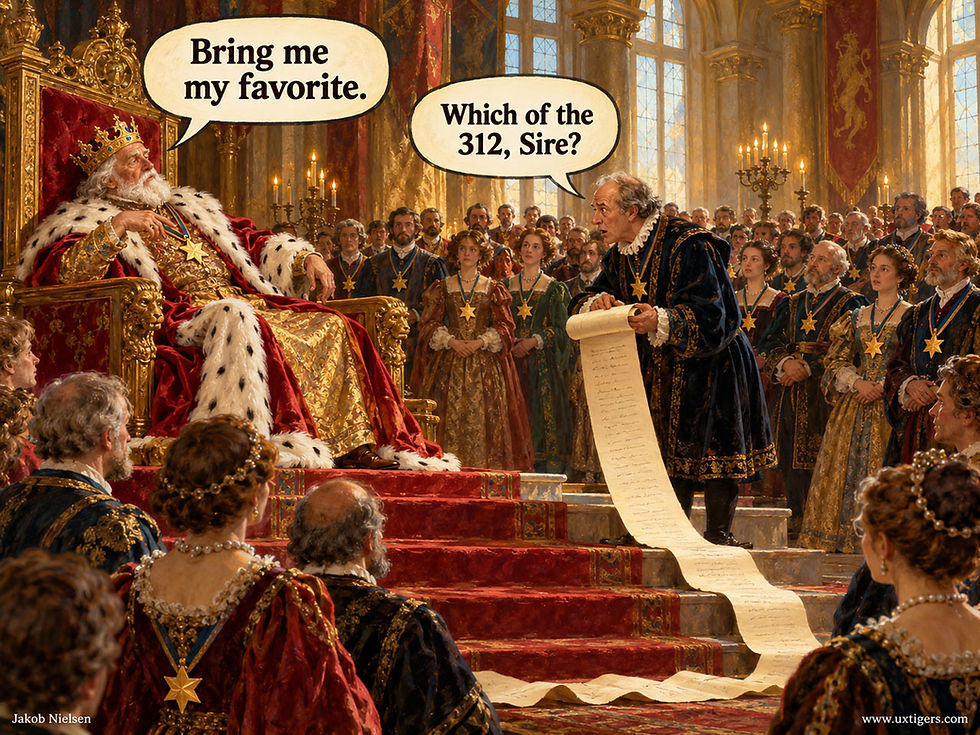
The favorito was the one courtier the prince singled out. Once the court holds 312 favorites, the title means nothing.
The digital history is a comedy of naming. NCSA Mosaic (1993) called its saved-pages list the Hotlist; Netscape Navigator (1994) renamed the feature Bookmarks; Microsoft’s Internet Explorer (1995) called the identical feature Favorites, and 3 decades later, users still ask whether bookmarks and favorites are different things. (In browsers: no. Everywhere else: they should be.) Twitter compounded the confusion from 2006 to 2015 with its star-shaped “favorite,” which users employed as applause, private bookmark, read receipt, and occasionally flirtation.

For 9 years, Twitter’s star meant applause, bookmark, read receipt, and flirtation. A single icon with 4 meanings leaves users decoding instead of using.
When Twitter replaced the star with a heart-shaped like on November 3, 2015, longtime users howled, but the company’s reasoning was semantically impeccable: “You might like a lot of things, but not everything can be your favorite.” Correct diagnosis, wrong surgery: Twitter cured the ambiguity by amputating the save function, which it then had to rebuild as Bookmarks 2 years later.
Favorites shine as hot lists: favorite contacts among 900, favorite folders among 4,000, or favorite tools in a crowded palette. When the full set is huge and the working set is tiny, promoting 10–30 items to a scannable shortlist is a large win: users recognize instead of searching, and the top of every picker becomes theirs.
At its smallest (5–12 items on a toolbar or speed dial), a favorites list taps spatial memory: users reach for the 4th slot by muscle memory before reading its label. Beyond that, the list shifts to symbolic scanning. Users scan a familiar list at 2–3 items per second, so 30 items exhaust the 10 seconds that mark the outer limit of attention on a single task (see my article on the time scales of UX). Past 30, the shortlist stops being a glance and becomes a search.

A favorites list runs on spatial memory only while it stays short. Past about 30 items, speed dial needs a directory and is no longer speedy.
Where favorites fail: markflation. An unbounded favorites list quietly degenerates into a second bookmark pile and loses the very speed-dial value that justified it. The other failure is visibility surprise: more than one platform has displayed “favorites” more publicly than users assumed, converting a private shortlist into an accidental confession.

An unbounded favorites list degenerates into a second bookmark pile. The magpie hoards; the bowerbird curates a dozen treasures, which is what makes them favorites.
6 Design Guidelines for Favorites
Use the star icon and the label “Favorite.”
Treat favorites as a shortlist, not an archive. Surface them first in pickers, sidebars, dialers, and dropdowns; that placement is the feature.
Support manual reordering and spatial stability. A 15-item personal list deserves a personal order that stays put so muscle memory can take over.
Fight markflation with feedback. Show the count. Once the list passes a threshold (my rule of thumb: about 30 items), badge stale items or suggest demotions based on actual usage. Keep true favorites on the shortlist without shuffling the user’s fixed spatial layout on every click.
Keep favorites private by default. Sharing a favorites list must be an explicit, separate act.
Offer favorites when users need repeated access to a small working set. In a content product with likes and saves, let users promote saved items to Favorites from within the saved collection. This gives the shortlist a distinct purpose and a natural place in the workflow. Three functions can have three clear meanings without putting three competing buttons beside every item.
Bookmark = A Promise to Your Future Self

The ribbon marked where you stopped reading; the digital bookmark marks what you found and fear losing. Different mechanics, same emotion: “I want to come back here.” (GPT Image 2)
Definition: A bookmark is a private pointer to an item, created purely for later retrieval. It asserts future usefulness without asserting quality. (You can bookmark things you despise. Ask anyone doing competitive analysis.)

A bookmark is a navigation aid with no opinion attached, so it must stay private: users bookmark plenty of things they’d never endorse.
The name comes straight from the physical object: medieval scribes bound ribbon markers into manuscripts so readers could return to their place, and detached bookmarks spread with printed books. Note the metaphor shift in the digital translation: the physical bookmark marks a position (where I stopped), while the browser bookmark marks a destination (where I want to return).
The emotional job survived intact, which is why the name stuck when Netscape adopted it in 1994. The bookmark is Ariadne’s thread through the labyrinth: without it, Theseus is just another user who knows the Minotaur is “around here somewhere.”

The bookmark began as a ribbon that marked where the reader stopped. One ribbon works; 300 ribbons are a filing problem.

In Greek myth, Ariadne gave the Athenian hero Theseus a ball of thread to unwind as he entered the labyrinth. After slaying the Minotaur, he followed it back out. The thread was a bookmark that also captured the trail.
Two later developments matter for designers. First, del.icio.us (2003) made social bookmarking mainstream and, more durably, popularized tags: multiple lightweight labels instead of a single rigid folder, an organizational model that fits how memory works (1 item, several associations).
Second, the walled gardens rediscovered the feature: Instagram shipped private saved posts on December 14, 2016, and X (then Twitter) launched Bookmarks on February 28, 2018, because users had been misusing likes as saves and direct-messaging tweets to themselves. Remember that pattern: when users invent workarounds, the missing feature is writing its own specification.

Tags fit how memory works: 1 item, several associations. A folder forces the user to remember it only one way.
Bookmarks help by relieving memory (recognition again), supporting task resumption across days and devices, and enabling research collections. And their privacy makes them honest: no audience means no performance, so users save what they’ll actually need, including the embarrassing, the half-baked, and the merely practical.
A paper trail stretching back to 1997 explains why bookmarks fail. Tauscher and Greenberg’s logs showed the bookmark list (Mosaic’s hotlist) accounting for only 3% of navigation actions. David Abrams and co-authors (University of Toronto and Perceptual Robotics) surveyed 322 web users and analyzed the bookmark archives of 50 users for CHI 1998: collections grew at a steady clip of one bookmark every 5 days, users didn’t bother with folders until the list outgrew the screen at about 35 items, and the median bookmark hadn’t been visited in about 100 days. A 2021 paper by Ofer Bergman and co-authors delivers the verdict in its title: bookmarks are created but not used. When 50 participants tried to refind websites, only 16% of the bookmarked targets were retrieved through bookmarks, and most of those came from the always-visible bookmarks bar.
First comes a psychological trap known as the Collector’s Fallacy: the brain mistakes acquiring a pointer to knowledge for absorbing the knowledge itself. Clicking “Save” delivers a premature hit of task completion, a permission slip to close the tab. And for most saves, the bookmark is where the reading ends.
When users do try to return, the bookmark graveyard is a design failure in 4 parts: context loss at save time (the why evaporates), filing friction (folder dialogs that interrupt), weak retrieval support (title-only search over text the user never wrote), and linkrot (the pointer outlives the page). Add platform rot: Mozilla shut down the venerable save-for-later service Pocket in 2025, stranding years of accumulated saves for anyone who missed the export window.

Linkrot: like a sea turtle returning to the beach where it hatched, you follow the pointer home and find that something else now occupies the spot.
Context loss is the failure that explains the other three, and cognitive psychology has had a name for it since 1973. Endel Tulving and Donald Thomson’s encoding specificity principle holds that a memory is retrieved through the cues that were present when it was formed.
At save time, those cues are abundant: the search that led to the page, the project it served, the sentence that made the user reach for the flag. And the bookmark keeps none of them. A year later, a title the user didn’t write and a URL nobody can read mean nothing.
William Jones and co-authors (from the University of Washington and Microsoft Research, including my former Bellcore colleague Susan Dumais) observed 11 professionals keeping web information for later use and rated 10 keeping methods for CIKM 2001. Only 1 of the 11 was seen using bookmarks. The standout was the email sent to oneself, because a self-addressed email carries both a reminder and a note about why the page mattered. The workaround rule strikes again: the missing feature is context.
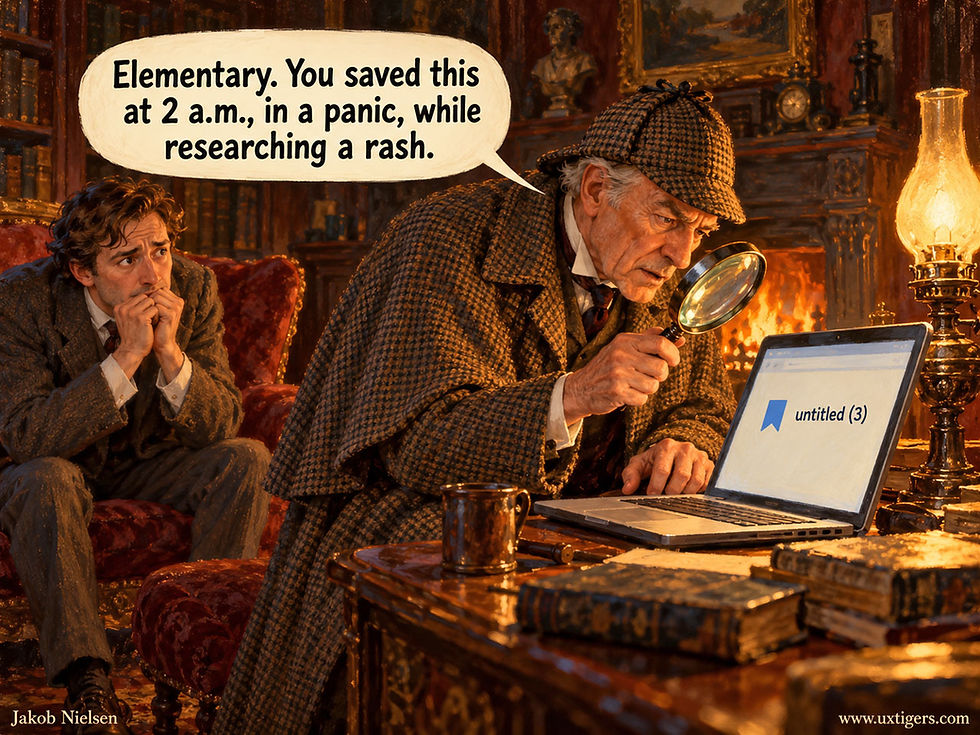
At save time, context cues abound; a year later, reconstructing them takes a Sherlock Holmes. Capture the trail automatically: query, source, date, and highlighted text.
8 Design Guidelines for Bookmarks
Save in 1 tap with no dialog. Filing is optional and comes after, never before. Offer 1-tap tag suggestions after the save.
Capture the trail automatically. Attach the query, the referring page, the date, and any highlighted text to the save, so the mark keeps the why along with the where. This is the one piece of filing that costs the user nothing.
Show the saved state on the item itself (the filled flag), confirming the save and preventing duplicates.
Keep bookmarks private, always. A save that others can see is a different feature; if you build it, label it as such.
Search the full text of the saved target, because users won’t remember the title.
Archive the content where rights permit, and detect dead links. A pointer to a 404 is a broken promise.
Resurface old saves with digests and gentle nudges (details in the Save Debt section below).
Provide export. Marks are the user’s data, not the platform’s hostage. (Pocket users who exported in time still have their libraries. The rest have a lesson.)

Bookmarks promise an easy return, then die of painfully familiar causes.
More Marks: Pins, Flags, Watches, and Wishes

Beyond likes, favorites, and bookmarks, several more marks prove useful: votes, pins, flags, watches, and wishlists.
The big three have cousins, each with a job of its own:
Pin. Pinning fixes an item to prime real estate, such as pinned tabs, pinned chats, or pinned posts atop a profile. The corkboard metaphor is exact: a pin is a positional mark, valuable because the position is scarce. (Pinterest, launched in 2010, stretched “pinning” into unbounded collecting, which makes its pins bookmarks in hiding. The boards are lovely anyway.) Misuse follows directly: 14 pinned chats equal 0 pinned chats. Pinflation is markflation with a thumbtack.

Unbounded pinning turns a shortlist into a pile of bookmarks.
Email stars and flags. Gmail’s star (present since the 2004 launch, with a palette of alternate colors and symbols for power users) and Outlook’s flag mark messages inside a workflow. Their real semantics are “needs action,” closer to a to-do than to a favorite, which is why a starred inbox reads like a guilt list.

Email stars and flags mean “needs action,” so a starred inbox reads like a guilt list. Give workflow flags task semantics: done states, snoozing, aging, and bulk clearing.
Watch and follow. Prospective marking: mark an item or a source now to receive future updates, whether via eBay’s watchlist, a stock watchlist, or a creator follow. GitHub deserves rare praise here for splitting the jobs correctly: star for appreciation-plus-bookmark, watch for notifications. Two buttons, two jobs, zero confusion. More products should copy this.
Wishlist. A commerce save with declared purchase intent, doubling as a shareable gift registry, and sometimes fused with watching: Steam notifies you when a wishlisted game goes on sale, converting a passive mark into an active agent.

A wishlist that announces sales converts a passive mark into an active agent. Users should know which of their marks will start talking back.
Three guidelines apply to this supporting cast: cap or rank pins, since pinned real estate is finite by definition; give workflow flags task semantics (done states, snoozing, aging indicators, bulk clearing); and split appreciation from notification, GitHub-style, so that no button does both.

A pin is valuable because prime position is scarce. Pin everything, and you’ve pinned nothing, so cap or rank pins.
Icon Anarchy: Hearts, Stars, and Flags Play Musical Chairs
Now comes the embarrassing part. The industry has 3 principal marking icons and at least 4 marking functions, and it shuffles them like a shell game. The heart means like on Instagram and X, but Apple Music used a heart labeled “Love” for years, then switched in 2023 to a star labeled “Favorite.” The star means favorite on Apple Music and meant it on old Twitter, but means bookmark in Chrome’s address bar, means flag-for-follow-up in Gmail, and means a rating unit on every review site.
The bookmark flag means private save on Instagram and X, but TikTok uses the identical flag for a feature it calls Favorites. Meanwhile, the thumbs-up competes with the heart for “like” on Facebook, YouTube, and LinkedIn. Nice work, everyone.

We have 3 principal marking icons and at least 4 marking functions, and the shell game never ends. Users lose every round.
This matters because of Jakob’s Law: users spend most of their time in other products, and they import those products’ conventions into yours. Every icon reassignment causes mis-taps, hesitation, and quiet dread (“did I just publicly endorse this, or file it?”). A cheap gesture with uncertain consequences is an expensive gesture.

Jakob’s Law: users import icon meanings from every other product they use. Reassign the icons, and every tap becomes a séance.
My recommendation follows the conventions most products already use:


Culture assigned the star its meaning long before software did: singled out as excellent. Use it for favorites and nothing else.
The heart earned the like: it’s emotional, universal (Twitter’s stated reason for adopting it), and already dominant on the biggest platforms. The star earned the favorite: a star already means “singled out as excellent” in the culture at large, from gold stars to Michelin. The flag earned the save: it’s the one icon whose physical ancestor literally means “return here.”
Beyond these assignments, follow three rules. Pair icons with text labels in menus and on first exposure, never give 1 icon 2 functions in the same product, and never give 1 function 2 icons either.

When the star carries 4 meanings, users can trust none of them. Give each icon a single job.

Stick with the standard icons and their standard meanings: heart for like, star for favorite, and the bookmark-shaped flag for save.
Save Debt: When Marks Number in the Thousands
Steve Whittaker (University of California, Santa Cruz) offers the most useful framing I know for this field: personal information management is a 3-stage curation lifecycle of keeping, managing, and exploiting (his 2011 review, PDF). Most marking UIs encourage keeping, tolerate managing, and forget exploiting, which is the only stage that returns value to the user.

Keep, manage, exploit: the treasure waits at the end of the road, and most products strand users halfway.

Forgotten acorns at least grow into oak trees. Forgotten saves only grow the pile, because most marking UIs neglect the exploiting stage, where users reap the value.
Why do marked collections only grow? Because every marking UI is a one-way valve: items enter with one thoughtless tap and leave only through deliberate effort that users rarely spend. The marginal mark is a bargain at 1 second, but the bill arrives later, paid by every future search through a pile that just got one item deeper. Thus each mark is individually rational and collectively ruinous: the tragedy of the commons, playing out inside a single skull, with the present self overgrazing a pasture the future self has to live on.

Every marking UI encourages hoarding: items enter with a thoughtless tap and leave only through deliberate effort that users rarely make.

Each mark is individually rational and collectively ruinous: the present self overgrazes a pasture the future self has to live on.
Deletion rarely rebalances the ledger: discarding requires a judgment under uncertainty, losses loom larger than gains, and Whittaker’s review notes that people defer the judgment (“I’ll decide later”) and then seldom revisit their archives to make it.

Deletion demands a judgment under uncertainty, and losses loom larger than gains. So users defer the decision indefinitely.
After a few years, the collection contains thousands of items, and trouble starts when they compete for attention. An unused bookmark sitting quietly in a searchable archive costs little; the same bookmark occupying a shortlist, obscuring a needed item, or generating another review prompt charges interest every day. Save Debt is the widening gap between everything you’ve marked and anything you’ve revisited (a sibling of the disclosure debt I’ve written about in the context of progressive disclosure).

Save Debt: the widening gap between everything you’ve marked and anything you’ve revisited. Fortunately, real collection agencies don’t pursue Save Debt. Unfortunately, that’s why it keeps growing.
The cure starts with separating a reference archive from a reading queue. “I might need this” belongs in the archive. “I intend to read this” belongs in the queue. Both deserve cheap capture, but only the second expresses unfinished business. So a product that treats every save as a task manufactures obligations the user never accepted.
Thus the design goal is to make large archives cheap to ignore and easy to use when needed, while helping users fulfill the intentions they actually formed. That requires different machinery for retrieval, repeated access, and pending work. Chronological sorting buries old treasures under recent whims, and alphabetical sorting of content titles is organization theater.

Users revisit only the tip of the iceberg. Design the archive to stay useful as the submerged mass grows.
Here’s the toolkit for managing marks at scale:
Semantic search, because memory keeps the gist and forgets the exact wording. Full-text search of the saved content is table stakes. AI search over embeddings goes further: users can refind by fuzzy meaning (“that article about why progress bars lie”) without the keywords they never memorized. A refinding query is a memory, and memories are approximate; the search should be too. But search can’t do the whole job. Ofer Bergman and co-authors found that people search for their own files in only 4–15% of retrievals, because navigating a familiar structure runs on recognition while a search box demands recall. Build the search, but build the structures below it too.
Related marked items. When the user views one marked item, show semantically similar ones from the same collection. This converts a pile into a navigable web and serves the most common retrieval thought directly: “I know I saved something like this.”
Readwear and information half-life. In 1992, Will Hill and co-authors (Bellcore and US West) mapped editing and reading frequency onto document scrollbars, naming the idea after the physical wear of dog-eared pages and stained recipe cards (Edit Wear and Read Wear, 7-page PDF). Apply computational wear to marks: count each access, share, and mention, pull the well-worn items to the top, and visually age the untouched.
Browsers already run a version of this. Mozilla ranks address-bar suggestions by “frecency,” a blend of frequency and recency. Pair readwear with information half-life: a saved restaurant for next week’s trip decays in days, a tax guide in months, a foundational essay in decades. Treat every mark as immortal, and the archive turns into a hoarder’s attic. Readwear plus decay is how software learns to fall open to the right page.
Readwear also creates a feedback loop. An item placed at the top receives more attention partly because it’s at the top. If those extra clicks justify further promotion, the interface can mistake its own placement decisions for the user’s enduring preferences. Meanwhile, a useful item buried below the fold accumulates evidence of neglect simply because nobody sees it.

Readwear can trap itself in an ant mill, the circular march in which army ants follow one another’s scent until they drop. Items on top get used because they’re on top, and low use alone doesn’t establish low value.
Interpret usage in light of exposure and the current task. Keep manually ordered favorites stable, and put adaptive suggestions in a separate area where the system can explain their appearance: “Used in your last three pricing projects.” Preserve a route to the full collection, including rarely accessed material. Low use alone doesn’t establish low value. The point of readwear is to help users recover useful material, including material the current ranking has failed to expose.
Automatic organization. Filing at save time adds friction that can kill the capture; machine filing afterward is the fix. AI clustering into suggested collections, auto-tagging, and duplicate detection let the user approve organization in bulk instead of performing it item by item.
Resurfacing. Bring saved material back when it can help with the current task. An old article about pricing belongs beside today’s pricing research; its 18-month anniversary is a much weaker reason to demand attention. Reserve scheduled reminders for intentions the user has declared. A good archive shrinks the user’s unfinished business.
Triage tiers. Maintain a broad reference archive and a small favorites layer for repeated access. Offer a separate reading or action queue for items users intend to finish. Completing an item removes it from the queue without requiring its deletion from the archive. These structures answer different questions: what might be useful, what should stay handy, and what remains to be done.
Housekeeping. Dead-link detection, bulk editing, deduplication, and export. Unglamorous work, but it separates a library from a landfill.
What Counts as an Item? Match the Mark to the Scope
Every product implicitly defines the markable unit as its atomic content object: the post, the page, the product, the song, the video, the email. Users’ interests are less tidy and span three other scopes:
Sub-item marks. The user cares about a passage in a 6,000-word article, a moment in a 3-hour video, or a single slide in a 60-slide deck. A mark on the whole item refinds the haystack, not the needle. The mechanisms already exist, including highlights (Kindle, Medium), timestamped links and chapters (YouTube), text-fragment deep links (Chrome’s “copy link to highlight”), and pinned messages inside a chat. My guideline: if your content items routinely exceed a few screens or a few minutes, offer anchor-level marking, or your bookmark is a promise you only half keep. (Kindle’s Popular Highlights is readwear at population scale: the passages thousands of strangers marked, rendered as collective underlining.)

A mark on an entire 3-hour video saves the haystack and loses the needle (the 2-minute clip you came back for). For long content, offer anchor-level marks.
Set-level marks. Sometimes the user wants to mark a rule rather than an instance: a saved search (eBay queries, job alerts), a smart folder, or a followed creator. A follow is a mark on a source, prospective rather than retrospective; a saved search is a mark on a criterion whose membership updates itself. These dynamic marks accumulate and go stale just like item marks, so give them the same machinery: review, prune, readwear.
Position marks. The truest heir of the medieval ribbon is the mark nobody makes: continue watching, resume reading, the synced page position. Users don’t think of these as bookmarks, and that’s the highest compliment, because the marking cost has fallen to zero. The division of labor is clean. Automate what the system can observe (position, frequency, recency), and reserve the explicit gesture for the one judgment only the user can supply: importance.

The 4 scopes of a mark: a set above the item, the whole item, a region within it, and a position within it.
Set the scope by design instead of inheriting it from your data model. A 3-minute song is an item; in a 3-hour DJ set, the timestamp is the item. Ask what unit the user will want back, and make that the thing a mark can hold.

Within a 4-hour opera, the bravura aria is the item of interest. Until the app supports anchor-level marks, a well-timed elbow will have to do.
AI Transforms Retrieval but Leaves Judgment to Users
Every finding above predates the current AI wave, so the natural question is which of them AI overturns. My answer: AI transforms the exploiting stage of the curation lifecycle and leaves the keeping stage nearly untouched.
On retrieval, AI is close to abolishing the bookmark’s oldest excuse. A model with access to your browsing history, your reading, and your documents can refind an item from a description as vague as your memory of it (“the piece about why progress bars lie, from around the time we were arguing about the dashboard”), which is the query users have wanted to type since 1994.

AI can refind an item from a description as vague as the user’s memory of it, which is the query users have wanted to type since 1994.
Total recall gives the mark a new job. A complete record of 50,000 visited pages drowns curation in noise, weighting rage-bait and competitor research as heavily as the essays you trust. The system can observe what you did (position, frequency, recency), but it can’t know what you meant. So the explicit gesture concentrates on the one thing in the anatomy table that behavior can’t supply: importance.
Expect fewer marks that each mean more: the favorite will outlive the bookmark. (Current AI search over personal data is still slow, spotty, and occasionally confident about the wrong item, so keep the boring full-text search until the fancy one earns its keep.)

Behavioral data is circumstantial evidence. It records what users did and keeps their intentions hidden. That leaves the explicit mark one job behavior can’t do: declaring importance.
Marks become 1-tap context engineering, and their main consumer shifts from the platform’s algorithm to the user’s own agent. A favorite acts as a constitutional weight (“prioritize these sources and mimic this taste”), while bookmarks scope working memory so a personal AI can draft a briefing from the 6 articles you saved on a topic. That flips export from courtesy to necessity, because marks that can’t leave the platform can’t ground your agent.
But a mark’s meaning must survive the trip into the agent. Saving an article says that it deserves to remain available. It doesn’t establish that its claims are true or that its style should be copied.
A research collection can contain evidence, counterarguments, and examples of what to avoid. Feed that collection into an agent as undifferentiated approval, and you’ve rebuilt the overloaded like button inside the AI.

A saved recipe may be a keeper or a warning. Feed a collection to an agent as undifferentiated approval, and you’ve rebuilt the overloaded like button, now served in aspic.
Give users a separate way to declare how a collection should guide a task: “compare these arguments,” “imitate this style,” or “find evidence relevant to this decision.” These instructions belong at the point of use, when the purpose is clear. Don’t make every save begin with a questionnaire. The cheap gesture preserves the material; the later instruction assigns its role.
And agents will do some of the reading, too. An agent that reviews 200 pages should propose the 3 that deserve attention, but its suggestions must remain distinguishable from favorites the user explicitly approved. Otherwise, the agent can mistake its own earlier selections for evidence of the user’s preferences and reinforce a judgment the user didn’t make.

It’s the cuckoo’s trick, AI edition. Unless agent suggestions stay visibly separate from favorites the user approved, the agent will raise its own picks as if they were the user’s taste.
So export must preserve more than destinations. Include the user’s marks, annotations, relevant context, and any declared roles for the material, while distinguishing human choices from agent suggestions.
A pile of URLs preserves access but discards much of the accumulated judgment. My prediction: by 2030, the most valuable saved-items collection will be the one your own AI can use effectively, and platforms that hold marks hostage will lose them to sidecar tools that don’t.

By 2030, platforms that hold marks hostage will lose them to tools that the user’s own AI can read.
Test the Return Journey
A marking mechanism has two moments of truth: when users make the mark and when they need its benefit. Test both. Give participants a realistic browsing task and let them decide what deserves a mark.
Afterward, ask what each action changed, who can see it, and whether it will influence recommendations. Compare their expectations with the product’s actual behavior. A confidently misunderstood button is a failed design.

Ask participants what each mark changed and who can see it. A confidently misunderstood button is a failed design.
Bring participants back a week later for a plausible continuation of the original task. Ask them to continue the work without supplying the titles of useful items or directing them to the saved-items screen. Those clues would supply the memory your interface was supposed to preserve. Observe whether saved material comes back into play, how much effort retrieval requires, and whether participants can recover why an item mattered.
Alternative user research methods for studying the return journey include field studies and diary studies. These methods add ecological validity by examining users’ own marks, but they sacrifice the systematic comparison possible with marks made in a controlled initial session.

Test marking UX at two moments: when users make the mark and when they need it later. Delay the second test to make the return journey realistic.
Include people with established collections. A favorite used every morning and an article saved 6 months ago impose different demands: the first needs stable, immediate access; the second needs cues that reconstruct its context. So a clean account with 5 freshly saved items tests neither problem.
Measure whether marks help users complete their work. Save counts measure capture, which is the easiest part to make effortless. And reopening counts can rise simply because the product sends more reminders. The meaningful outcome is that users recover useful material when it matters, with less effort than they’d otherwise spend.

Reopening counts can rise when the product nags, but they remain a vanity metric. Measure whether marks help users finish their work.
10 Guidelines for Marking Mechanisms in General
Assign each marking control exactly 1 job: evaluate (like), curate (favorite), or retrieve (bookmark). Remember Twitter’s 9 years of star confusion.
Use the standard icons for their standard jobs: heart, star, flag, thumbs, with text labels in menus and on first exposure.
Make marking reversible and visible: 1 tap on, 1 tap off, instant feedback, and a persistent marked state shown wherever the item appears.
Declare visibility at the point of action. Users must know whether a mark is public, private, or algorithm food before they commit, not after the screenshot circulates.
Keep private saves out of the recommender unless the user opts in. Punishing retrieval marks with feed distortion teaches users to stop marking honestly.
Capture with zero friction; organize later, ideally by machine. Any required decision at save time is a tax on the moment of encounter, and users respond to taxes by not paying. The exception is context the system can record for free (query, source, date, selection), which is the filing that memory runs on.
Design for thousands of marks from day 1: full-text and semantic search, related-item navigation, and readwear ranking, because the collection outgrows chronological sorting within months.
Resurface marks or watch them rot. Digests, contextual nudges, half-life decay, and review prompts convert the archive from a write-only pile into a working memory.
Offer the right scopes: anchor-level marks for long content, set-level marks for recurring interests, and automatic position marks wherever the system can observe the user’s place.
Let users leave with their marks. Export in an open format that the user’s own AI agent can read. Years of accumulated judgment belong to the person who exercised it.

Years of accumulated judgment belong to the people who exercised it. Make export easy enough that even a custody split takes minutes.
Conclusion: Make the Software Fall Open
The cookbook falls open where repeated use has made it useful. Software should offer the same convenience while honoring the choices users make explicitly: a heart for appreciation, a star for fast access, and a bookmark for a possible future need. The tap is where the system’s obligation begins. Keep shortlists stable, archives searchable, and useful material within reach when the task calls for it. Keep, manage, exploit. Users supply the judgment; software must supply the memory.

Users fill the first jar for free. Software’s job is to make sure the third one isn’t empty.
Here’s the homework: list every marking mechanism in your product in a table with a row per mark, a column per dimension from the anatomy table (earlier in this article), and a final column for the icon. Any two rows that blur together are your next sprint. Which marks does your product mishandle? Confess in the comments.

Veterans of the 2015 icon wars still tell the story. Every icon reassignment causes mis-taps and lost saves.
Watch my 5-minute explainer video for a quick overview of this article (YouTube).


