
UX Roundup: Flow | AI & Creative Jobs | AI Price | Too Many Options | Joint Cognitive Systems | Proactive AI | Satisfaction | Carousels | Activity Feeds | Pagination | Robotaxi Safety | Integration

Summary: The flow state & UX | AI has reshaped creative jobs, and 70% of creatives now use it | The cost of AI drops 13× per year | Every extra option adds thinking time | Design the human–AI team as one unit | Proactive AI must time interruptions carefully | Satisfaction depends on expectations | Carousels are an experience lottery | Activity feeds save time but can addict users through operant conditioning | Avoid overly aggressive pagination | Tesla’s autonomous taxis are at least 3× safer than human drivers | AI productivity leaks away at system handoffs

UX Roundup for October 26, 2026 (GPT Image 2.5)
AI Turned My Flow Article into a Video for $12
Watch my new explainer video about the flow state and UX (YouTube, 4 min.). The video is based on my 5,600-word article from last week about Flow; it’s a brisk way to grasp the basics of “being in the flow” and its implications for UX.

Different media forms have different strengths: my article provides detail, a research literature review, and actionable design guidelines, but demands a hefty time investment. A short video asks less of your brain and delivers the essentials at a gallop. (GPT Image 2.5)

New video about Flow in UX. (GPT Image 2.5)
I made this video to experiment with better narration than I used for my recent video, 3 AI Interaction Styles: Turn-Taking, Task Agents, Always-On (YouTube, 5 min.). That video used Claude Opus 5.5’s default voice generation, which drones in a wooden monotone. Viewers rightly roasted me for it: flat narration turns even a good script into a slog.
For the Flow video, I switched to ElevenLabs’ new v4 voice model. The narration cost $3, or just under $1 per minute of final audio. That’s more than ElevenLabs’ published API rates suggest, because I kept regenerating takes until the cadence sounded natural.
The v4 voice model lets me “direct” the voice actor, but finding the magic words that coax out the right inflection still took round after round of trial and error. The ability to direct voices erects a new articulation barrier for those of us who lack a Hollywood director’s vocabulary.
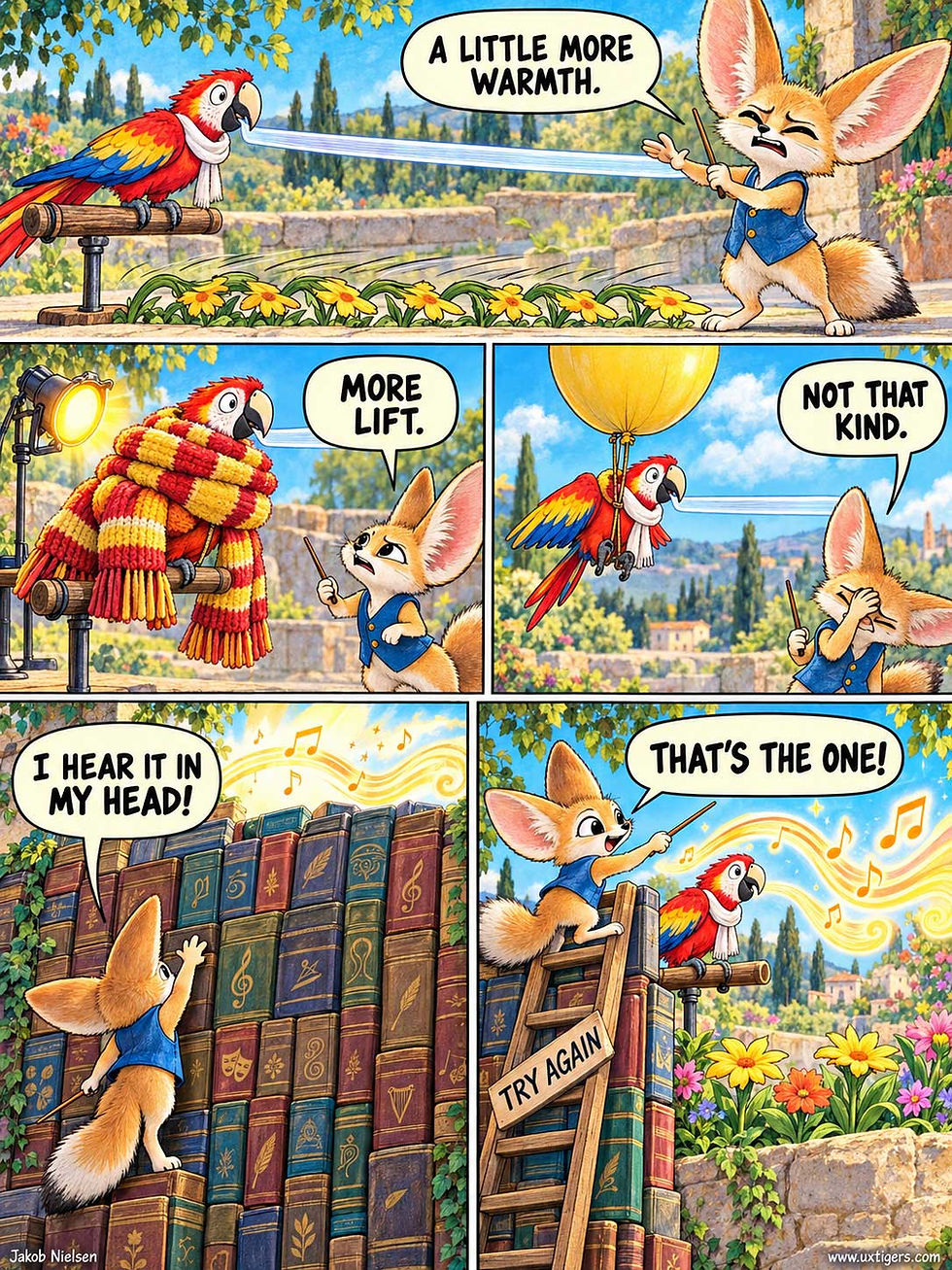
Directing an AI voice to hit the exact delivery you hear in your head runs into a severe articulation barrier. (GPT Image 2.5)
Give my Flow video a watch (and a listen) to see agentic video creation with Opus 5.5 in action.
The other production costs were $5 to generate the background images in 4K resolution and about 8% of my weekly token quota in Claude. With a $200 monthly Claude subscription, that token use comes to about $4. The full article-to-video conversion cost $12, or $3 per minute of final footage. That’s pocket change: a traditional film crew would spend more than that on coffee before the first take.

Cost matters because it determines what gets greenlighted. I’m optimistic about the wave of content from individual creators now that AI slashes production costs enough to make niche ideas viable. Most will be duds, but that’s been true of Netflix and other legacy media for years, long before they adopted AI production tools. (GPT Image 2.5)
With cheap agentic video, AI makes content formats transmutable. My $12 budget even stretched to two aspect ratios: 16:9 for YouTube and 3:4 for social media (with the illustrations regenerated in portrait format for the second version).

Transmutable media let creators pour one idea into many vessels. I could just as easily have spun the same material into a half-hour video course or a slideshow for a live presentation. (Just don’t read the AI’s script aloud in a meeting: nothing kills a room faster.) (GPT Image 2.5)
AI Didn’t Replace Creatives: 70% Now Use It, and Adopters Earn More
Three years ago, replacenoia gripped the creative professions: doomsayers warned that AI would wipe out illustrators, designers, and video editors. The panic has since faded into routine, and AI now sits on most creatives’ workbenches next to the stylus and the color picker. That’s the verdict of Contra Labs’ Creative Intelligence 2026 report, which surveyed more than 150,000 creative professionals and mined data from Contra’s freelance marketplace.

Three years ago, the story was that AI would replace creatives. Now even the prophets of doom use AI to make their signs look professional. (GPT Image 2.5)

Plot twist: clients still hire humans, who now show up with AI in their toolkit. (GPT Image 2.5)
Today, 70–71% of creatives use AI across junior, mid-level, and senior roles. Juniors adopted first, but the old hands caught up. (Perhaps decades of directing juniors made directing AI feel natural.) Clients came along, too: AI’s share of paid projects on Contra more than doubled from 7.2% to 19% between April 2025 and July 2026.

Seniors caught up with juniors in AI adoption. After decades of giving vague creative direction, they finally have a junior who never rolls its eyes. (GPT Image 2.5)
Now for the money. Contra compared each creator’s median project value before and after adoption. The median AI adopter’s project value grew by 20%, versus 7% for non-adopters.

Whether AI or raw talent deserves the credit for the 20% gain is a puzzle for statisticians. The mortgage gets paid either way. (GPT Image 2.5)
Before you conclude that AI will make you rich, note that this isn’t a controlled experiment. Contra calls the non-adopters a “control group,” but nobody randomly assigned creatives to use AI; they chose for themselves. Perhaps AI lifted the adopters’ earnings. Or perhaps smart people get with the program, while the dimmer bulbs stubbornly refuse any innovation and would have earned less anyway. Observational data can’t untangle those two explanations. Still, I know which camp I’d rather join.

Self-selection, one sign at a time: the creatives refusing AI may be the same people who resist each new tool. (GPT Image 2.5)
Creatives now offer, or plan to offer, these AI-enabled services:
AI workflow design (60%) builds repeatable AI pipelines for clients: a studio-scale version of the Forward Deployed Designer I proposed in May.
AI creative direction (50%) sets the concept, visual language, and quality bar for AI-generated work.
Brand image systems (37%) deliver reusable, on-brand AI imagery for campaigns.
AI UGC character design (27%) creates consistent AI characters who star in social posts styled as user-generated content (UGC).
Synthetic brand photography (22%) produces product shots without a studio shoot.

AI workflow design is the most common new service, offered or planned by 60% of creatives: designers now embed themselves in clients’ daily operations to rewire how work gets done. Watch my “Forward Deployed” music video. (GPT Image 2.5)

AI UGC character design (27%) produces user-generated content without the user. The hard part is designing a compelling character now that looking prettier than any supermodel costs less than a cent per photo. (GPT Image 2.5)
(The survey lumped “plan to” together with “already do,” so treat these numbers as upper bounds.) Conspicuously absent is “prompt engineer,” which pundits crowned the hottest job of the AI age in 2023. Prompting shows up only as a deliverable: “brand prompt kits” (32%).
What holds creatives back? Cost, named by 70%, far ahead of quality (45%) and privacy (44%). I suspect AI video is the prime culprit: premium models such as Seedance 2.5 burn credits like rocket fuel.

Cost is the top barrier to more AI use, named by 70% of creatives, and premium AI video runs up the bill like a taxi meter in gridlock. (GPT Image 2.5)
Fortunately, this barrier is melting. The Epoch AI analysis covered in the next news item estimates that the cost of a given level of AI performance has fallen by a factor of 13 each year since 2023. If video follows the same curve, a $1,000 render today will cost $77 next year and $6 the year after.
The exception: high-end campaigns will demand better video than current models deliver and will keep paying bleeding-edge prices for a few more years. Yesterday’s luxury tier quickly becomes bargain-basement fare; the frontier keeps moving.

Each quality level gets cheap fast; the moving frontier keeps high-end campaigns paying for this season’s model. (GPT Image 2.5)
Contra concludes that creative intelligence wins: as execution gets cheap, the scarce skill shifts upstream to knowing what to make and whether the result is any good. I agree, for now, but eventually AI will get better judgment. AI makes execution cheap and taste expensive.

AI now handles much of the production work, so the creative’s job centers on taste, direction, and the authority to say no. (GPT Image 2.5)
Exercise for the reader: this story has 10 of the 20 cartoons I made. If you had to pick only one, which would it be, and why? Run a culling drill like this every day to sharpen your eye for AI output.
AI Thought Gets 13× Cheaper Every Year
Odin gave an eye for one drink from Mímir’s well of wisdom. He overpaid. In January 2025, AI needed 30 cents per question to score 75% on GPQA Diamond, a PhD-level science exam. Less than 18 months later, achieving the same score cost 0.04 cents: a gobsmacking 725-fold drop.

The Viking god Odin sacrificed an eye for wisdom. Today, it’s cheap and getting 13× cheaper each year. (GPT Image 2.5)
In a new analysis covering 5 benchmarks since 2023, Luke Emberson and David Roodman of Epoch AI found that the cost of reaching a given level of performance fell by an average of 47% per quarter, a 13× annual drop. For comparison, US electricity got 1.05× cheaper per year (1892–1973), compute 1.51× (1940–2001), and DNA sequencing 1.84× (2001–2025). AI’s 13× is likely a record for any transformative technology.

Earlier technology revolutions brought price cuts worth a parade. AI slashes prices faster than anybody could organize one. (GPT Image 2.5)
Can we trust these numbers? Mostly. The evidence has limits: benchmarks are imperfect proxies for real work, the time series covers only 3 years, and labs may be benchmaxxing (training models to ace known tests). But prices still fell 44% per quarter on a benchmark whose puzzles are kept secret. Even at one-third of Epoch’s estimated rate, AI would still outpace DNA sequencing.

A top benchmark score doesn’t prove that an AI can handle your real work. (GPT Image 2.5)
Two lessons for UX:
Design for next year’s price. A $1-per-use feature should cost 8 cents next year and less than a penny the year after. Prices often fall fastest just after a capability debuts (66% per quarter), so prototype with the expensive frontier model. The price tag may shrivel before you ship. Much of today’s AI UX is scarcitecture: message caps, credit meters, and “think harder” upsells rationing a resource that’s already turning into tap water.
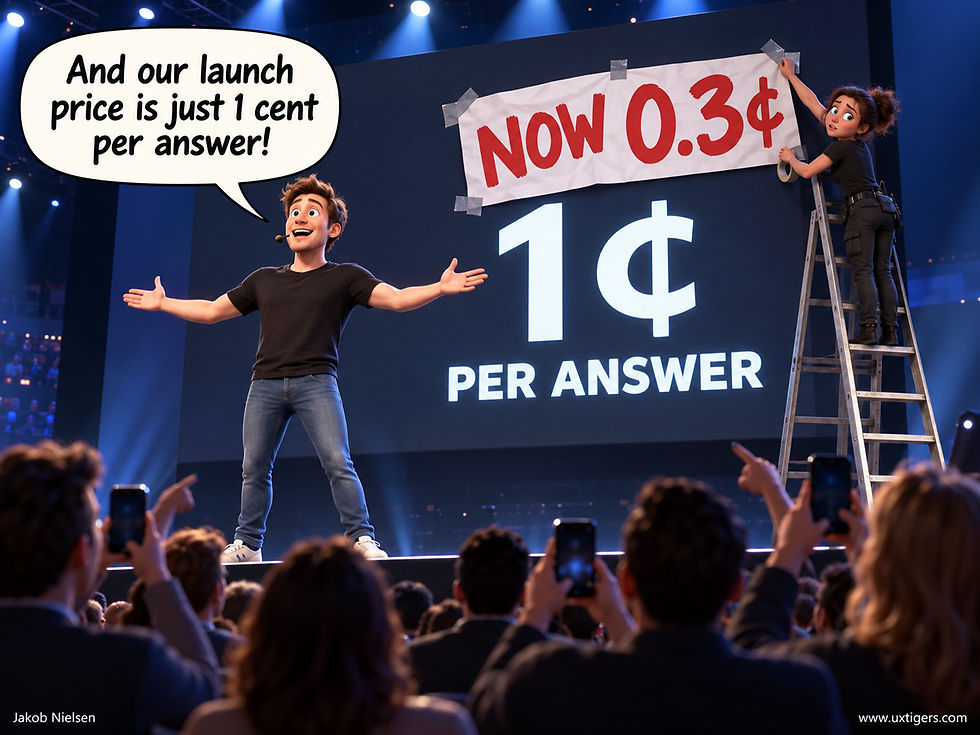
AI prices fall so fast that the launch-day price tag can be out of date before the keynote ends. (GPT Image 2.5)
Users stick to the default model. Epoch notes that almost nobody hunts for the cheapest model for each task. (Quick: is “Flash” cheaper than “Mini”?) Users pocket the savings only when your defaults route each task to the cheapest capable model.

AI model and effort names confuse most users, who stick with the default options. (GPT Image 2.5)
Machine thought is getting dirt cheap, while human attention remains scarce. Spend compute freely to save precious brainpower: let AI think longer so users can read less.

In 1657, Blaise Pascal apologized for a long letter because he lacked the time to make it shorter. AI has all the time in the world, so make it write the short letter. (GPT Image 2.5)
Every Option Adds Thinking Overhead
Every extra option levies a cognitive tax that climbs with each addition. Pairwise comparisons grow with the square of the menu size: 6 menu items permit 15 comparisons, 24 items permit 276, and the 60-flavor wall of an ambitious ice-cream parlor permits 1,770. Nobody performs them all. Faced with the bill, people resort to Herbert Simon’s 1956 strategy of satisficing: grab something acceptable and stop. Or, worse for business, they walk out empty-handed.
Even for simple, familiar options, Hick’s Law says selection time grows with the logarithm of the number of alternatives. When options are unfamiliar and must be researched, the effort curve rears up like the north face of the Eiger, along with the buyer’s dread of picking a lemon.
So spare your users the mental gymnastics. Lead with 3–5 strong options, mark one as the recommended default, and park the long tail behind a link for connoisseurs. Aggressive curation does the customer’s homework. Silicon Valley now calls this being “opinionated” about the product. Same homework, trendier label.

Offering everything is the politest way to sell nothing. (GPT Image 2)
Joint Cognitive Systems: Design the Whole Human–AI Team
A joint cognitive system treats the human and machine as one thinking unit and judges designs by how well that unit performs. Test the pair together, or you’ll ship automation that dazzles in demos and flops on Tuesday morning.

A human and a machine weaving one net: in a joint cognitive system, the ensemble does the thinking, and neither party can take sole credit. In real life, your AI collaboration happens inside a plain text box, which makes for a duller painting. (GPT Image 2)
Definition: A joint cognitive system (JCS) is the combination of a human and a machine, analyzed and designed as a single unit that performs cognitive work: perceiving, interpreting, deciding, and acting.

A joint cognitive system succeeds through complementary roles coordinated around one shared task. (GPT Image 2)
Example: A radiologist reading scans with an AI screening tool forms one diagnostic system. Success depends on whether the pair catches more tumors with fewer false alarms than either partner working solo.
New Wine from a Danish Laboratory
Erik Hollnagel and David Woods introduced the approach in a 1982 technical report from Risø National Laboratory in my native Denmark, published the following year as “Cognitive Systems Engineering: New Wine in New Bottles” in the International Journal of Man-Machine Studies.
The timing mattered. During the first few minutes of the 1979 Three Mile Island nuclear accident, more than 100 alarms went off in the control room. Piling on automation and shrieking alarms had only deepened the operators’ confusion.
Their fix was to redraw the boundary. Stop analyzing the human and the machine as separate boxes tossing signals over a wall; analyze the joint cognitive system they form together. Cognition becomes a duet that succeeds or fails as one. Hollnagel and Woods consolidated two decades of this work in their 2005 book Joint Cognitive Systems: Foundations of Cognitive Systems Engineering, and Hollnagel’s own account of the origins is worth 10 minutes of your time.
(They proposed all this the year SIGCHI was born; the field then spent 40 years mostly designing tools anyway. AI finally makes their point impossible to ignore.)
One Team, One Scorecard
The JCS framework turns armchair philosophy into concrete usability questions: How does the ensemble perform on real tasks? Where does information get stuck at the boundary between the partners? Who notices when the situation changes?

An award-winning hammer is cold comfort when the full system (the cabinet) crashes to the floor. (GPT Image 2)
That reframing pays off because good teams have properties we can design for. Gary Klein and co-authors spelled them out in “Ten Challenges for Making Automation a ‘Team Player’ in Joint Human-Agent Activity” (IEEE Intelligent Systems, 2004): teammates are mutually predictable, they can be directed, and they maintain common ground about the goal and the situation. Each team trait translates directly into a UI requirement.
A system becomes predictable when it shows what it’s doing, directable when the user can steer it mid-task, and grounded when it displays its underlying assumptions.

Two attentive partners can still fail when each assumes the other is watching the critical thing. (GPT Image 2)
Bad teamwork wrecks real-world operations. Aviation human-factors researcher Earl Wiener documented that cockpit automation tends to lighten the workload when it’s already light and pile on more when the pilot is busiest. He called this “clumsy automation.” His wry Wiener’s Laws include the evergreen “Every device creates its own opportunity for human error.”
Testing the whole team exposes this clumsy burden-shifting; isolated component testing hides it. In 2026, with symbiants (AI-supported workers) spreading through every office, Wiener’s 1989 report on glass cockpits is mandatory reading.
The Handoff Cliff
The classic blunder is substitution thinking: buy the automation, subtract the human work, done. In practice, automation transforms the work. The machine cruises through the easy 95% and dumps control back on the human at the worst possible moment, with zero context. Welcome to the handoff cliff.
Driver assistance can steer smoothly for 200 miles, then chime once when a construction zone baffles it. In 2 seconds, the daydreaming driver must morph into an alert expert.

Automation does you no favors when it handles the easy stroll and dumps a crisis in your lap at the doorway. (GPT Image 2)
Obsessing over AI benchmarks repeats the same blunder in a lab coat. A model beats humans on a test set, gets deployed, and joint performance drops. The human can’t see the machine’s confidence or its blind spots, so trust becomes guesswork. The cure is to design and test the partnership.
Expose machine state continuously, and let the human steer instead of keeping a numbing watch. Rehearse the handoffs, because that’s where joint systems break. Benchmark the team’s performance.
7 Design Guidelines for Joint Cognitive Systems
Measure joint performance. Evaluate the human–AI ensemble on real tasks against human-alone and AI-alone baselines, and ship only when the team wins on accuracy, speed, and error recovery.
Make the machine observable. Display what it’s doing, how confident it is, and what it will do next. A silent partner is an unpredictable one.
Support directability. Users must be able to steer, pause, and correct mid-task without starting over. Forcing users to “cancel and re-prompt” is like steering a car by crashing it and buying a new one.

True directability lets you nudge the AI mid-flight without scrapping the work. (GPT Image 2)
Build ramps for handoffs. When control returns to the human, deliver advance warning plus a capsule of context: what happened, what’s uncertain, and what needs deciding now.
Keep the human active. A person whose only job is to watch for rare failures will miss them; give that person a live decision role in the loop.

Reduce people to passive babysitters, and they will eventually doze through the failure. (GPT Image 2)
Maintain common ground. Have the system state its assumptions about the goal and constraints, so the user can correct them early, when corrections are cheap.
Fail soft and escalate early. A good teammate speaks up before going over the cliff and steps down gracefully to a reduced service level instead of dying behind a blank screen.

AI should state its assumptions upfront before a small misunderstanding bakes 12 pies. (GPT Image 2)
Proactive AI Must Respect the User’s Train of Thought
An AI suggestion earns its keep only when its value exceeds the attention it steals. Even a stroke of genius is unwelcome when it lands mid-sentence.

Proactive AI should offer useful suggestions on the side without derailing the work it’s meant to support. (GPT Image 2)
The robot butler understands something many software designers miss: holding out a tray leaves the writer free to finish her thought. Clanging a dinner bell in her ear would turn the favor into an assault. Relevance alone doesn’t justify an ambush. As I explain in my AI agent design guidelines, assistants must time their interventions to respect the user’s context.
Say a product manager is drafting a launch proposal, and her AI assistant finds evidence that would strengthen the pricing argument. A quiet marker beside the relevant paragraph waits patiently until she pauses. A rude pop-up that hijacks her cursor shatters the half-built sentence in her working memory before she can even read the evidence.
Proactive assistance needs manners as much as intelligence. Keep suggestions available without forcing an immediate response, explain their relevance briefly, and let users dismiss them without argument. Reserve interruptions for situations where waiting would cause real damage, such as an imminent deadline the user asked the system to track.
Test whether people complete their work faster, including the time spent recovering from interruptions. Counting accepted suggestions alone rewards useful ideas and hides the cost of delivering them.
Welcome the butler’s silver tray, and banish his elbow from your manuscript.
Satisfaction Is What You Deliver Minus What You Promised
Expectation confirmation theory, formalized by Richard Oliver in 1980, holds that satisfaction tracks performance relative to expectations more than raw quality. Exceed your promise, and the extra feels like a bonus. Fall short, and the gap feels like a swindle, even when the product is decent on its own merits. I covered the mechanics in my article on satisfaction and expectations. The lesson for landing pages, onboarding screens, and feature descriptions is blunt.
Every marketing claim is a loan against the product’s future performance, and copywriters borrow like drunken sailors.
The AI era has inflated those loans. Vendors promise answers in seconds, then hand over a plausible paragraph the user must fact-check. Others tout one-click magic that opens a multi-step wizard. Disappointed users seldom bother to complain. They vanish.
Calibrate your promise to the performance the product delivers 9 times out of 10; a cherry-picked demo miracle makes a lousy yardstick. When performance varies, say so in the copy (“usually within a minute”). Honest marketing is the cheapest way to raise satisfaction because inflated hype sours users on an otherwise solid product.

Disappointment measures the width of the chasm between what was promised and what was delivered. (GPT Image 2)
Users Don’t Click Carousels
The rotating hero carousel refuses to die because it patches an org-chart squabble: 5 departments demand the top slot, so a spineless committee gives each a timeshare. Users decline to play. Erik Runyon’s classic 2013 measurement at the University of Notre Dame found that only about 1% of visitors clicked a carousel at all, and 84% of those clicks landed on the first slide.
Autoplay makes matters worse by yanking content away mid-read, punishing the few people who actually care. A carousel is a truce among product team cowards, and users ignore it. Pick your top priority, give it permanent space, and send the runner-up promos packing.

Round and round the promotions go; where they stop, nobody clicks. (GPT Image 2)
Activity Feeds Turn 20: Awareness Machine or Attention Casino?
An activity feed pours events from many sources into one reverse-chronological stream, answering the user’s eternal question: “What happened since I last looked?” The pattern turned 20 in September. It remains a great time-saver, but engagement-hungry metrics have warped many feeds into digital slot machines. Build your feed to inform users and let them leave.

Events cascade from “just now” to “1w ago” in a single stream: likes, uploads, follows, and system updates all land in one place. A feed’s core value is letting users check 1 spot instead of 7. (GPT Image 2)
Definition: An activity feed is a continuously updated list of events, newest first, aggregated from sources the user has a stake in: people, projects, systems, or all three.
Example: A project tool’s feed might read “Emma commented,” “design system updated,” “weekly summary is ready.” Consumer social feeds get the press, but workplace feeds (dashboards, ticket streams, audit logs) obey identical usability rules, minus the dance videos.

Staying on top of a firehose of updates from friends and contacts takes a heavy social toll, like wearing your entire correspondence to the ball. (GPT Image 2)
From Ticker Tape to News Feed
The stock ticker of 1867 delivered an unending stream of events on paper tape; the modern feed merely flipped it upside down and made it tappable. The word “feed” itself comes from the news wires that fed stories to subscribing newsrooms, and it survived into RSS, the 1999 web-feed format that let one page aggregate updates from many sites.
Facebook launched News Feed on September 5, 2006, algorithmically merging friends’ activities into a single stream. Users hated it: roughly 700,000 joined protest groups within days, complaining that technically public information had suddenly become impossible to miss. Mark Zuckerberg’s open letter famously began, “Calm down. Breathe. We hear you.” Did the revolt kill the feed? Hardly.
Facebook added privacy controls and kept the stream. Within a few years, every social product had copied it. Aggregation changes psychology. Funneling scattered events into one spotlight alters behavior even when not a single byte of the underlying data is new.

Once users grow accustomed to a particular information layout, they may resist a new one, even when it saves them time. (GPT Image 2)
A Feed Answers “What’s New?” in One Glance
Without a feed, staying aware means polling: open the project board, check the shared doc, skim 2 chat channels, peek at the dashboard, then repeat the circuit an hour later. That’s 5 destinations and 10 visits, mostly to find that nothing changed. With a feed, the system runs those errands while the user takes one glance.
Reverse chronology matches how interest decays: recent events matter most, and yesterday’s news is, well, yesterday’s news. Ambient awareness also pays off in coordination. A team that sees “Noah started following the design system” or “project timeline moved forward” stays loosely synchronized without a status meeting. That effortless coordination is the business case for activity feeds.

A feed integrates multiple sources into a single view, replacing a parade of messengers who each demand a minute of your attention. (GPT Image 2)
The operative word is glance. A feed is a pull medium, consulted when the user chooses: the civilized alternative to a push barrage of notifications. Every event that waits quietly in the feed is a pop-up grenade that never exploded. Teams that route low-urgency events to the feed and reserve notifications for true emergencies get awareness without the nervous tic.
Where Feeds Rot
Economist Herbert Simon diagnosed the disease in 1971: “a wealth of information creates a poverty of attention.” Feeds manufacture information wealth by the ton, and 4 design sins convert it into attention poverty:
Infinite scroll with no endpoint. Aza Raskin invented infinite scrolling in 2006 and has since publicly regretted it because it removes the natural stopping points that let a person decide “I’m done.” The fix exists: Instagram added a “You’re All Caught Up” marker in 2018, showing that a feed can declare completion without the business collapsing.
Slot-machine mechanics. B.F. Skinner showed in the 1950s that variable, unpredictable rewards produce the most compulsive lever-pressing in lab animals. Pull-to-refresh is a one-armed bandit that occasionally drops a shiny coin. If your feed’s success metric is sessions per day, you’re running a casino, whatever the About page says.

The activity feed is a powerful operant conditioning mechanism, similar to the conditioning in Skinner’s lever boxes or casino gaming. (GPT Image 2)
Opaque ranking. When an algorithm reorders events by predicted “engagement,” users lose the feed’s core guarantee: knowing what happened. Offer a chronological view, at least as a toggle, and state plainly why an item was shown.
Event noise. Log every trivial change, and the feed drowns its own signal (“Bob changed a font. Bob changed it back.”). Filter out trivial event types at the source, and bundle rapid-fire bursts into a single line: “Liam uploaded 12 photos.”
Each of these sins is a deliberate choice, made by product teams to juice an engagement dashboard. Users smell the manipulation even when they can’t name the dark pattern, and the feed starts to feel like flypaper.
8 Guidelines to Feed the User, Not Feed on the User
A feed is a promise of awareness. Keep the promise, and you have one of the best patterns in modern UX; break it for engagement metrics, and users will feel farmed, with good reason.
Show a “caught up” marker when the user has seen everything new. Letting people finish their reading builds long-term trust.

Being caught up with your subscriptions is a small joy. (GPT Image 2)
Offer strict chronological order, at least as a persistent alternative to algorithmic ranking.
Let each user mute sources and event types. He or she knows better than your model which colleagues and systems matter.
Collapse bursts into single items with expandable detail (“12 photos,” “5 comments”).
Use relative timestamps for events under 24 hours old (“2m ago”) and absolute dates for older events. Vague labels like “3 weeks ago” force mental calendar math. “June 14” gives an exact anchor.
Make items actionable in place: like, reply, approve, or dismiss without leaving the stream.
Label injected content. Ads and recommendations mixed invisibly into genuine activity betray the feed’s core promise.
Measure success by tasks completed and stated satisfaction. Time spent scrolling is a cost to the user; only a casino books its patrons’ losses as revenue.

Leave the slot machines in Las Vegas. Good UX helps people finish their work and get back to their lives. (GPT Image 2)
Stop Paginflating Short Forms
The UK Government Digital Service (GDS) championed one question per page in 2015. It was sound advice for long, branching government transactions: each answer determines the next page, and anxious users on small screens need one decision at a time. Cargo-cult designers aped the format without the reasoning, and paginflation set in: page counts bloated far past decision counts. A 4-field signup becomes 4 page loads and 4 Next taps, each one threatening to break my 1-second limit for keeping a user’s interaction flow smooth.

Only 13 more “Next” buttons to go. Bring water. (GPT Image 2)
The diagnosis is quick: count the decisions, then count the pages. A decision is either a branch point (an answer that changes what comes next) or a question that deserves undivided attention. Name, email, and phone belong to one topic (contact details), and a single topic belongs on one screen.
The GDS service manual gives a piece of information, a decision, or a question as examples of “one thing” and says that user research will tell you when you can merge pages. Forms expert Caroline Jarrett, who helped shape that guidance, urges teams to group related questions whenever user research supports it.
My advice: if the whole form fits on one screen, show the whole form. Users work faster when they can see how much remains and fix earlier answers without paging back. And a form that looks brisk at first glance invites completion.
Tesla Robotaxi Is at Least 3× Safer Than Human Drivers
Tesla has released safety statistics for the initial rollout of its Robotaxi service in Texas and Florida. Across 3.3 million miles (5.3 million km) of driving, Tesla has recorded 0 injuries and 0 airbag deployments (which would have indicated a serious crash).
By comparison, human drivers would be expected to cause 9.1 injury collisions and 4.1 airbag-deployment collisions over the same mileage in those states. Thus, Robotaxi is safer than human drivers, with p = 0.0001 for injuries and p = 0.02 for airbag-deployment collisions.

We can’t get a precise estimate from the absence of an event, because “zero so far” doesn’t mean “zero forever.” But we can still calculate the confidence interval and compare it with the human-driver baseline. (GPT Image 2.5)
In other words, if Robotaxi were only as safe as human drivers, the chance of seeing zero injuries over this many miles would be roughly 1 in 10,000.
One day, of course, Robotaxi will injure or kill somebody, and the press will pounce on the story. No safety record is perfect. As long as the injury count stays at zero, we can put a floor under Robotaxi’s safety advantage but no ceiling. With current statistics, the 95% confidence interval for that advantage runs from 3 to infinity: the human injury rate is at least 3× Robotaxi’s, and the upper bound will stay at infinity until the first injury occurs.
Waymo is 19× safer than human drivers in serious crashes (and improving fast). Waymo’s safety estimate is more precise than Tesla’s because its driverless service has operated much longer and racked up almost 100× as many miles.

Waymo has been driving autonomously for longer, giving it more data points and a tighter confidence interval for how much safer it is than human drivers. Even with limited data from Tesla’s recent service, its fleet is at least 3× safer than human drivers. Regulators should let Robotaxi expand to more cities as fast as possible, which would save many lives. (GPT Image 2.5)
AI Productivity Disappears at the Handoff
An AI tool can save minutes inside its own window while creating more work outside it. Users still copy results, repair formatting, fill in fields, and reconcile mismatches. The poor clerk in the cartoon acts as human duct tape, paying the hidden labor bill that the slick product demo swept offstage.

When systems don’t talk to each other, the employee becomes the integration layer, one armload of paper at a time. (GPT Image 2)
This is the copy-paste tax: manual bucket-brigade work between systems that each claim to make work easier. Cranking out AI text faster just piles up more buckets awaiting transfer, and the overall job barely speeds up.
In Redesigning Workflows for AI, I argue that speeding up an isolated step can merely shift the bottleneck downstream. Handoffs deserve special scrutiny because each one adds delay and invites mistakes.
Follow one real task from its initial trigger to an accepted result in the destination system. Count every manual transfer, duplicate entry, and repair. Then ask which steps can disappear through shared data, direct API plumbing, or a redesigned sequence, while keeping human review where judgment adds value.
Measure total completion time and outcome quality, including corrections after transfer. The workflow is the unit of productivity. Two clever applications don’t constitute an efficient process when the only bridge between them is an exhausted employee lugging a stack of printouts.
Final Thought of the Day


