
History of the Graphical User Interface: The Rise (and Fall?) of WIMP Design

Summary: The GUI’s success wasn’t about any single invention, but a synergy of 4 elements: Window, Icon, Menu, and Pointer, through a 60-year history of usability improvements. But the era of WIMP is drawing to an end with a radical shift toward Generative UI and World Models, in which static menus are replaced by fluid, intent-driven AI interactions.

(I made all the comics in this article with Nano Banana Pro.)
The evolution of the Graphical User Interface (GUI) represents a sixty-year trajectory from the rigid, linguistic abstractions of command lines to the spatial, tactile immediacy of the WIMP (Windows, Icons, Menus, Pointer) paradigm. UX design is currently pivoting toward the emerging era of generative, intent-based interaction in AI-driven world models, which may be leaving most of the WIMP legacy behind.
The story is not that any one GUI element “won,” but that each element steadily improved and became more valuable when combined with the others, because the interface started to behave like a continuous workspace rather than a sequence of commands. That synergy is exactly what Ben Shneiderman later called direct manipulation: visible objects, physical actions, fast reversible steps, and immediate feedback.
Overview of this article as a 5-minute music video (YouTube). I am particularly happy with the B-roll clip illustrating the launch of the iPhone.

Our four heroes of the GUI story: the Window, Icon, Menu, and Pointer gradually come together to form the WIMP user interface.
1962: Spacewar! and the Birth of the Real-Time Feedback Loop

While not a GUI in the traditional sense, Spacewar! at MIT marked a crucial milestone in interactive computer graphics. Steve Russell and his colleagues created this space combat game for the DEC PDP-1, making it the first video game playable on multiple computer installations. Players controlled spaceships using switches on the PDP-1, navigating a gravity well while engaged in combat, demonstrating that computers could respond to real-time user input in visually dynamic ways. The interface consisted of a cathode-ray tube (CRT) display that updated in response to player inputs with negligible latency.
The significance of Spacewar! to GUI history lies in its establishment of the feedback loop. For a user to feel “in control” of a digital object, the system must respond to input almost instantaneously. Spacewar! operated within the psychological response time threshold of roughly 0.1 seconds, below which the human brain perceives cause and effect as simultaneous.
This paradigm of direct engagement with computational processes contrasted sharply with the batch-processing and command-line interfaces dominant in business computing, where users submitted jobs and waited hours for results. The game’s two-dimensional, top-down perspective, showing two spaceships maneuvering around a central star with physics-based movement including acceleration, rotation, and gravitational effects, established conventions for screen-based spatial interaction that persist in modern interfaces.
The Spacewar! experience also pioneered on-screen information display as a core interface element. The system presented a start screen, health indicators, and real-time score tracking, demonstrating that computers could simultaneously process user input, simulate system dynamics, and present status information visually.
The original control mechanism for Spacewar! utilized the toggle switches built directly into the PDP-1’s console. This setup was ergonomically disastrous; players had to sit awkwardly close to the mainframes, and the frantic gameplay risked damaging the expensive computer hardware. In response, Alan Kotok and Robert Saunders developed detached control boxes, arguably the world’s first gamepads. These wooden boxes featured dedicated switches for rotation and thrust, decoupling the interface hardware from the computing mainframe. This physical separation of the input device from the processing unit foreshadowed the development of the mouse and the keyboard as distinct peripherals, establishing the ergonomic triangulation of screen, hand, and eye.
The game was publicly demonstrated at MIT Parents’ Weekend in April 1962, introducing the concept of interactive visual computing to a broader audience beyond programmers.
The significance of Spacewar! extends beyond entertainment. It demonstrated fundamental concepts that would become central to GUI design: immediate visual feedback, continuous interaction rather than batch processing, and the importance of input device design for usability. Though primitive by modern standards, it proved that computers could be interactive visual systems rather than merely text-processing calculators.
The game’s spatial organization of information, with multiple data elements (scores, fuel levels, radar displays) arranged in predictable screen locations, also prefigured the information architecture challenges that windowing systems would later address. Perhaps most significantly, Spacewar! proved that non-technical users could effectively operate complex computer systems when provided with appropriate visual interfaces, challenging the prevailing assumption that computing required specialized training and mathematical expertise. This demonstration of accessibility would motivate decades of research into human-centered computing.
1963: Ivan Sutherland’s Sketchpad and the Direct Manipulation Precursor

Ivan Sutherland’s PhD thesis at MIT, titled “Sketchpad: A Man-Machine Graphical Communication System,” introduced Sketchpad, arguably the most influential early GUI system. Running on the TX-2 and later the PDP-1, Sketchpad was revolutionary in allowing users to draw directly on a computer display using a light pen (an early pointing device). This represented the first complete graphical user interface and pioneered concepts that remain fundamental to modern computing: object-oriented programming (with master objects and instances), direct manipulation of on-screen elements, geometric constraints that automatically maintained relationships between objects, and real-time visual feedback.
The system’s capabilities were extraordinary for its era: users could draw lines and circles, apply geometric constraints (maintaining parallelism, perpendicularity, or equal length relationships), zoom and pan across virtual canvases larger than the physical display, and create hierarchical structures where complex objects were composed from simpler components. The light pen provided direct, eyes-on-display interaction where users pointed at what they wanted to manipulate, eliminating the cognitive translation between input device and visual output that would characterize later mouse-based systems.
Users could copy, resize, rotate, and transform elements through continuous interaction, with four black knobs below the display controlling picture position and scale: an early implementation of navigation controls that would evolve into scrolling and zooming.
Sutherland’s constraint satisfaction system allowed users to specify declarative relationships (e.g., “these lines remain parallel,” “these circles have equal radius”) that the system maintained automatically, reducing manual precision requirements and enabling exploratory design. This demonstrated that computers could actively assist users rather than merely execute commands.
Sketchpad also demonstrated error recognition and recovery: visual representation made mistakes immediately apparent, and the system’s undo capability (limited but present) encouraged experimentation by reducing the cost of errors.
Sketchpad's impact on usability was profound. By allowing users to manipulate graphical objects directly rather than describing them through code, Sutherland reduced cognitive load and made the computer’s behavior immediately comprehensible. Users could see the results of their actions instantly and make corrections through continued manipulation rather than by rewriting commands. This direct manipulation paradigm proved far more intuitive than command-line interfaces because it leveraged humans’ natural spatial reasoning and hand-eye coordination. Sutherland received the Turing Award in 1988 for this groundbreaking work, recognizing its fundamental contribution to human-computer interaction.
In WIMP terms, Sketchpad aggressively advanced the pointer (as a light pen rather than the superior mouse that was to be invented the following year) and the “objects on screen” idea that later icons and windows would depend on, even though it didn’t yet have the full desktop metaphor.
1964: Doug Engelbart Invents the Mouse

In the early 1960s at the Augmentation Research Center of Stanford Research Institute (now SRI International), Douglas Engelbart and his team set out to build better ways for humans to interact with complex information systems, leading directly to the invention of the computer mouse in 1964.
The mouse represented a radical departure from existing input methods. While light pens existed, they required the user to obscure the screen with their hand and hold their arm in a fatiguing position (the “gorilla arm” effect). The mouse allowed the hand to rest comfortably on the desktop while manipulating a cursor that acted as a virtual proxy. This decoupling of the hand’s position from the cursor’s position was a cognitive leap, requiring the user to develop a new type of hand-eye coordination that is now second nature to billions.
Bill English, Engelbart’s chief engineer, built the first prototype: a small wooden block with two perpendicular metal wheels on the underside that translated physical movement along a surface into X–Y cursor motion on a screen. Engelbart filed for a patent in 1967 under the formal title “X-Y Position Indicator for a Display System,” and U.S. Patent 3,541,541 was granted in 1970; the nickname “mouse” arose informally because the cord resembled a tail.
Experiments at SRI compared several pointing devices, including light pens, knee-operated controls, foot pedals, and joystick variants, and the mouse won hands down in speed, accuracy, and comfort, establishing it as standard equipment in Engelbart’s lab years before GUIs were commercialized. This device was crucial to the later WIMP paradigm: by enabling precise, low-effort pointing and selection on dense bitmapped displays, it unlocked the practical use of windows, icons, and menus, and dramatically lowered the cognitive and motor demands of interacting with graphical interfaces compared to keyboard-only or light-pen systems.
The usability punchline is that the mouse makes selection continuous and low-friction: instead of remembering a command, you move your hand and point. That shift is what later made menus practical (because you can reliably aim at menu items) and made windows workable (because you can move focus between regions quickly).
1968: Doug Engelbart's “Mother of All Demos” Showcases Converging WIMP Components

On December 9, 1968, Douglas Engelbart delivered what would later be called “the Mother of All Demos” at the Fall Joint Computer Conference in San Francisco. In a 90-minute presentation to over 1,000 attendees, Engelbart demonstrated an integrated system that included nearly every element of modern computing: the computer mouse (which he had invented in 1964), word processing with on-screen editing, hypertext with linked documents (two decades before the Web), multiple windows displaying different content simultaneously, video conferencing, shared-screen collaboration, and real-time cooperative editing.
The NLS (oN-Line System) demonstrated the ability to split the screen into multiple viewports or windows. Engelbart showed how a user could view text, graphics, and video simultaneously. In one segment, he displayed a grocery list organized hierarchically, demonstrating the ability to collapse and expand categories, a precursor to the modern file explorer tree view. This introduced the concept of the computer screen not as a single page of output, but as a dynamic workspace where multiple information streams could coexist.
This demonstration was a watershed because it showed these technologies working together as an integrated system rather than as isolated experiments. This function integration of multiple tools within a unified environment contrasted sharply with the isolated applications of contemporary computing and established a comprehensive vision of computer-supported intellectual work that would guide research agendas for decades.
Engelbart’s mouse provided precise pointing capability that made window management and hypertext navigation practical. The multiple windows allowed users to work with several documents simultaneously without losing context. The system exemplified what would later become the WIMP paradigm, though Engelbart himself was more focused on “augmenting human intellect” than on creating a commercial interface standard.
NLS implemented three of the four WIMP elements in functional form: windows (tiled document viewers with title bars and scroll controls), menus (hierarchical command structures invoked by mouse button or chorded key combinations), and a pointing device (the three-button mouse with context-sensitive interpretation). Icons in the modern sense were absent: commands were text-labeled, and file identification relied on naming rather than visual representation. Still, the system’s visual representation of document structure through outline indentation and link visualization provided graphical information organization.
Interestingly, the original wooden mouse prototype that Bill English built in 1964 had only a single button, but the mouse evolved to include the three-button design by the time of the public demonstration four years later. As Engelbart himself explained, they experimented extensively with different button configurations, trying as many as five buttons, but ultimately settled on three because that was all they could physically fit in the device. The three-button mouse became standard in Unix workstation environments, though commercial personal computers would later converge on single-button (Apple) and two-button with scroll wheel (Microsoft) configurations.
NLS’s command palette structure, where users selected operations from categorized lists rather than typing commands, demonstrated how visual organization of functionality could reduce memory load and error rates.
From a usability perspective, Engelbart’s system demonstrated crucial synergies. The mouse enabled precise selection that would have been impossible with keyboard alone. Windows provided spatial organization that reduced cognitive load by allowing users to see multiple information contexts simultaneously. Hypertext allowed non-linear navigation that matched how humans actually think and explore information. Together, these elements created a more natural and powerful way of interacting with computers, though it would take decades before hardware became affordable enough to bring these concepts to mass markets.
NLS was not “user-friendly” in the modern sense. It was designed for experts. The system used a chord keyset (a device with five piano-like keys) in conjunction with the mouse. Users had to memorize binary chords to enter commands efficiently. Engelbart believed that knowledge workers would be willing to undergo significant training to achieve high-performance interaction, much like a musician learning an instrument. This philosophy stands in stark contrast to the “walk-up-and-use” simplicity that would later drive the commercialization of the GUI at Xerox and Apple.
Engelbart’s holistic vision of integrated, multi-modal, collaborative computing environments inspired subsequent researchers, including Alan Kay, who attended the demonstration despite illness and described it as “like Moses parting the Red Sea.” This inspirational effect ensured that Engelbart’s concepts would be pursued, refined, and eventually commercialized, directly influencing the migration of SRI team members, including Bill English and Jeff Rulifson, to Xerox PARC.
1973: Xerox Alto Was the First Complete GUI Workstation
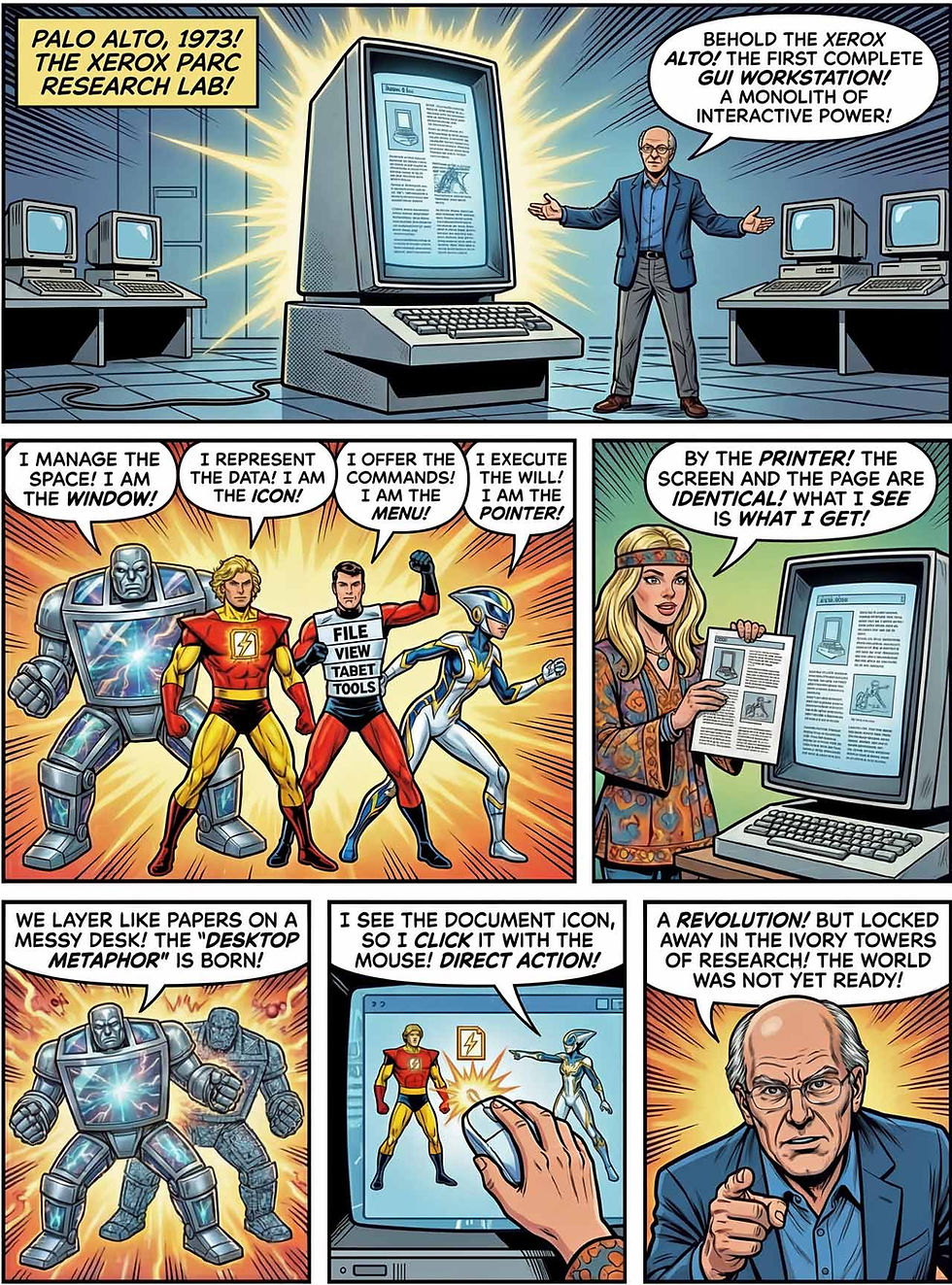
Operational on March 1, 1973, the Xerox Alto represented the first computer designed from the ground up around a graphical user interface. Alto was the first computer to integrate all four key elements of the WIMP metaphor: Windows, Icons, Menus, and a Pointing device (mouse).
Although never sold commercially, the Alto refined the mouse into a primary input device and introduced overlapping windows to manage multitasking, allowing users to switch contexts visually rather than mentally. This synergy of elements created a “desktop” metaphor, dramatically improving usability by mimicking the physical workspace: papers (files) could be shuffled, opened, and organized, reducing the intimidation factor of computing for non-engineers.
In 1973, Alto’s small on-screen pictures were not yet referred to as “icons.” This term was coined by David Canfield Smith in 1975. Smith drew the term from an unexpected source: the Russian Orthodox Church tradition, where an icon is more than merely an image; it embodies the essential properties of what it represents. This theological origin made the term semantically perfect for GUI design, where an icon is a visual surrogate for the function or object it represents.
Alto’s defining hardware innovation was the bitmapped display. Previous terminals were character-oriented; they could only display a fixed grid of pre-defined alphanumeric characters. The Alto’s display was a matrix of 606×808 individually addressable pixels Developed at Xerox’s Palo Alto Research Center (PARC), the Alto also featured a three-button mouse as a fundamental input device, the desktop metaphor with files and folders, Ethernet networking, and support for laser printing.
The Gypsy editor on the Alto allowed users to see documents on the screen exactly as they would appear when printed, using the WYSIWYG (What You See Is What You Get interaction style. This seemingly obvious feature was revolutionary, bridging the gap between digital abstraction and physical output. It introduced the now-standard commands of “Cut,” “Copy,” and “Paste.”
Unlike Engelbart’s NLS, which used tiled panes that could not touch, the Alto allowed windows to overlap, mimicking the way papers are stacked on a messy desk. This reinforcement of the desktop metaphor was crucial in helping non-technical users understand the system’s state.
About 2,000 Altos were produced, with roughly 1,000 deployed at Xerox laboratories and another 500 at collaborating universities. Though never commercially released and costing tens of thousands of dollars each, the Alto profoundly influenced the industry. When Steve Jobs and Apple engineers visited PARC in 1979, they saw the Alto's GUI and immediately recognized its potential, leading directly to the Lisa and Macintosh projects.
The Alto refined all four WIMP elements significantly. Windows were implemented with borders, title bars, and the ability to move and resize them, creating a flexible workspace. Icons provided visual representations of documents and programs that were far easier to recognize than filename lists. Menus organized commands hierarchically, making functions discoverable without memorization. The mouse provided smooth, precise pointing that made selecting small targets practical. The usability improvement over command-line systems was dramatic: users could accomplish tasks through recognition (seeing available options) rather than recall (remembering obscure commands), significantly reducing the learning curve and cognitive load.
Alan Kay’s Learning Research Group at PARC, established in the early 1970s, pursued a vision of personal computing for education and creativity that would fundamentally shape GUI design. The group’s work on Smalltalk (both a programming language and integrated software environment) explored object-oriented concepts that aligned naturally with graphical representation of computational entities. Smalltalk’s “everything-is-an-object” philosophy meant that numbers, text, windows, and user interface elements were all manipulable through consistent mechanisms, providing conceptual coherence that simplified learning and use. Kay’s explicit focus on children as users established the usability criteria of learnability, engagement, and creative expression that would influence GUI design long after educational markets ceased to be primary targets.
Smalltalk-76 implemented overlapping windows, which were a significant advance from the tiled windows of earlier systems. This overlapping model more closely approximated physical desk organization, where papers could be casually piled and rearranged, and provided more flexible screen space utilization.
Smalltalk also pioneered pop-up menus: contextual command sets that appeared at the cursor location rather than in fixed screen positions. These menus were typically activated by the middle mouse button, providing immediate access to relevant operations without navigating to menu bars. This design reduced eye movement and maintained focus on the work area, demonstrating how spatial organization affects interaction efficiency.
In 1981, the Xerox Star (8010 Information System) became the commercial realization of the Alto's research. It solidified the use of Icons as graphical representations of files (documents) and containers (folders/file cabinets). The Star introduced the first fixed drop-down menus, replacing the confusing context-dependent pop-up menus of earlier prototypes.
Despite its brilliance, the Star was a commercial failure. Its high price ($16,000, equivalent to nearly $50,000 today) and sluggish performance (due to the heavy computational overhead of the GUI) limited its adoption. However, the Star served as the genetic blueprint for every successful operating system that followed.
1979: Larry Tesler and Modeless Interaction

Larry Tesler, working first at Xerox PARC and later at Apple, articulated and championed the principle of “no modes,” arguing that interfaces should avoid persistent states in which the same user action (such as a keystroke or click) has different meanings depending on an invisible mode.
Tesler’s critique targeted modal behaviors like separate “insert/overtype” states or command modes that users had to remember and mentally track, which he showed to be fertile ground for errors and confusion. Instead, he advocated modeless interaction wherever possible, or at least modes that were short-lived, clearly signaled, and easily reversible, so that users could rely on consistent mappings between input and effect.
This philosophy shaped the design of editors like Gypsy at PARC in 1975 (with point-and-click selection and immediate text editing) and later Apple’s Lisa and Macintosh software, where operations such as cut-copy-paste, drag-and-drop, and double-clicking behaved consistently across applications.
Tesler’s most enduring practical contribution was the standardization of generic editing commands: Cut (remove selection to the clipboard), Copy (duplicate selection to the clipboard), and Paste (insert clipboard content at thecursor). These commands, invoked by consistent keyboard shortcuts (Ctrl/Command+X, C, V) or menu selection, operated uniformly across applications and data types, including text, graphics, sound, structured data, and eventually arbitrary digital content.
The final choices of keyboard shortcuts reflected both ergonomic considerations (keys positioned for easy one-hand operation) and mnemonic logic: X as a cross-out for cut, V as an inverted caret for paste, Z as the closest key for frequently-used undo. These shortcuts, standardized across the Macintosh platform and later adopted by Windows, became so ingrained in computing culture that most users execute them without conscious thought.
This universality enabled powerful cross-application workflows: copy spreadsheet data, paste into document, copy resulting graphic, paste into presentation. These actions provide seamless information transfer that previously required format conversion or re-creation. The clipboard metaphor (an invisible temporary storage with single-item capacity) balanced simplicity with functionality; later systems added multiple clipboard levels or clipboard history without disrupting the basic mental model.
Gypsy also pioneered interaction mechanisms that became standard GUI conventions, including double-click for opening documents or activating objects and click-and-drag for selection and movement. The double-click gesture (two rapid mouse presses without intervening movement) provided a distinct action from single-click selection, enabling compact representation of multiple operations on the same screen element. This design choice reflected careful analysis of user behavior: selection was the more frequent operation, deserving the simpler single-click, while opening was less common but still frequent enough to warrant efficient access.
The timing parameters for double-click recognition (how long between clicks, how much mouse movement was permissible) were determined through user testing to balance responsiveness against accidental triggering. Visual feedback during dragging, with text inverting (black-on-white becoming white-on-black) to show the current selection, provided continuous confirmation of user intent. These micro-interactions, while individually minor, collectively determined the feel of interface responsiveness and user satisfaction.
Tesler’s implementation in Gypsy and subsequent Apple systems established these commands as platform conventions, with deviation considered user-hostile and competitively disadvantageous. The generic command concept that identifies operations common across applications and implements them consistently, extended beyond editing to printing, searching, and preferences management, creating coherent platform experiences.
In the context of WIMP, Tesler’s “no modes” principle reinforced the synergy of windows, icons, menus, and pointing by ensuring that these elements behaved predictably regardless of context, thereby reducing cognitive load, preventing mode errors, and supporting a smoother, more fluent style of direct manipulation.
1979: VisiCalc and the Power of the Grid as Interactive GUI

Released on October 17, 1979, for the Apple II, Dan Bricklin and Bob Frankston’s VisiCalc represented a different kind of GUI innovation. While not a complete windowing system, it pioneered direct manipulation of data through an interactive visual interface.
VisiCalc presented users with a visible grid of rows and columns where changing one number immediately updated all related calculations. This instant gratification and visual feedback loop hooked business users, proving that a visual interface (even a text-based one without icons) could make complex data manipulation accessible to non-programmers. It set the stage for later GUI spreadsheets by establishing the “cell” as an interactive object that users could mentally model as a physical slot for data.
This direct manipulation of tabular data proved so compelling that VisiCalc became the Apple II's “killer application,” driving computer purchases for business use and selling over 700,000 copies in six years (up to 1 million total).
VisiCalc demonstrated crucial usability principles. The spreadsheet metaphor leveraged existing knowledge: business users understood rows, columns, and tables. Immediate feedback showed the results of formulas instantly, allowing iterative refinement. The visual layout reduced cognitive load by displaying relationships spatially rather than requiring users to remember cell references. Users could experiment safely, changing values to see “what if” scenarios without permanent commitment.
VisiCalc's success proved that the GUI principles of visual representation, direct manipulation, and immediate feedback could be applied to business tools, not just graphics programs. It demonstrated that reducing cognitive load and providing intuitive interactions could justify computer purchases even at high 1979 prices, fundamentally changing the business case for personal computing.
1982: Ben Shneiderman Formalizes Direct Manipulation Theory

In 1982, Ben Shneiderman coined the term “direct manipulation” and published his influential paper “Direct Manipulation: A Step Beyond Programming Languages.” He identified four key principles that made certain interfaces generate “glowing enthusiasm” from users:
Continuous Representation of the Object of Interest: In a command line, a file is an abstract string of text. In a GUI, the file is an icon that remains visible on the desktop. It has permanence. This visibility reduces the cognitive load of memory (remembering the file exists) to perception (seeing the file).
Physical Actions Instead of Complex Syntax: Users perform actions that mimic physical reality (clicking, dragging, sliding) rather than typing abstract commands like mv c:\doc.txt d:\. This aligns the interface with the user’s innate motor skills.
Rapid, Incremental, Reversible Operations: Operations in a GUI are rarely final. If a user drags a slider, they can drag it back. If they move a file, they can move it back. This reversibility encourages exploration and reduces the anxiety of error. A user is more likely to learn a system if the cost of a mistake is low.
Immediate Visible Impact: The system must provide feedback within milliseconds. If a user drags an icon, it must move now. This immediacy reinforces the feeling of agency and causality.
Shneiderman’s theoretical framework explained why GUI systems were more usable than command-line interfaces. Direct manipulation reduces cognitive load by making the computer “transparent,” so that users can focus on their tasks rather than on operating the interface. The paradigm leverages recognition over recall: it's easier to recognize a correct option from a menu than to recall the exact syntax of a command. Immediate visual feedback allows users to correct mistakes before completing operations, reducing errors. Reversible actions (like "undo") encourage exploration without fear of permanent damage.
The usability benefits Shneiderman identified became design principles for virtually all subsequent GUI development. His work provided the theoretical foundation for understanding why WIMP interfaces were not merely aesthetic improvements but fundamental advances in human-computer interaction that aligned better with human cognitive capabilities. Windows keep objects visible in context, icons make objects concrete, menus and labels reduce memorization, and the pointer turns intention into action with minimal translation cost.
1983: Apple Lisa, the First Mass-Market GUI Computer

Released on January 19, 1983, at $9,995 (equivalent to $31,600 in inflation-adjusted 2026 dollars), the Apple Lisa was the first personal computer with a full graphical user interface aimed at the mass market. It implemented the complete desktop metaphor with windows, icons, menus, and a mouse-driven pointer, along with a document-oriented workflow. The system included a comprehensive suite of seven integrated applications, covering word processing, spreadsheets, charts, and graphics, that maintained consistent interfaces across the entire workflow.
The Lisa featured a Motorola 68000 CPU at 5 MHz, 1 MB of RAM (expandable to 2 MB), and a 12-inch monochrome display with 720×364 pixel resolution. Unlike earlier GUI systems, the Lisa included protected memory and multitasking: advanced features that contributed to its sluggish performance. Initial units shipped with problematic “Twiggy” floppy drives that were later replaced with more reliable 3.5-inch Sony drives.
Lisa marked the transition of WIMP interfaces from expensive, specialized workstations to commercially available personal computers. The development was directly enabled by technology transfer from Xerox PARC: Steve Jobs and Apple engineers visited PARC in 1979, observing Smalltalk demonstrations on the Alto, and Jobs’s conviction that “all computers should work this way” drove Apple’s investment of approximately $50 million over four years (corresponding to almost $200 M in today’s money). Larry Tesler, recruited from PARC in 1980, contributed direct expertise in modeless interface design.
From a usability standpoint, Lisa represented a major leap forward for ordinary users. The integrated applications with consistent interfaces meant skills learned in one program transferred to others. The mouse-driven interface eliminated the need to memorize commands. The desktop metaphor with files, folders, and a trash can mapped directly to office work users already understood.
One of Lisa’s critical contributions was the Global Menu Bar. Xerox systems typically used pop-up menus that appeared wherever the user clicked. Apple designers observed that users often lost track of where these menus were hidden. By fixing the menu bar to the top of the screen, they leveraged Fitts’s Law, a principle of human movement which states that the time required to move to a target is a function of the target's size and distance. Because the mouse cursor stops at the edge of the screen, the top edge effectively has “infinite height,” making it impossible to overshoot. This made accessing commands significantly faster and less error-prone.
Lisa’s window controls established visual conventions: close box (small square in title bar); zoom box (toggle between user-set and system-optimal size); size box (drag to resize); and scroll bars with thumb indicating visible portion and arrows for incremental movement.
Xerox mice had three buttons, which confused novice users who constantly had to look down to remember which button performed which action. Lisa simplified this to a single button. While this necessitated the use of double-clicks and keyboard modifiers (like Command-Click), it drastically reduced the initial cognitive load (“which button do I press?”). This decision reflected Apple’s prioritization of learnability over expert efficiency
The Lisa sold only 60,000 units in two years, largely due to its high price (6x an IBM PC) and sluggish performance. Its commercial failure masked its technical success: nearly every innovation in the Lisa would reappear in subsequent systems, particularly the Macintosh.
1984: Apple Macintosh, WIMP Goes Mainstream

Introduced on January 24, 1984, with a famous Super Bowl commercial, the Apple Macintosh brought GUI computing to the general public at a price point ($2,500, corresponding to $8K today) that, while still expensive, was accessible to businesses, educational institutions, and some consumers. The Mac didn’t pioneer individual innovations (the mouse was 20 years old, GUIs had existed for over a decade), but it integrated them successfully and made them affordable. First-year sales of approximately 372,000 units, growing to over a million by 1987, demonstrated substantial consumer demand for accessible graphical computing.
The marketing investment of $1.7 million ($5.3 M in today’s money) for the 60-second “1984” Super Bowl commercial alone, directed by Ridley Scott, established GUI as cultural phenomenon, with media coverage extending beyond technology press to mainstream awareness. The narrative positioning of Macintosh as a liberating tool against IBM’s “Big Brother” corporate computing resonated with 1980s individualism and creative professional aspirations.
The Macintosh featured an 8 MHz Motorola 68000 processor, 128 KB of RAM (soon expanded to 512 KB), and a 9-inch black-and-white display with 512×384 resolution. It originally lacked cursor keys, forcing users to adopt the mouse. This was a deliberate design decision to ensure GUI adoption: making the GUI the default expectation rather than an optional shell means that 3rd-party software developers could assume the presence of the mouse, menus, and windows, allowing consistency to compound. (In contrast, most IBM-compatible PCs did not ship with a mouse, and early Windows applications had wildly inconsistent user interfaces as a result.)
The Macintosh’s single-button mouse represented a deliberate simplification of the multi-button designs used at PARC. Steve Jobs, influenced by observations of user testing, insisted that multiple buttons created confusion and that a single button, combined with modifier keys for extended functions, provided sufficient capability with greater clarity. This decision, debated intensely within Apple, established a simplicity principle that would guide Macintosh interface design: eliminate options that might confuse typical users, even if power users would find them efficient. The mouse’s mechanical design (rubber ball rolling against optical encoders) provided adequate precision at low cost, though it required regular cleaning that would frustrate users for decades.
The system ran Mac OS with its distinctive WIMP interface: overlapping windows with close boxes and title bars, distinctive icons designed by Susan Kare, hierarchical menus in a persistent menu bar, and smooth mouse-driven interaction.
The Finder, the Macintosh’s file management application, presented the desktop metaphor in its most polished early form. Icons represented files, applications, and disks; windows displayed folder contents; and menus provided access to commands. The consistency between Finder operations and application operations, selecting, opening, dragging, and deleting, worked identically for documents and applications, creating a coherent interaction model that users could apply throughout the system.
The Macintosh introduced the Apple Human Interface Guidelines (HIG), a bible for developers that enforced consistency. Before the Mac, every program had its own unique commands for saving or quitting. Apple evangelists convinced developers to use standard menus (File, Edit, View) and shortcuts (Command-S, Command-Q). This meant that a user who learned one Macintosh application essentially knew the basics of all Macintosh applications, a synergistic effect that massively increased the platform’s value and boosted the sales of ISV (independent software vendors) applications: in 1989, Macintosh owners used an average of 6 software applications, whereas PC owners averaged 4 applications, indicating roughly 50% more sales from UI consistency. Besides driving sales, this statistic suggests that the more usable Macintosh platform was not merely a substitute for the PC but also facilitated more complex, multimodal work.
The Macintosh’s three breakthrough contributions to usability were integration (users got all GUI features in one affordable package), standardization (the "look and feel" became a recognizable pattern that third-party developers followed), and learnability (non-technical users could be productive without programming knowledge). The consistent interface reduced cognitive load: once users learned to manipulate one application, they could apply that knowledge to others. The visual metaphors (desktop, folders, trash can) leveraged existing knowledge, eliminating the need to learn abstract computing concepts. The Mac democratized computing by making it approachable for teachers, artists, small business owners, and home users who would never have mastered command-line systems.
1990: Windows 3.0, GUI Becomes Universal

Released on May 22, 1990, Windows 3.0 represented Microsoft's breakthrough in GUI computing. With a completely redesigned interface featuring Program Manager (icon-based application launcher with logical grouping) and File Manager (hierarchical file browsing), improved memory management for 80286 and 80386 processors, and much richer color support, Windows 3.0 achieved what earlier GUI products couldn’t: genuine popular acceptance. Microsoft sold approximately 4 million copies in the first year and 10 million in the first two years, finally making GUI computing standard on PC-compatible hardware.
(Windows 1.0 had been released in November 1985, but had insufficient usability and no cross-application UI consistency, impeding its take-up. Our standing joke in Silicon Valley was that it always takes Microsoft three releases to get new innovations to work right.)
Windows 3.0’s interface standardized patterns that became ubiquitous: drop-down menus under a persistent menu bar, dialog boxes with consistent button placement, icons representing applications and documents, and a taskbar showing running applications. The system benefited from maturing hardware, with 386 and 486 processors providing enough power that the GUI felt responsive rather than sluggish.
The usability impact was transformative. For the first time, mainstream PC users, including business workers, students, and home users, could use computers without memorizing DOS commands. The graphical interface reduced the skill barrier dramatically. Software developers embraced Windows 3.0 because it standardized UI patterns, making their applications instantly familiar to users. This created a reinforcing cycle: more applications drove more users to adopt Windows, which encouraged more developers to create Windows software. By 1990, the question was no longer whether GUIs would replace command-line interfaces, but whether Apple's or Microsoft's GUI standard would dominate.
Microsoft Excel’s early success on both Mac and Windows was tied to the spreadsheet becoming not just a recalculating grid but a visually navigable space: toolbars and menus expose functions, windows let you compare sheets and charts, and pointing makes selecting ranges and manipulating charts feel like working with objects instead of issuing commands. Spreadsheets are a strong example of WIMP synergy because the user’s “objects” (cells, ranges, charts) are inherently visual and benefit immediately from direct manipulation.
Five years later, in 1995, Windows 95 introduced two elements that resolved fundamental usability flaws in the WIMP model:
The Taskbar: In earlier overlapping window systems, windows frequently got “lost” behind others, leading to user confusion about what was actually running. The Taskbar provided a permanent, visible anchor for every open application. It externalized the system’s state, converting the memory task of “what did I open?” into a visual recognition task, following the first usability heuristic, Visibility of System Status.
The Start Menu: Usability testing for Windows 95 (codenamed Chicago) revealed a paradox: users sitting in front of the GUI didn’t know how to begin. They would stare at the desktop, unsure where to find applications. Changing the name of the main menu from the original “System” to the new “Start” was a direct response to this paralysis. It provided a consistent, labeled entry point for all computing tasks.
The usability gain in Windows 95 was not just “prettier windows,” but better wayfinding in a system where the number of possible actions had exploded; WIMP needed a higher-level information architecture to stay usable. Windows 95 created the business adoption tipping point for GUI in software design: after 1995, the lack of a GUI became a competitive disadvantage, with command-line systems relegated to specialized technical and server applications.
Windows 95 included Internet Explorer, integrating web access into the operating system shell. This integration, which was controversial in subsequent antitrust litigation, reflected recognition that web browsing had become a fundamental computing activity. The Active Desktop feature enabled web content on the desktop background, blurring the boundary between local and networked information. These integration decisions shaped competition in browser and platform markets and arguably launched the cloud computing revolution, as web access became the norm for all users, not just nerds. (This is similar to the way that shipping a mouse as standard with every single Macintosh created the commercial foundation to encourage third-party GUI application development.)
1993: NCSA Mosaic, GUI for the World Wide Web

The Mosaic web browser, released on April 22, 1993, brought graphical interface design to the World Wide Web. Developed by Marc Andreessen and Eric Bina at the National Center for Supercomputing Applications (NCSA), it featured a graphical interface with clickable buttons for navigation, blue underlined hyperlinks, and scroll bars. Users could navigate by clicking rather than typing commands, applying WIMP principles to the emerging web.
Mosaic was the “killer app” that popularized the web. Its critical interface innovation was the inline image. Prior browsers displayed images in separate windows, disjointed from the text. Mosaic integrated graphics directly into the flow of the document, creating a magazine-like layout for web pages that was visually engaging and accessible to non-technical users.
The browser’s integration of diverse content types (text, images, and eventually audio and video) within a unified viewing environment realized a vision that had motivated hypertext research since Vannevar Bush’s 1945 visionary article “As We May Think.” The browser served as both consumption and production tool, lowering barriers to participation in networked information creation.
This is important for GUI history because a GUI is only as useful as the world it can reach; by lowering barriers, the Web became a universal “document window,” and browsing became a mainstream GUI activity rather than a specialist task.
Web navigation is fundamentally different from desktop navigation. In desktop software, you manage state (opening and closing files). On the web, you traverse a graph. This created a problem: users would click a link, jump to a new server, and feel lost, unsure of how to return. The invention of the Back button provided a universal safety hatch. It allowed users to explore linearly without fear of getting stuck, effectively reducing the cognitive cost of exploration.
Interestingly, the browser retained a command-line element: the URL bar. Despite the dominance of the GUI, the need to “teleport” to a specific address necessitated a text-based input field. This hybrid approach of pointing and clicking for navigation, but typing for destination, remains a standard to this day, illustrating the limits of pure direct manipulation in an infinite information space.
The usability breakthrough was profound. Before Mosaic, the web consisted primarily of text accessed through command-line tools or primitive browsers. Mosaic made the web visual, bringing it to life with images, formatted text, and intuitive navigation. The clickable hyperlink (arguably the web’s most important interface element) became blue and underlined, a convention that persists today. By reducing the technical barrier to web access, Mosaic enabled the web's explosive growth from a niche academic tool to a mainstream medium. Within months, web traffic increased exponentially as millions discovered they could explore online information simply by clicking links.
Andreessen’s next browser product, Netscape Navigator from 1994 refined the browsing experience by introducing progressive rendering. While Mosaic forced the user to wait for the entire page to download before displaying anything (often staring at a blank screen for seconds or minutes), Netscape displayed text and images as they arrived packets-at-a-time. This did not make the connection faster, but it made the perceived speed significantly higher, maintaining the user’s attention and reducing abandonment
1993: Apple Newton MessagePad, Touch Interface Pioneer

Released in 1993 at $699 (equivalent to $1,500 today), the Apple Newton MessagePad represented an early attempt to create a touch-based GUI for handheld devices. This Personal Digital Assistant (PDA; a term coined by Apple CEO John Sculley) featured a 336×240 monochrome resistive touchscreen requiring pressure to operate, an ARM 610 20 MHz processor, handwriting recognition, and applications including calendar, contacts, notes, and communication tools.
The Newton's handwriting recognition was initially problematic, leading to jokes and negative publicity that haunted the device despite later improvements. The resistive touchscreen required users to press firmly with a stylus or fingernail; quite different from modern capacitive screens. The device was large and bulky, measuring about 8×4.5 inches (20×11 cm), making it too big for a pocket.
From a usability perspective, the Newton represented an ambitious attempt to move beyond WIMP interfaces to direct interaction with information. Users could write on the screen rather than typing, draw simple diagrams, and even have the system interpret natural language commands like “Lunch with Jeff tomorrow” to automatically create calendar entries. However, the limitations of 1993 technology (imperfect handwriting recognition, resistive touchscreens, limited processing power) meant the interface often frustrated rather than assisted users. The Newton sold only about 200,000 units before being discontinued in 1998, but it pioneered concepts that would succeed with better technology.
Launched in 1996 at $299, the Palm Pilot succeeded where the Newton struggled by dramatically simplifying the touch interface. With a 160×160 pixel display, simple monochrome graphics, and the innovative Graffiti handwriting recognition system, the Pilot provided basic PDA functionality in a pocket-sized device weighing just 160 grams with weeks of battery life from two AAA batteries.
Graffiti represented a usability breakthrough through constraint. Rather than attempting to recognize natural handwriting (as Newton did), Graffiti required users to learn a simplified alphabet optimized for recognition accuracy. While this added a learning curve, users who invested the time achieved impressive speed and accuracy. The dedicated input area separated writing from display, reducing interface confusion.
The Palm's usability success came from ruthless simplification. The interface showed only essential information. The stylus provided precise interaction with the small screen. Synchronization with desktop computers via a cradle meant users could maintain information on both devices, introducing early concepts of data synchronization that evolved into today's cloud services. The Pilot sold over 1 million units within two years, proving that touch interfaces could succeed if designed around technological constraints rather than fighting them.
2007: iPhone and the Post-WIMP Touch Interface

Introduced on January 9, 2007, the iPhone fundamentally transformed touch interfaces and, by extension, GUI design. Unlike earlier touch devices with pressure-sensitive resistive screens, the iPhone's capacitive touchscreen responded to the lightest fingertip touch. More revolutionary was its multi-touch capability: detecting multiple simultaneous touch points, which enables gestures like pinch-to-zoom that feel natural.
The iPhone’s interface (originally called iPhone OS, later iOS) represented a paradigm shift in GUI design. Rather than miniaturizing desktop WIMP elements, Apple designed an entirely new interaction vocabulary based on direct manipulation of content. Users tapped, swiped, pinched, and dragged objects directly rather than manipulating interface chrome. The famous “slide to unlock” gesture, the pinch-to-zoom, and momentum scrolling all created the illusion of directly manipulating physical objects with realistic physics.
The usability breakthrough was the combination of hardware and software creating ultra-low latency with convincing physics simulation. When users flicked a list, it scrolled with momentum and bounced at the end: behaviors that sold the illusion of physical objects rather than pixels. This direct manipulation reduced cognitive load because users interacted directly with the content rather than through layers of interface controls. The virtual keyboard eliminated the need for physical keys, allowing the entire front surface to be a display. The multi-touch gestures provided a rich interaction vocabulary without cluttering the screen with buttons.
The iPhone’s influence on GUI design cannot be overstated. It demonstrated that touch could be the primary interface for general-purpose computing, not just a feature for specialized devices. The direct manipulation paradigm it established influenced not just smartphones but tablets, touch-enabled laptops, and even desktop interfaces. It showed that eliminating traditional WIMP elements (mice, title bars, menus) didn’t reduce functionality but could actually enhance usability when combined with appropriate gesture-based interactions.
The usability downside of touchscreen UI is that pivoting the Pointing Device of WIMP from the traditional mouse to a human finger reduces precision and increases user errors. The “fat-finger problem” requires all touchable UI elements to be at least 1×1 cm on the screen, but this basic usability guideline is brutally violated by the vast majority of mobile designs.
2025: Google Generative UI

In 2025, Google introduced Generative UI as part of Gemini 3 Pro, representing a fundamental shift in interface paradigm. Rather than presenting fixed user interfaces, Generative UI creates custom interfaces on the fly based on the user’s specific intent. The AI analyzes the user's question and their context (age, expertise, intent) to design and code a fully customized interactive response. For example, explaining the microbiome to a 5-year-old generates a different interface than explaining it to an adult: not just different content but different interaction models.
Traditional WIMP interfaces are fundamentally imperative: the user must know exactly which sequence of buttons to press to achieve a result. As software capabilities expanded, this led to “feature bloat,” with applications like Microsoft Word containing hundreds of menu items. Such featuritis imposed a Navigation Tax, where users spend a significant portion of their time navigating menus rather than performing the task. Usability was further reduced by the design rigidity of presenting the same interface to every user, regardless of their specific intent, context, or expertise level.
Generative UI creates immersive experiences with interactive tools and simulations generated specifically for each prompt. A question about physics might generate a fully interactive simulation of the three-body problem. A query about fashion might produce an interactive styling tool. The system uses Gemini's multimodal understanding and agentic coding capabilities to determine what interface will best serve the user's need and then generates it in real-time. This creates a synergy of intent, where the interface is fluid, reducing usability friction by showing only the controls relevant to the immediate moment and discarding the clutter of unused menus.
However, eliminating the Navigation Tax imposes a new Articulation Tax. In a menu-driven GUI, features are visible and therefore discoverable; a user can find a tool they didn’t know existed simply by browsing. In an intent-based AI interface, the user can only access what they can clearly describe. If a user lacks the vocabulary to articulate a specific nuance, the system’s capabilities remain effectively inaccessible, creating an articulation barrier.
The interface effectively disappears until it is needed. It is not a place you go to; it is a thing that happens in response to a need. This represents the ultimate reduction of the Navigation Tax of the traditional GUI. While WIMP relied on consistency (standard menus) to build muscle memory, GenUI relies on adaptability. This poses a significant new usability risk: unpredictability. If the interface looks different every time a user asks a similar question, how does the user build mastery? The loss of a stable “geography” of the software may lead to disorientation. The lack of predictability could increase cognitive load rather than decrease it if users must continually adapt to novel interfaces.
The generative UI paradigm introduces ephemeral interfaces: controls and layouts that exist only for the duration of a specific task or interaction, then dissolve rather than persisting as permanent application chrome. This concept draws historical parallels to Apple’s HyperCard system of the late 1980s, which allowed users to create custom interactive stacks, but with a crucial difference: where HyperCard stacks were persistent creations that users could revisit and modify, generative UI experiences are transient, generated anew for each query and discarded afterward.
User studies showed 90% preference for Generative UI interfaces over standard text responses when generation speed was not considered. This represents a move from personalization (tailoring content) to individualization (tailoring the entire experience including the interface itself). However, current implementations can take a minute or more to generate interfaces, and occasional inaccuracies occur (limitations Google acknowledges as areas for improvement).
The usability implications are profound. Generative UI potentially reduces cognitive load by presenting exactly the interface needed for each specific task rather than forcing users to navigate generic interfaces designed for broad use cases. It eliminates the need to learn application conventions, making each interface self-evident for its purpose.
2026: Genie 3 and Interactive World Models

Announced in August 2025 (as Project Genie) with public access on January 29, 2026, Genie 3 from Google DeepMind represents another radical departure from traditional GUI. Instead of navigating through windows and clicking icons to retrieve information, users interact with a generated 3D simulation or “world.” The user experience shifts from “manipulating tools” to “living outcomes.” Usability evolves into pure simulation: rather than using a spreadsheet to model a factory, a user verbally instructs the AI to “simulate the factory floor,” and the system generates an interactive 3D environment where the user can walk around and observe changes. This represents the ultimate goal of the interface: the computer disappears, leaving only the user and their simulated reality.
This general-purpose world model generates fully interactive, physically consistent environments from text descriptions in real-time at 24 frames per second with 720p resolution. Unlike traditional video generation, Genie 3 creates explorable worlds that respond to user input, remember previously-seen areas (visual memory up to one minute), and allow dynamic modification through promptable world events, allowing users to change weather, add objects, or alter environments while maintaining physical consistency.
Genie 3’s applications span education (exploring historical settings or natural ecosystems), creative content generation (animated and fictional scenarios), robotics development (testing in simulated environments), and scientific visualization. Users interact not through traditional WIMP controls but through natural language prompts and direct navigation within generated worlds. The system generates physical environments (deserts, oceans, volcanic landscapes), simulates natural phenomena (water, lighting, weather), and models animation and fiction with expressive characters.
The usability paradigm shift is fundamental. Rather than clicking through menus or tapping buttons, users describe what they want to experience and then explore it directly. Traditional GUI elements (our beloved windows, icons, menus, and pointing device) are largely absent. Navigation happens through movement within the generated space rather than through interface controls, since the environment itself is the entire interactive surface. This aligns with how humans naturally explore physical environments, potentially reducing the cognitive load of learning interface conventions. However, it also raises questions about discoverability (how do users know what's possible?), precision (can users accomplish specific tasks?), and efficiency (is natural language slower than expert use of traditional interfaces?).
The shift from WIMP to World Models represents a transition from Deterministic to Probabilistic interaction. In a WIMP interface, clicking an icon is deterministic: it produces the exact same result 100% of the time. In a generative world model, the system is probabilistic: the same prompt may yield different results on different attempts. Usability engineering must therefore pivot from optimizing time-on-task to managing “trust-in-outcome,” as users learn to navigate a system that negotiates results rather than executing rigid commands.
World models’ implications for spatial cognition and wayfinding are significant. Traditional GUIs leverage users’ visual-spatial memory through consistent window positions, desktop icon arrangements, and menu hierarchies. Genie 3 environments are generated anew for each session, preventing the formation of persistent spatial memories while potentially enabling more powerful episodic memory through unique, personally meaningful experiences. Research on virtual environment navigation suggests that users develop different cognitive strategies for procedurally generated versus authored spaces, relying more on landmark recognition and path integration rather than map-based orientation.
The dissolution of WIMP elements in world model interfaces is nearly complete. Windows, as rectangular containers, have no equivalent in immersive environments since the user’s entire visual field constitutes the interface. Icons as symbolic representations are unnecessary when objects can be generated to directly resemble their referents. Menus as hierarchical command structures are supplanted by natural language or gestural intent expression. The pointing device persists in modified form but operates in three-dimensional space rather than on a two-dimensional plane. What remains of WIMP is the fundamental principle of direct manipulation: users still interact with visible, responsive elements rather than abstract command languages, but the implementation bears little resemblance to its desktop origins.
WIMP won’t vanish completely, because it solves a hard usability problem: making system state legible and controllable. The likely shift is that WIMP becomes the “instrument panel” used for precision, confirmation, and accountability, while generative interfaces and interactive world models handle the broad, creative, exploratory layer where fixed menus and predefined icons have always felt limiting.
Levels of Design Synergy

The history of the GUI is not a random walk of invention but a coherent progression of synergies that bridge the gap between human thought and machine execution.
Mechanical Synergy (1960s): The Mouse + CRT Screen. Spacewar! and Engelbart proved that human hand-eye coordination could be mapped to abstract data, creating the feeling of agency.
Metaphorical Synergy (1980s): Windows + Icons + Menus. PARC and Apple proved that grouping pixels into “documents” and “folders” allowed users to apply their real-world organizational skills to the digital realm, creating the feeling of familiarity.
Networked Synergy (1990s): Browser + Hypertext. Mosaic and Netscape proved that a unified interface could navigate a distributed, chaotic network of information using simple linear controls (Back/Forward), creating the feeling of exploration.
4Intent Synergy (2020s): Natural Language + Generative Components. GenUI and Genie 3 are attempting to prove that the interface can become a fluid partner, generating the necessary controls based on high-level goals and fostering a sense of collaboration.
Combining all four elements of WIMP into a single UI created even greater usability synergy than any pairwise combination:
Windows + Pointing: Precise selection of which context to work in, so users could point and click to switch focus rather than typing window names. Direct manipulation of window boundaries for resizing, title bars for repositioning, content for scrolling.
cons + Windows: Dragging icons between windows implements file operations (copy, move, delete) with immediate visual feedback. (In contrast, icons alone lack context for operations; windows alone require abstract command syntax for file manipulation.)
Icons + Pointing: Enable direct manipulation, allowing users to point at a file icon and drag it to a folder icon, visually executing the move operation (and on touchscreens, icons are often large enough to overcome the fat-finger problem).
Menus + Windows: Provide context-specific commands so each window’s menu bar shows operations relevant to that document type.
Menus + Pointing: Hierarchical command access without memorization, with menu walking (sliding to submenus) for efficient navigation of large command sets
All four together created a coherent spatial metaphor where users manipulated visible objects with natural gestures, reducing the cognitive load of remembering commands and forming mental models of abstract operations. The visual feedback loop of action, visible effect, and subsequent action supported exploration and learning that would have been impossible with pre-GUI systems.
This metaphorical coherence with the entire interface, organized around familiar office concepts, reduced learning curves and supported user problem-solving through analogy to physical experience. The consistency of interaction vocabulary across applications (mouse for pointing, click for selection, drag for manipulation, menu for commands) created transferable skills that accelerated proficiency development.
The Syntactic Shift: From Noun-Verb back to Verb-Noun
The history of the interface is essentially a history of syntax. Command lines forced a Verb-Noun structure (e.g., delete file.txt), requiring the user to recall the command before specifying the object. WIMP introduced a Noun-Verb structure: users select the object (file) first, which then reveals the valid actions (verbs like open, copy, delete) in a menu. This inversion shifted the cognitive load from Recall to Recognition (usability heuristic six).
Paradoxically, Generative UI and World Models return us to Verb-Noun interaction. The user must once again articulate the intent (“Make me a logo”) to generate the object. We are returning to the linguistic roots of the command line, exchanging the rigid syntax of DOS for the fluid syntax of Natural Language, but re-introducing the “blank page” problem, where users must know what is possible before they can act.
The Rise and Fall of WIMP
By the 2020s, the dominance of the WIMP paradigm began to show cracks. We are entering an era where the term “User Interface” may become a misnomer. In the WIMP era, the user was the operator of a complex machine. In the GenUI era, the user is a director, and the AI is the operator. The design goal shifts from User-Tool to Human-Agent.
Emerging AI-agent-driven interfaces represent a potential end to the 50-year dominance of the WIMP paradigm. These systems replace menus and buttons with conversational interfaces powered by natural language understanding. Rather than navigating through hierarchical menus, users simply state their intent. The AI agent maintains context, makes autonomous decisions about how to accomplish tasks, and adapts its interface (if any) to the user's specific situation.
This “ephemeral UI” approach generates interface elements only when needed and discards them afterward. Multi-agent systems coordinate multiple AI specialists (data agent, document agent, communication agent) to accomplish complex workflows without users needing to switch between applications or understand data flow. Multi-modal interaction combines voice, text, gestures, and visuals according to context: speaking while driving, typing at a desk, gesturing in AR environments.
Windows: Overlapping viewports as persistent, user-arranged containers dissolve into task-specific presentations or immersive environments. Where WIMP windows required users to manage their own information organization, AI-generated interfaces adapt presentation to inferred user needs without explicit arrangement.
Icons: Early icons indicated object type (document, application, folder); subsequent icons incorporated status information (unread count, synchronization state); contemporary icons may display dynamic content. Generative UI replaces stable symbols with generated representations that may vary in appearance across contexts and sessions, prioritizing semantic relevance over visual consistency.
Menus: The menu bar’s spatial stability enabled learning through repetition, while context menus provided efficient access to object-specific actions. Recent developments, including “ribbon” interfaces and search-based command access, have simplified hierarchical menu navigation. Generative UI supersedes menu hierarchies with conversational exploration where options are surfaced based on relevance rather than fixed taxonomic position. The fundamental shift from “where is the command?” to “what do I want to accomplish?” inverts the traditional user-system relationship.
Pointers: Post-WIMP modalities including gaze, gesture, voice, and neural signals supplement or replace conventional pointing. World model interfaces may supersede pointing entirely with embodied navigation through generated spaces. The “P” in WIMP, which has taken numerous physical forms, is now converging with the human sensory-motor system itself rather than being mediated by a computer peripheral.
The usability implications are complex. Conversational interfaces eliminate learning curves for basic tasks since users don’t need to discover where features are hidden in menus. Context awareness means that interfaces adapt to the user’s expertise level, previous interactions, and the current situation. However, conversational interfaces can be inefficient for expert users who could execute commands faster through keyboard shortcuts or mouse clicks. The lack of visible options can reduce discoverability, and users may not know what’s possible. And the absence of consistent interface elements means users cannot develop efficient motor patterns or spatial memory of where functions are located.
We’re rapidly shifting through three interaction paradigms:
Static: Traditional GUI. Designers pre-define every button, path, and state. The user navigates a fixed map.
Dynamic: Generative UI. The AI generates controls on the fly based on context. If you need to edit a photo, sliders appear. If you need to book, a calendar spawns.
Simulated: Interactive World Models. The interface is a playable simulation. Users interact with a “world” that understands physics and causality, not just database entries.
Despite these changes, the usability lessons of history remain pertinent. The “input lag” complaints regarding Genie 3 echo the early criticisms of the Xerox Star’s sluggishness. (Having history repeat itself, I expect this concern to vanish shortly with more powerful computers.) The anxiety over “unpredictable” AI interfaces mirrors the early confusion over “hidden” windows in overlapping systems, so we’ll need to invent the analog of taskbars in the new world models.
The fundamental principle remains constant: effective interfaces reduce the cognitive distance between human intent and computer action, allowing users to focus on their goals rather than on operating the system. Whether through windows and mice or through conversations with AI, successful interfaces are those that become transparent, letting users concentrate on what they want to accomplish rather than on how to command the machine.
The WIMP GUI served us well for 40 years. This longevity reflects not merely technical adequacy but the substantial investment in learned skill that modification would invalidate. Consistency across applications enabled knowledge transfer: skills developed in text editing could be applied to graphics, file management, and eventually any content type that supported generic operations.
Intent-driven AI interactions, generative UI, and world models now move us past this rich legacy of GUI user experience. However, we should take care not to throw out the baby with the bathwater. Pure language interfaces sacrifice the spatial reasoning and visual pattern recognition that make graphical interfaces effective for many tasks. Hybrid approaches, in which language generates graphical environments that users manipulate directly, may preserve WIMP’s benefits while extending its capabilities. The design challenge is determining appropriate allocation of interaction to linguistic versus graphical modalities: when to generate, when to display, when to enable direct manipulation.
The culmination of post-WIMP trends is intelligent delegation, in which users specify goals and constraints, while AI systems autonomously determine and execute appropriate actions. This represents the most radical departure from WIMP’s direct manipulation philosophy, where users maintained continuous control over computational processes. Delegation interfaces trade control efficiency for cognitive efficiency, appropriate for well-understood tasks where user judgment adds little value, but potentially problematic for other situations.
As we move forward, the most successful interfaces will be those that balance the magic of generation with the trust and control of direct manipulation, ensuring that while the machine may build the world, the human remains firmly in command of it.
(The comic strip in this article was my most ambitious comics project to date, with 19 pages. I generally like it, but I made a mistake in not drawing the character “The User” wearing the same consistent outfit on every page. Since the story stretches across 64 years, from 1962 to 2026, I had the idea to make this character wear fashions appropriate to each year, but this choice made it harder to recognize that “The User” is indeed a single, pervasive character in the GUI story.)
Overview of this article as a 5-minute music video (YouTube).

A class photo of the inventors of the GUI, brought together across the timeline by Nano Banana Pro.


