
UX Roundup: Claude Design | AI Does User Testing | AI Use Crosses 50% | GPT-Images-2 | GPT 5.5 | DeepSeek 4

UX Roundup: Claude Design | AI Does User Testing | AI Use Crosses 50% | GPT-Images-2 | GPT 5.5 | DeepSeek 4
Summary: Claude Design should be used differently than canvas-based design tools | AI conducts user testing and can now see what’s happening on the screen | For the first time, more than 50% of employed Americans use AI at work | OpenAI recaptures leadership in AI image generation with new, highly accurate model | Two upgraded AI models, GPT 5.5 and DeepSeek 4

UX Roundup for April 27, 2026 (GPT-Images-2)
Claude Design ≠ Smart Figma
Claude Design is Anthropic’s new AI-native design environment to generate and iteratively refine UI designs, slide decks, and interactive prototypes by conversing with Claude rather than drawing everything manually. It runs on Anthropic’s latest vision model (Claude Opus 4.7).
Claude Design is a browser-based canvas paired with a chat pane where you describe what you want (e.g., “mobile onboarding flow for a budgeting app for retirees”) and get a structured layout, styling, and content automatically. You then refine that output using natural language, inline comments, or direct edits on the canvas, with Claude updating the full design systemically.
Early feedback emphasizes the benefits of the designs aligning with your established design system, and it’s strongly recommended to upload your complete design system to Claude Design before using it to produce any designs. Claude Design can crawl your codebase and design files to automatically infer a design system if you don’t have an explicit design system already defined.
Ryan Mather, who is a designer at Anthropic, posted his initial advice for using Claude Design. Three points that stood out to me:
Do spend time upfront to set up your design system in Claude Design and upload the core screens from your existing design.
Iterate with your engineers live: you can now get live protypes in real time, making for deeper discussions about proposed new features.
Don’t use chat, but point to the places in the design you want to change. This is much easier than a verbal description of changes.
The overarching insight from Mather is that Claude Design is a different beast than traditional design tools that are based on laying out individual UI screens one at a time. The new tool redefines the job of designing.
The primary artifact shifts from the screen to the system. Traditional canvas tools treat the screen as the unit of work. You open a frame, you drag components onto it, you finish a screen, you start another. Claude Design inverts this: the design system is the primary artifact, and individual screens are ephemeral outputs of that system applied to a brief. This is why Mather’s advice about uploading your design system first isn’t housekeeping; it is the work. If your design system is thin or inconsistent, your outputs will be thin and inconsistent, no matter how cleverly you prompt. If your system is rich and opinionated, Claude has more constraints to push against, and the generated designs feel like they actually belong to your product rather than to the model’s statistical average of “good SaaS UI.”
The cost curve of exploration inverts. In Figma, producing three credible variants of an onboarding flow takes hours, so designers tend to commit to a direction early and refine it. In Claude Design, generating five directions costs about as much as describing them, so the bottleneck shifts from production to evaluation. This sounds like pure upside, but many designers report feeling overwhelmed at first: they haven’t needed to develop a vocabulary for rapidly discriminating between options, because they’ve never had this many options. Taste becomes a throughput constraint rather than an output quality.
Fidelity stops being a ladder. The traditional progression from sketch, wireframe, mockup, prototype, to released product exists because each rung costs more than the one below it, so you do cheap work first to de-risk expensive work later. Claude Design collapses this ladder by making high-fidelity interactive prototypes nearly free. This is liberating, but it’s also the biggest trap in the tool. You skip the “low-fi thinking” stage where you’re forced to wrestle with information architecture and flow before getting seduced by visual polish. The discipline of deliberately working at low fidelity, even when you don't have to, is an emerging best practice.
Why pointing beats describing. Mather’s advice to point at the canvas rather than chat deserves unpacking. Natural language is excellent at conveying intent (“make this feel more trustworthy,” “reduce the density”) but terrible at conveying location (“the third card in the second row, but only the variant that shows when the user is logged out”). Pointing resolves the referential ambiguity that chat handles poorly. The cleanest workflow treats the canvas as the “where” and the chat as the “what to change.” Mixing them (e.g., typing “make the blue button on the second screen slightly smaller”) is where Claude Design sessions tend to go off the rails.
The critique loop changes shape. In Figma, feedback flows from reviewer to designer, and the designer adds value by interpreting vague feedback into concrete changes. In Claude Design, reviewers can talk to the system directly. This weakens the designer’s role as a feedback-translator and strengthens his or her role as constraint-setter: the person who defined the design system, wrote the brief, and chose the initial direction. Designers who have built their careers on being “the one who can turn ‘make it pop’ into actual pixels” will find that leverage shifting.
Engineers become collaborators, not stakeholders. Mather’s point about iterating with engineers live is another 180° flip in the UX workflow. In traditional workflows, engineers arrive after designs are “done” and push back on feasibility, creating expensive rework. When engineers can propose changes directly in the design environment to test “what if this list virtualized differently” or “what happens to the layout at this breakpoint,” they’re co-designing rather than gatekeeping. The design/engineering boundary gets productively fuzzier.
The failure modes are different, and worth learning to spot. Figma designs fail by being inconsistent, off-brand, or physically impossible to implement. Claude Design outputs fail differently: they tend to be internally consistent but generic, exhibiting a kind of aesthetic mode collapse toward the average of well-designed products. They can be confidently wrong about things that don’t translate to natural language, such as microinteractions, timing, spatial rhythm, the specific way a particular element should feel under the finger. (Though all of these will obviously get better in the next release.) And they can feel over-optimized, as though every decision has been justified, which paradoxically makes them feel soulless. Learning to recognize and correct for these failure modes is the new craft.
The competency stack shifts. Traditional design workflows reward visual craft as a production skill. Claude Design rewards it as a judgment skill: you still need to know what “good” looks like, but you’re using that knowledge to evaluate output rather than to produce it. Alongside this, three competencies become disproportionately valuable: clear articulation of intent and constraints, strong design system literacy (knowing what’s worth codifying and what should stay flexible), and curatorial stamina (the ability to evaluate a lot of options without defaulting to the first acceptable one). None of this makes designers obsolete. It makes the median designer’s job look more like what senior designers and design directors already do: setting direction, defining standards, and exercising judgment over output they didn't personally produce.
All of these shifts mean that Claude Design moves designers up the abstraction ladder. You’re no longer the person placing rectangles; you’re the person defining what rectangles should exist and why. That’s a bigger change than any feature list conveys, and it’s why teams who treat Claude Design as “Figma, but I type instead of drag” tend to underwhelm themselves with it.
For the sake of variation, I replaced my usual Silicon Valley product team with one based in Tokyo to bring you this comic strip about the new design process:


(Nano Banana 2)
Even though I refer to Claude Design in the above analysis of how systems-capable AI design tool change the design process, I expect that the implications of the forthcoming competing tools from the likes of Google and OpenAI will be much the same. AI is super-competitive, and better tools will likely emerge soon.
10 Worst UI Annoyances
I made a new music video about the top-10 most annoying UI designs (YouTube, 3 min.) For more detail about each of these annoying design mistakes, read my in-depth article.

10 UI design mistakes that annoy users (and thus cost sales): my newest song. (Nano Banana 2)
I have become dissatisfied with avatar animation recently, because it hasn’t kept up with advances in AI video. I therefore decided to skip the singing avatar for this video and purely rely on B-roll clips that illustrate the lyrics, even though this is more work, because of the need to generate so many separate clips. This video needed 32 generations for 3 minutes and 32 seconds of music. (In total, the video has 66 cuts, because many of the generations used the multi-shot capability of Seedance 2.)
I used Seedance 2 for most of the clips, because it is currently the best video model. (I made a few clips with Kling 3 and one with Veo 3.1, which is starting to show its age but still has strengths.) Most of my generations were pure text-to-video, but I also made frequent use of omni-reference generations based on still images made with Nano Banana 2.
I am the most pleased with the clip of the design manager lovingly polishing her design award for cool design and the gorilla suffering fat-finger problem while using his smartphone. (The gorilla clip benefited from upscaling to 4K with Topaz, but mostly I think the upscaling was a waste of credits.)
On the other hand, I was disappointed with the clip of the password judge (for which I had higher hopes) and the clip of menu commands hiding behind a burger menu.
Which clips did you like the most or the least? Let me know in the comments.
Compared to another avatar-less music video I made recently, Hamlet: The Music Video (YouTube, 4 min.), I feel that Hamlet was more successful. UI Annoyances compiled a series of unrelated clips made in a wide variety of animation styles and with no pervasive characters, which gives it a less cohesive feel than Hamlet, which is a storytelling video using a small set of characters throughout and with all the clips made in the same animation style. (Even though Seedance didn’t perfectly obey my style references for all the clips: note how Hamlet’s animation style drifts when he’s pretending to be mad — possibly because the character reference was different for those two scenes.)

Combining video clips without a unifying avatar character may be best suited for videos with a single storyline, like a Shakespeare play, as opposed to montage-style content like a “top-10” list. (Nano Banana 2)
AI User Research Service Adds Vision
The AI-powered user research service Outset has added the ability for the AI to watch what users are doing on-screen or what they are doing in the physical environment, such as in-store shopping, for studies.

AI is gaining capabilities to perform more steps in usability testing. (Nano Banana Pro)
For a few years, AI user research has been able to listen to test participants’ comments and analyze what they say. But anyone who has ever done user testing knows there is often a distinct difference between what users say and what they do. An AI analysis based solely on users’ verbal statements will always be second-best.
I am very happy to see the “do” side of user research being tackled by AI research services. Admittedly, the original LLM-based AI was mostly suited to language/utterance analysis, but now AI is becoming multimodal and adding world models, and user research should benefit! For example, Meta’s new Muse Spark AI model emphasizes multi-modal and visual reasoning, and Google’s Gemini Pro has also been getting stronger in moving beyond pure language processing.

AI is improving its vision capabilities, which is hugely useful for understanding and correctly analyzing what’s happening in a usability test. (Nano Banana 2)
This new ability for AI to both watch users and listen to their think-aloud commentary will make unmoderated user testing much cheaper and thus more useful. Two ways AI analysis helps: First, if a human UX expert doesn’t have to watch the recordings, it becomes feasible to test with more users, for example, to get true international coverage. Second, when testing is cheap, more will be done. Human-powered user research will always be rare, no matter how much I have been pushing fast “discount” usability studies. But when all you have to do is push a button to gain insights into how your customers use your design, then it becomes feasible to test many more design ideas. A broader range of ideas again means a higher-quality one you pick for implementation.

Old-school usability folks like myself are nostalgic for the days when we sat with the users in the lab and moderated test sessions in person. But this was much more expensive than having an AI conduct the test and analyze the results, so AI-driven user research is clearly the future. (Nano Banana 2)
Despite this optimistic view, it’s probably prudent for a human UX expert to review a few of the session recordings rather than rely only on an AI analysis of what happened during the test. It might be unfair of me to say this, because I don’t know how good Outset’s AI is at usability analysis. Maybe it’s perfect. But more likely, it still has weaknesses and will improve over the next year or two, as they gather more training data. (I believe firmly in the usability scaling law: as AI collects more user data, it becomes better at judging design quality and analyzing usability problems.)

In the beginning, I recommend watching a few session recordings manually, to check up on the AI’s usability analysis. (Nano Banana 2)

Bottom line: more AI = cheaper studies = more user research = better usability. (Nano Banana 2)
More Than 50% Of Employed Americans Use AI At Work
For the first time, more people use AI than not at work in the United States, confirming how AI adaptation is growing faster than any previous technology. This according to a Gallup survey of 23,717 U.S. employees conducted in February 2026. (Since this is two-months-old data, the current share of U.S. workers using AI is probably 52%, and not the reported 50%. Usage grew by 3 percentage points since the previous quarter, corresponding to roughly one percentage point per month.)

We passed the tipping point where more people use AI than not in American businesses. (NotebookLM)
Even though 50% of employed respondents reported using AI at work in February, only 13% said that they did so daily. This means that about three-quarters of AI users are still stuck at intermittent use, as opposed to the intensive, workflow-changing AI use that’s required to transform the economy and explode our living standards.
Another data point from the Gallup report confirms this conclusion: While 65% of employees in AIU-adopting organizations say that AI has improved their personal productivity, only 31% (less than half) say that AI has transformed how work gets done in their company. I even suspect that this is an exaggeration since most people don’t understand the potential for AI to fundamentally transform workflows. (That’s why we need people like you, Dear Reader, to help companies redesign for AI.)

While people report higher individual productivity, this is insufficient to truly lift the economy, if companies simply use AI to (metaphorically) operate the fax machine. Full workflow transformation is needed. (NotebookLM)
As you know, there’s much gnashing of teeth in the press about possible job losses due to AI. However, Gallup’s data doesn’t support this negative attitude. It is true that AI-adopting organizations have more workforce change than organizations not adopting AI: 57% of AI-using companies are expanding or shrinking their workforce, compared with only 44% of non-adopting companies. (This simply confirms that any company that’s still not on the AI bandwagon must be incredibly sluggish and reluctant to change.)
More interesting, of those AI-adopting companies that have changed the size of their workforce, 60% increased their staffing, whereas only 40% decreased staffing. Of course, many other things influence staff numbers that merely AI use, especially with the relatively modest AI use most companies still experience. However, this number certainly refuses the fear that AI is a ruthless job killer.
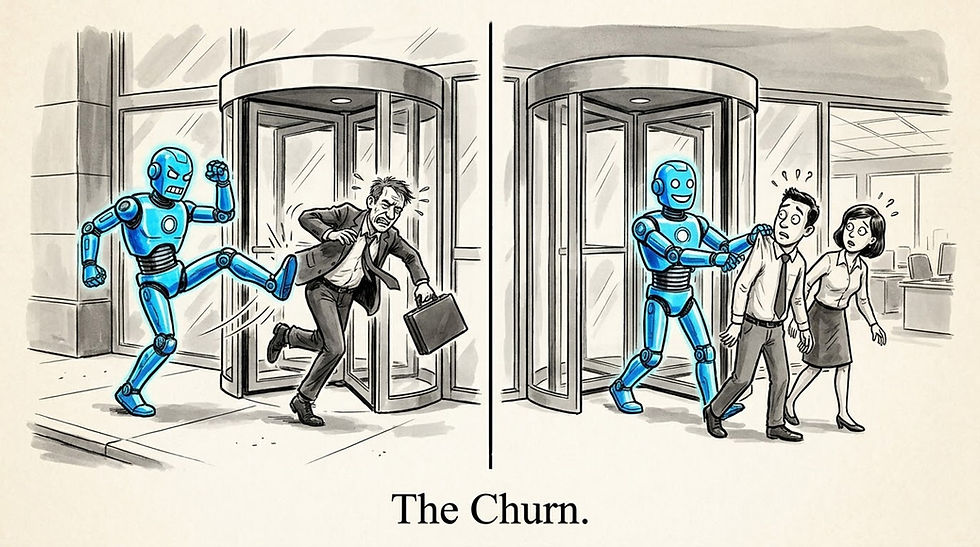
While AI-using companies are more dynamic than non-users and therefore have more staffing-level adjustments, they bring in more new hires than they fire old staff. (NotebookLM)
A final interesting observation is that people are more positive toward AI the higher their level. Respondents answering “extremely positive” or “somewhat positive,” by company rank:
Leaders: 71%
Managers: 59%
Individual contributors: 54%

New data from Gallup documents the rapidly increasing use of AI in American business. (NotebookLM)
A survey by a competing company confirms Gallup’s findings, which vastly increases the credibility of the findings. An Ipsos poll released on April 13, 2026 (and conducted March 3–6, 2026) surveyed 2,021 U.S. adults about their use of AI tools. Half of respondents reported using at least one AI service, with ChatGPT being the most widely used; common tasks include information lookup, writing or editing text, and brainstorming. Among working adults who use AI, 51 % leverage it on the job.
50% of Americans say they have used an AI service in the past week. ChatGPT leads utilization at 31%, followed by Google Gemini (21%), Microsoft Copilot (11%), Meta AI (8%), Grok (5%), and Claude (3%). The main surprise to me is that Meta scores so high, which demonstrates the advantage they get from distribution to existing users of Facebook/Instagram/WhatsApp.
A second surprise is that Claude scores so low, since it’s often considered to be one of the “Big-3” frontier models. It’s good to be reminded that the broad public are not AI influencers or fanatics in any way and don’t follow the usage patterns of the leading (and bleeding) edge. Confirming this point, among respondents who said that they used AI during the last week, most (62%) said that they only used it “a little” (for one or two quick tasks). Only 6% used AI “a lot” (used repeatedly or relied on it heavily throughout the day).

AI has “crossed the chasm” and gone mainstream to the extent that more people use it than not. But most people’s usage is still light, confirming that majority users are very different from that of innovators and early adopters like you and me. (GPT-Images-2)

What people do with AI: very pragmatic uses dominate. Note how many people have used image generation: everybody can use a pretty or ironic picture. Agents are still emerging. (GPT-Images-2)
GPT-Images-2: Thinking Pictures
OpenAI launched its new GPT-Images-2 model on April 21 and probably reclaimed the throne as best image model, at least for complex images with extensive text. The original GPT-Image-1 model from March 2025 was a revolution, being the first image model that was integrated with a general AI language model. (In contrast, GPT-Image-1.5 from December 2025 was a grave disappointment not reaching anywhere near Nano Banana Pro’s capabilities.)
As a first experiment, I asked GPT-Images-2 to draw page 2 from the comic strip I had previously made with Nano Banana 2 about the changing design process with Claude Design. (See that full comic strip earlier in this newsletter.) I gave the image model the full text prompt (which specifies the action, setting, captions, and speech bubbles) as well as the character reference sheets plus the fully rendered pages 3 and 4 as style references.

(GPT-Images-2)
In this simple example, GPT-Images-2 defeated Nano Banana 2 with prettier artwork and drawings that more closely report the underlying story. For example, the five screen designs that Sakura (the designer) generates in the middle left panel are more interesting examples of design variations. And in the lower left panel, Hina’s (the researcher) low-fidelity prototype appears on the tablet she’s holding instead of being on a separate rendering. (On the other hand, Nano Banana 2 showed Hina holding a normal-sized tablet, whereas GPT-Images-2 made the tablet unrealistically big to make room for a legible prototype.)
Simply drawing a pretty comic strip from a given storybook is a poor test of a thinking image model. What’s great about GPT-Images-2 is its ability to reason about visuals before drawing them. As a second example, I asked both GPT-Images-2 and Nano Banana 2 to draw an infographic about my website, www.uxtigers.com. First, the older model, Nano Banana 2:

(Nano Banana 2)

(GPT-Images-2)
Again, I would say that GPT-Images-2 drew prettier visuals, whereas Nano Banana 2 used an overly generic AI-infographic style. GPT also rendered my logo correctly, whereas Nano Banana 2 only showed small cute tigers but didn’t include the actual website logo in its infographic. (Instead, it drew me, which is a nice touch for a personal website.)
Nano Banana 2 included substantially more information about the website, including specific examples of articles within the main themes it identified. GPT-Images-2 only included generic information, such as the names of the themes (though it accurately identified more themes). It also wastefully included the statement “a resource for the global UX community” twice, with different visuals.
I asked GPT-Images-2 to include more information about recent themes I have covered, and it did so very nicely:

(GPT-Images-2. I wonder whether the lone wanderer on the mountain peak at the very bottom is a reference to the image I ran in UX Roundup for March 16, 2026, which again was my homage to German Romantic painter Caspar David Friedrich’s famous painting “Wanderer above the Sea of Fog” [original title: Der Wanderer über dem Nebelmeer], painted around 1817.)
I still think this is a pretty infographic, but an overly dense layout. I did ask for more information, which will inherently make any visualization denser, but I think GPT could have removed or condensed some elements. (For example, it still mentions the global community twice and has superfluous paw marks on two of the three bottom items.)
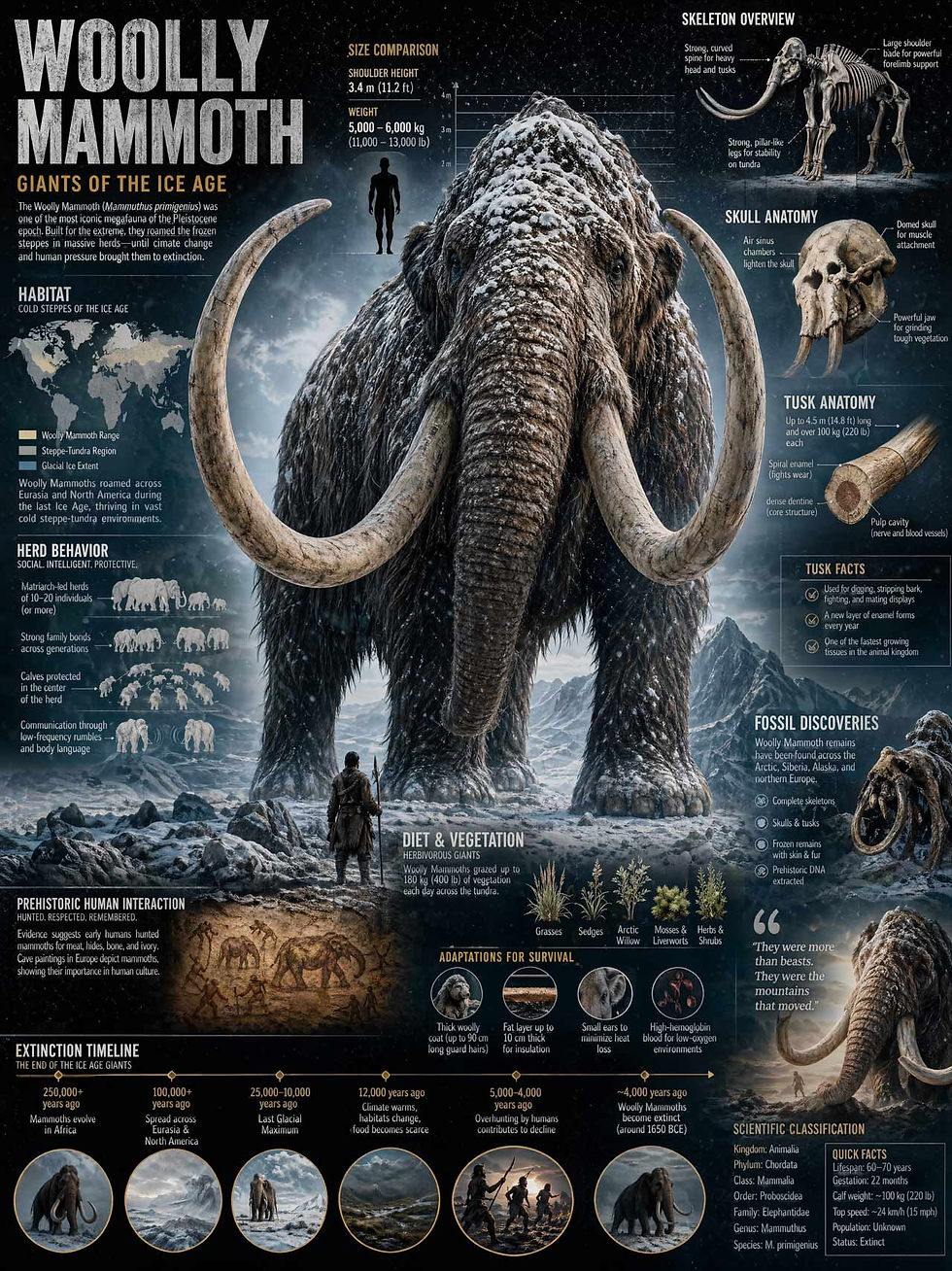
Infographic prompt credit Marcio Lima 利真 マルシオ.
The mammoth in the infographic above looks much too big relative to the human hunter. In reality, larger mammoths were about twice as tall as an ice age human male. There’s also too much text in this infographic to be easily read at anything less than poster size, and the text is only legible at all because I rendered this image with the 4K version of GPT-Images-2 on Higgsfield.

Revised infographic after asking for less text and the correct size ratio between the human and the mammoth. Even here, the human looks too small, relative to the animal, but at least it’s better. (GPT-Images-2)
Here’s a pair of infographics, both about the same classic paper by Ben Shneiderman about information visualization, but where I instructed the image model to vary the amount of information presented:


Fashion photo shoot of models wearing UX Tigers swag:


(Inspired by “Intent by Discovery: Designing the AI User Experience.”)

(Inspired by “Hamlet Remixed: Using AI to Convert Content into Alternative Formats.”)

As an example of a complex image design, I made a “hidden character” game (prompt credit Kris Kashtanova):
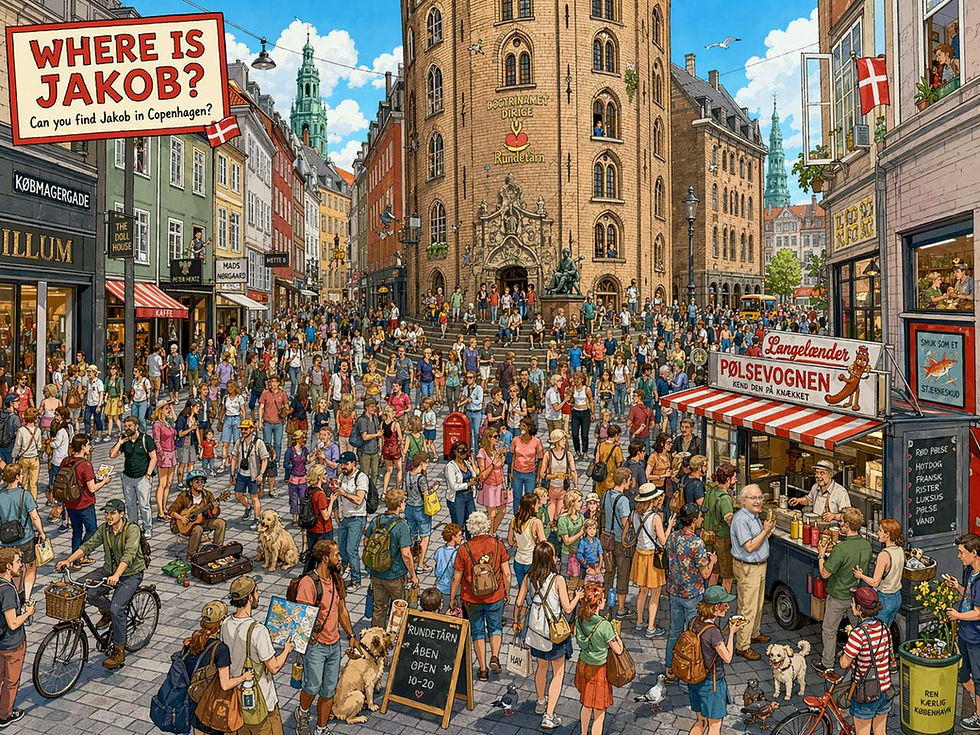
For this kind of complex image, the low resolution of the current model does hurt. (GPT-Images-2)

Rune stone about one of my favorite usability slogans, Less Is More. Somewhat hard to read the text, and that’s after I bumped up the contrast in post-processing. (GPT-Images-2)
To test the new image model’s abilities to draw upon real-time information and to plan consistent visuals across multiple pages, I asked it to draw a 3-page comic strip about how AI influencers and creators have received the new image model:


Great style and character consistency. (GPT-Images-2)
I used GPT-Images-2 to generate all 23 illustrations (plus an OpenGraph image and a social media posting image) for my article last week about 10 steps to build an AI-positive company culture. For each of the 10 steps, I ran pictures showing how they would have played out in the Roman Empire and in a present-day Norwegian company. GPT-Images-2 produced two very consistent image series, as also shown in these concluding images:


Lessons from field research on how to best promote more AI use within a company, as applied to the Roman Empire and in Oslo, Norway. (GPT-Images-2)
Conclusion: GPT-Images-2 is a major step up from the disappointing version 1.5. It is superb at text rendering, with virtually no typos. (In contrast, Nano Banana 2 used to be considered great at text, but frequently misspells words or have the speech bubble tail point to the wrong character in a comic strip. I’m sure Banana 3 will also fix this.) I’ll need more experimentation that goes beyond infographics and comic strips to decide whether I truly like GPT’s aesthetics better than Banana’s, but for now, I’m impressed with my first few tests. GPT-Images-2 is great at producing images based on world knowledge or web knowledge, including real-time information, but not necessarily better than Nano Banana 2.
Some downsides:
The model is slow. Not quite an overnight-rendering example of truly Slow AI, but a single image often takes about several minutes to render, which is a significant impediment to creation by discovery, since it crimps the number of iterations I’m willing to try to navigate the latent design space for any given idea.
For now, the model only renders low-resolution images of typically 1086x1448 px for the 3:4 aspect ratio I prefer for comic strips. A 4K option is available via API on external sites like Freepik and Higgsfield (at high rendering cost of 4x that of Nano Banana 2 on Higgsfield and 5x on Freepik), so hopefully that will be coming soon to the ChatGPT mothership. The current resolution is acceptable for web graphics but will limit many other use cases, including the creation of reference images for omni-reference video models, where the final video looks better the more the video generation can extract fine details from the reference images. If you use Seedance 2 or Kling 3, I strongly recommend making 4K reference images.
Images are often too dark, with low contrast and sometimes beset with speckles, which make photos or detailed drawings less realistic.
PS: Solution to the “Where is Jakob?” image. Eating a hotdog by the hotdog stand in the lower right.
GPT 5.5 Launches
Never a rest if you’re an AI enthusiast. As if the new image model wasn’t enough news from OpenAI, it also launched an upgraded dot-release of its flagship language model, GPT 5.5, on April 23, 2026. This is only 7 weeks after the launch of GPT 5.4 on March 5, 2026. We’re definitely seeing an acceleration in the AI race.
With this little time between releases, it’s to be expected that the differences are less revolutionary than back when we had to go almost a full year before AI was upgraded. The reported benchmark scores are higher, but as I’ve said before, I give less and less credence to the AI benchmarks the labs use as training targets.
Aaron Levie, head of cloud company Box, stated that in their internal tests, GPT 5.5 saw a 10 percentage point jump on accuracy of enterprise content tasks vs. GPT-5.4. They test AI models on a variety of tasks that “represent real work scenarios in financial services, healthcare, public sector, and more industries, dealing with financial filings, clinical records, policy documents, and creative content.”
Levie stated that, “Overall GPT 5.5 is much better at advanced reasoning tasks, better at data analysis, handling complex context, and more. It will be a big jump for enterprise knowledge work agents.” That’s the kind of independent, outside evaluation I trust much more than the benchmark evals in the labs’ own press releases.
In my personal use, while I was super-impressed by the new image model, I have not noticed much improvement in the dot-release of the language model. I don’t do those complex enterprise tasks that Box studied, and even if there were also a 10% improvement on my tasks (e.g., Deep Research about a question) this may be hard to subjectively recognize.
DeepSeek 4
In the United States, DeepSeek released its version 4 the same evening as OpenAI released GPT 5.5, though in China it was the next morning. This was a more impressive upgrade, though that’s mainly because a full year had passed since the release of DeepSeek 3’s thinking model in January 2025.

DeepSeek’s signature whales celebrate DeepSeek version 4 by attempting underwater typography. (GPT-Images-2)
DeepSeek 4 offers many technical advances, such as 1.6 trillion parameters and a one-million token context window. Such strength is unheard of in an open model, and was only reached recently in the frontier closed models in the United States. V4 is also claimed to be extremely efficient in its use of compute, which is important anywhere in the world, given the current compute famine that’s expected to last beyond 2030, but especially important in China which is still catching up on manufacturing advanced AI chips domestically and is subject to a US/NATO blockade on importing these chips.
Of course, tech specs don’t matter to users. They only care what AI can do for them. I put DeepSeek 4 to the test of summarizing an extensive set of research papers. I already had a 3,000 word summary from Gemini Deep Research, but I needed something shorter and easier to read, with less reliance on technical terms. DeepSeek 4 did an excellent job, and in fact produced a better-written condensation of the research than Claude Opus 4.7, which has been my go-to model for writing. Impressive that a Chinese model writes better English than Claude.
One small test doesn’t decide the competition. Here’s an overview of how AI influencers have compared DeepSeek 4 and GPT 5.5 after their release:
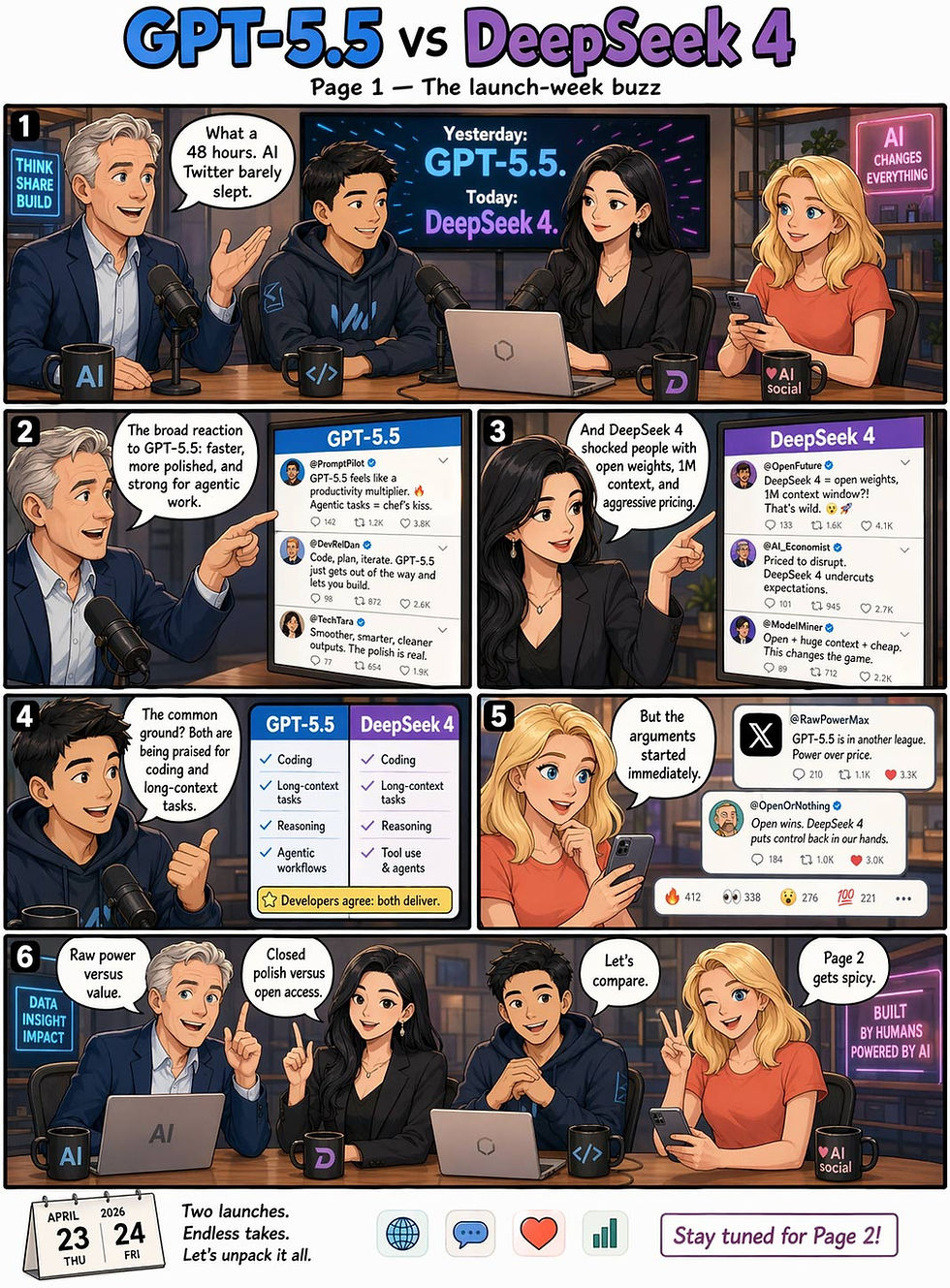


(GPT-Images-2)
One of the great abilities of GPT-Images-2 is that we can request it to redraw an entire comic strip in a different style and it will do so, while retaining character consistency.
Here are sample pages from two other cartooning styles I attempted:

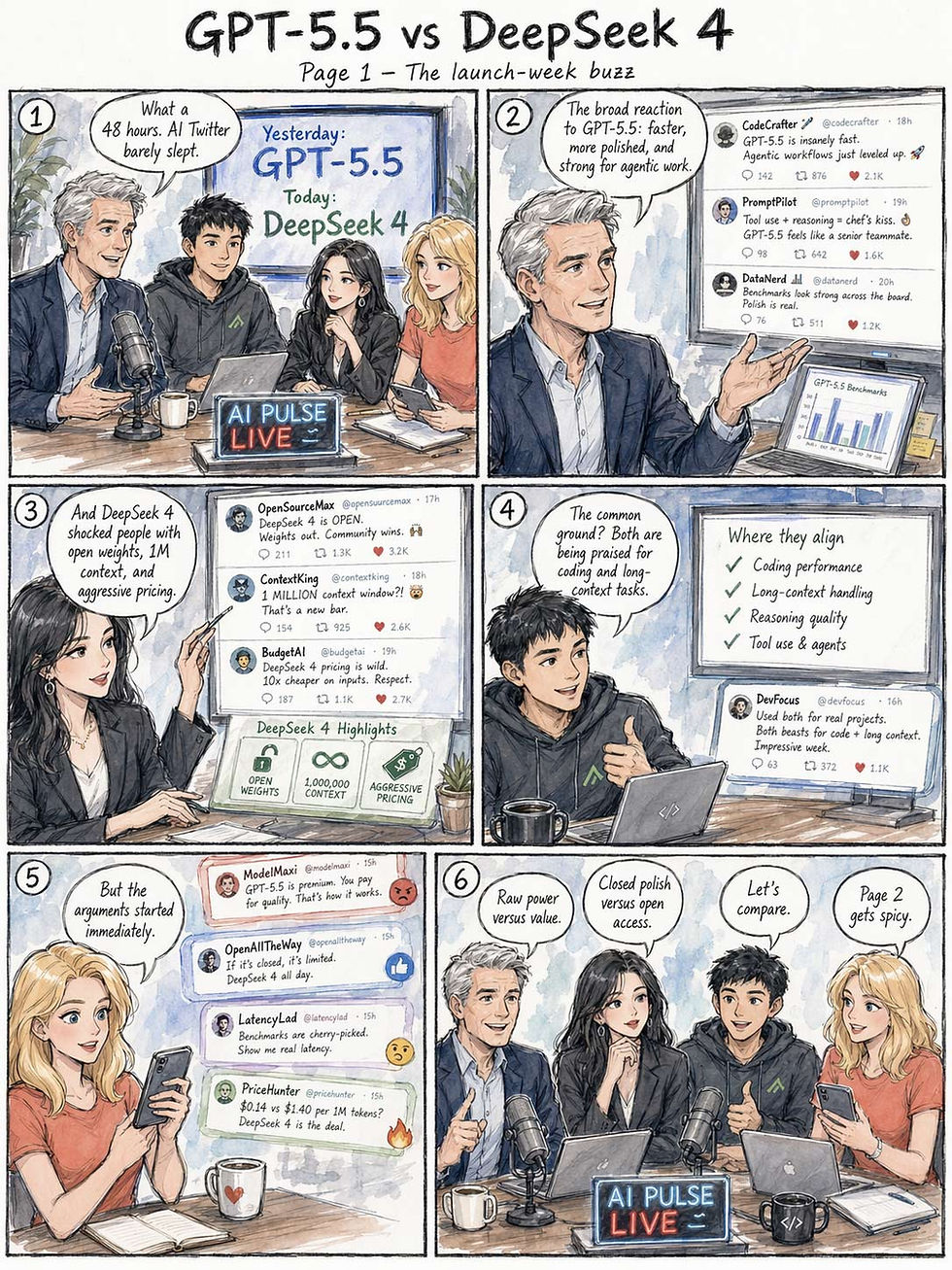
I prefer this last cartooning style with hand-lettering. Unfortunately, it’s harder to read than the typeset speech bubbles in the full comic strip I chose to run in this newsletter, especially at the smaller size many subscribers will see in their email programs. (You can always go to the permanent version of any of my articles on www.uxtigers.com and click on any visual to expand it. But of course users should not need to do this as a part of normal reading.) While I am a huge fan of GPT-Images-2, it does tend to use too much text at too small font sizes.


