
UX Roundup: Moby Dick | AI Broadens Use Compared to Search | Dashboard Visualization | Tacit Knowledge | Design Engineer Fellowship

Summary: New music video based on Moby-Dick | AI expands users’ tasks compared with traditional search, but provides narrower information results | AI dashboard visualizations help therapists spot trends hidden in session notes | How to elicit tacit knowledge to build AI workflows | A16Z awarding fellowships to design engineers

UX Roundup for May 11, 2026 (GPT-Images-2)
New Music Video: Moby-Dick
I made a new song: Moby-Dick, The Music Video (YouTube, 3 min.) with Seedance 2.0, which remains the best video model for now.
Seedance is expensive, though, and I burned about 3/4 of my monthly AI credits on Higgsfield just to make this 3-minute video. (It would cost around $170 to buy this many credits on a top-up basis, though I got mine much cheaper as part of a Black Friday subscription deal.)

New music video about Captain Ahab’s hunt for the great white whale. (GPT-Images-2)


I like the workflow of exploring the design space by first rendering still images (much cheaper than video generation) in a wide range of styles. (GPT-Images-2)
After creating 36 different visual styles for my video as still images, I selected the most promising ones and rendered fourteen 15-second trial videos in a 720p resolution (Instagram), which is cheaper than the full 1080p I used for the final video.

Visual style exploration is step 1. (GPT-Images-1)
As usual, I made the song with Suno 5.5. I originally wanted a 1840s sailors’ sea shanty, but the result sounded too much like the Renaissance troubadour ballad I had recently used for Hamlet, The Music Video (YouTube, 4 min.), so I ended up with an anachronistically modern tune for Moby-Dick.
I spent two days on this project: day one was dedicated to producing the Suno soundtrack and exploring visual styles, while day two was spent generating GPT-Images-2 references, rendering Seedance 2 clips, and editing the final cut in CapCut.
The main reason this took so long was the very slow response times from both the image and the video models. I employed a semi-multitasking workflow, flitting between generating a video clip in Seedance, making reference images for the next sequence in GPT, and editing the previous video clip together with the song in CapCut.
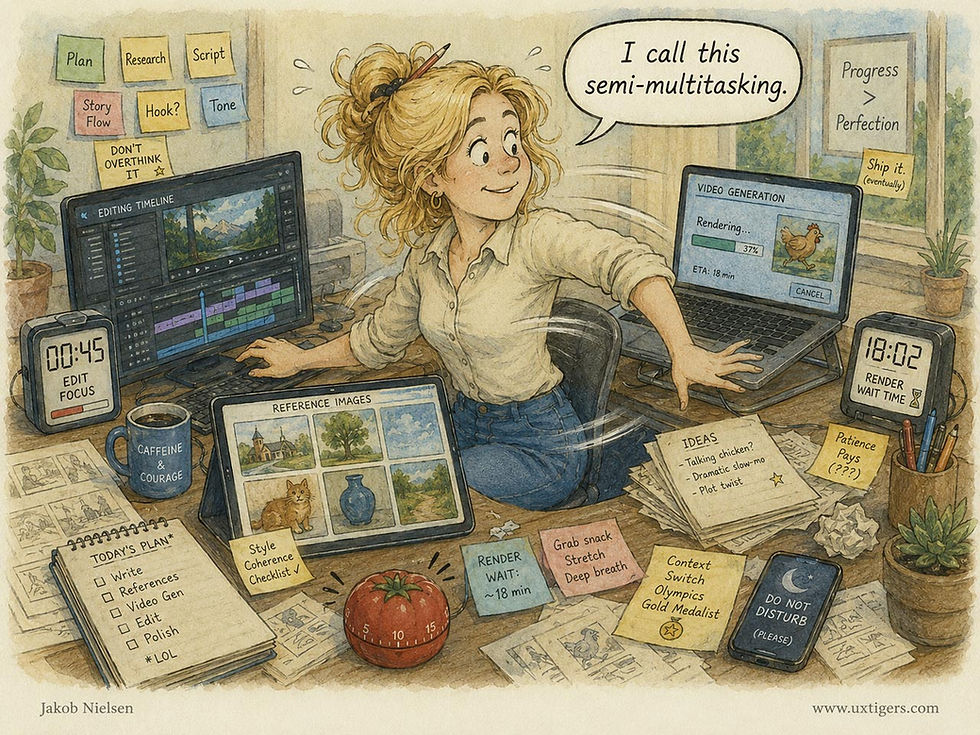
Constantly switching between tasks that different AI models run in parallel requires repeated context switching and the loading of new information into working memory. This is an inefficient way of getting things done, because the human brain can’t truly multitask. (GPT-Images-2)
Of course, there’s no such thing as full multitasking, so this was an inefficient process that required frequent context switching. By compressing an entire studio’s worth of disciplines into a single human brain, today’s AI tools force creators to serialize what should be parallel tasks. The true unlock for AI filmmaking won’t just be faster models, but agentic AI that independently manages concurrent rendering and editing workflows, freeing the human director to focus solely on high-level vision.

The current state of AI filmmaking is probably temporary, with too many low-level workflow steps that the creator needs to coordinate. (GPT-Images-2)
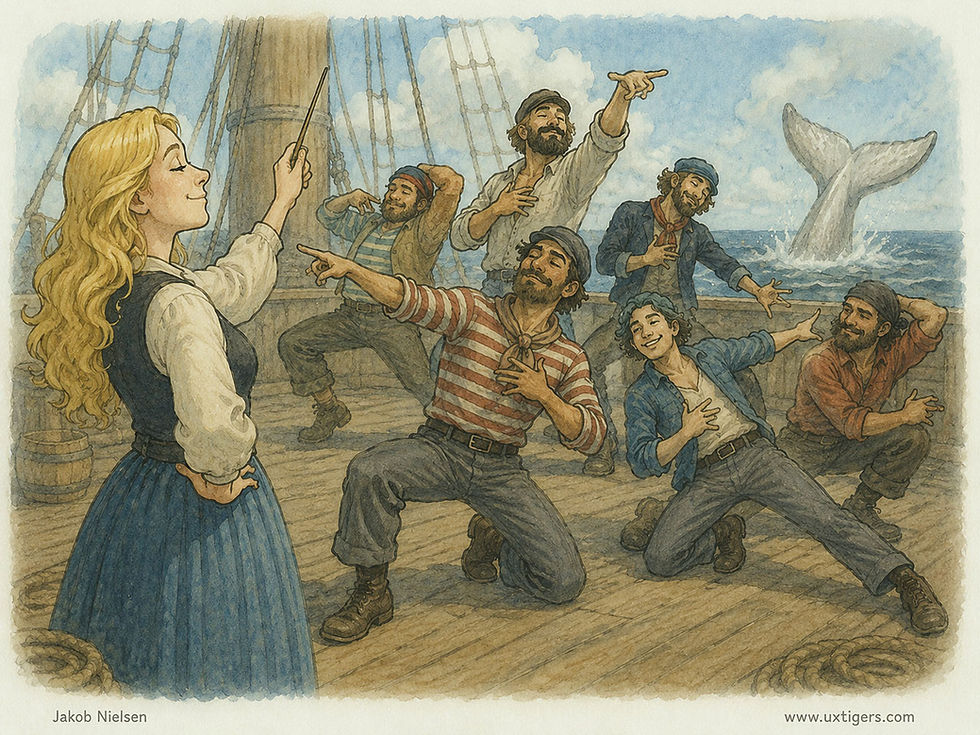
The future human role will be to orchestrate independent AI agents, allowing the creator to keep his or her eye on the creative vision rather than the details. (GPT-Images-2)

I used 78 reference images to steer the omni-reference video creation engine, ensuring decent style and character consistency across the 21 video clips I used in my final 3-minute mini-movie. (I made many more images and clips that were not used.) Here, one of the first reference images: dockworkers loading supplies onto the whaling ship Pequod before it sets out to hunt the white whale. (GPT-Images-2)
While I am not happy with the current state of AI video creation, spending two person-days to make a 3-minute music video is a huge advance over the past. By comparison, in the 1930s, Walt Disney (back when his company was creative and led by the founder) produced 75 short music videos called “Silly Symphonies.” The two most famous were Three Little Pigs (1933), featuring the song “Who’s Afraid of the Big Bad Wolf,” and The Sorcerer’s Apprentice (1938), starring Mickey Mouse.
The work required to produce these animations was around 1,315 staff days during the middle period (1933–1935), increasing to 2,470 staff days during the late period (1936–1939) due to the higher quality of the later productions. The vast majority of this time was spent on animation, with only about 200 staff days per film for story development and music.

Filmmaking was historically extremely expensive and time-consuming, meaning that only a very small set of stories were filmed. Gatekeeping was severe, keeping a lid on cultural advances and freedom of expression. (GPT-Images-2)
Since Walt Disney’s short films ran for around 8 minutes each, this corresponds to 164 to 309 staff-days per minute of final film. This makes my 2 person-days for a 3-minute music video seem ridiculously cheap: a cost reduction factor of 350x with AI compared to manual animation. (Of course, the industry, including the company Walt Disney left behind, had moved to computer animation long before AI, but even that is much more expensive than AI filmmaking. For current AI workflows compared with modern CGI animation, the cost reduction factor is closer to 10x. However, “current AI” is nothing compared with where AI will be in five years, whereas non-AI CGI tools will advance more slowly — if there’s even anybody still investing in building non-AI tools.)
This immense cost reduction doesn’t just make the traditional process cheaper; it fundamentally eliminates creative sunk cost. Because traditional animation was so brutally expensive, every frame had to be meticulously storyboarded and locked before execution. AI flips this paradigm, making it feasible to adopt a “documentary-filming” approach to fiction. You can unleash the model to generate dozens of serendipitous, high-fidelity clips, essentially shooting hours of synthetic reality, and only then discover your true narrative through post-hoc curation in the edit.

The past: linear creation, one step at a time. The future: creation by discovery, using AI to navigate the latent design space. (GPT-Images-2)
I freely admit that my Moby-Dick and Hamlet are not as good as Walt Disney’s Three Little Pigs and The Sorcerer’s Apprentice. But if Walt were with us today, he would probably have made spectacularly great shorts with AI in a few days and dispensed with the army of animators and inkers who worked for him back then.
The point is that cheap filmmaking empowers all creators, from amateurs like myself who create for sheer enjoyment to the best of the best, like Walt or his present-day equivalents. The problem is that these very best filmmakers still make more money-making long feature films for legacy studios than they would earn from pushing the new AI medium forward. Two possible solutions: First, we will grow our own talent pool of AI creators, and incredible talents will emerge over the next few years to make irresistible AI movies. Second, as AI gets more powerful with each release, it will also become the tool of choice for feature-length films, and some traditional creators will make the shift into the new medium.
However, simply replacing the tools for traditional feature-length films represents the skeuomorphic phase of this technology, akin to early television merely broadcasting filmed stage plays. Because AI drops the marginal cost of cinematic creation to zero, it will eventually break the static, two-hour movie format altogether. The true endgame is the emergence of AI-native media: dynamically generated, hyper-personalized cinematic experiences that respond to individual viewer inputs in real time, creating an entirely new category of entertainment that legacy studios are structurally unequipped to compete with.

Eventually, AI will enable new AI-native media forms, such as content that adapts to the individual viewers in real time. (GPT-Images-2)
AI Expands the Question Space but Narrows the Answer Space
AI has changed how people seek information. Instead of crafting a succinct search query, users can ask open‑ended questions and receive conversational answers. Yulin Yu from Northwestern University and coauthors from the University of Michigan and Microsoft Research examined 234,839 real-world ChatGPT interactions collected from 2023 to 2025 to understand how this shift affects information diversity. (I would have preferred a focus on newer data, since it’s likely that users change behavior with extended AI experience.)
The study compared the richness of both questions and answers to the diversity found in Google search results. Surprisingly, they found that 79% of prompts people typed into ChatGPT were non‑searchable, meaning that a conventional search engine would struggle to provide relevant results. These prompts often ask for advice, storytelling, or synthesis across disparate topics: tasks that generative models excel at. In fact, the proportion of searchable AI prompts declined sharply over time, from 25% in early 2023 to 5% in late 2025, confirming my suspicion that users change behavior with additional AI experience: people are unlearning decades of keyword-search habits and embracing a broader, more exploratory mode of inquiry.
The “knowledge space” covered by the non-searchable queries is vastly more diverse than traditional search queries. This makes intuitive sense. You don’t Google “write me a sonnet about my grandfather’s retirement” or “role-play being my job interviewer.” These are tasks AI makes possible for the first time at scale. By removing the strict constraints of the search box, generative AI has successfully expanded human curiosity and inquiry.

People bring a wide range of broad questions to AI. (GPT-Images-2)
Certain topics remain stubbornly search-like: specific factual lookups, tourism info, mathematical calculations, and advice-seeking. Old habits persist where they still work.
The researchers then evaluated the diversity of the AI’s outputs, which tended to be less varied than the top results returned by search engines. With traditional search engines, the UI presents a ranked list of distinct documents written by different humans with varying perspectives, styles, and biases. This requires a high interaction cost from the user, where you have to click, read, and synthesize the information yourself, but it guarantees exposure to a wide, divergent knowledge space. You are actively engaged in information foraging.
Generative AI, on the other hand, is designed for synthesis into a single, highly readable, confident, and unified answer. The interaction cost is incredibly low, which users love. But the cost of this convenience is a loss of serendipity and diversity. The AI acts as a bottleneck, flattening the rich diversity of human knowledge into a single point of consensus.

Even though users’ needs are diverse, AI answers currently tend to be narrow. (GPT-Images-2)
This matters because exposure to diverse perspectives influences how users frame subsequent questions. The study observed a feedback loop: when ChatGPT offered narrow or repetitive answers, users’ next prompts became similarly narrow. Conversely, diverse responses encouraged broader exploration. In other words, generative AI not only reflects but actively shapes the breadth of a user’s information landscape.
The only exception the researchers found was in creative tasks (like brainstorming), where AI outperformed Google in output diversity. But for factual information seeking, the AI provides a narrower lens than the web search of the 2010s.


If AI answer engines had been available in Renaissance Italy. (GPT-Images-2)
Practical Takeaways: Designing for Information Diversity
This research exposes a fundamental tension in AI usability: we have built tools that encourage users to ask anything, but which reply with a synthesized homogeneity that limits downstream exploration. If exposure to diverse knowledge is the foundation of innovation and learning, our current chatbot UIs are failing users.
As UX designers, we must design AI systems that actively support diverse information seeking. Here are four practical guidelines for your next AI design project:
1. Break the "One True Answer" Illusion: We must move away from the single-column, single-response UI that ChatGPT popularized. If a user asks a complex or searchable question, design the UI to present multiple perspectives. Use formatting, like side-by-side columns, distinct bullet points, or toggleable viewpoints, to explicitly show the user that there is more than one way to look at the topic. Design systems that synthesize without erasing friction and debate.
2. Embrace Hybrid Interfaces (Search + GenAI): The future is not a raw chat box; it is a hybrid UI. For searchable queries, pure conversational generation is objectively worse for information diversity. UX designers must seamlessly blend the breadth of search (ranked lists, visual cards, source links) with the depth of AI (synthesis, conversational follow-up). Do not hide the raw sources; surface them prominently alongside the generated summary so users can easily transition from “give me the answer” mode to "let me explore the nuances" mode.
3. Implement Lateral Prompting: Currently, most AI systems offer suggested follow-up questions at the bottom of a response. Almost universally, these suggestions drill deeper into the exact same narrow topic. To combat the downward spiral of curiosity, UX designers should engineer lateral prompt suggestions that intentionally pivot the user to an adjacent, contrasting, or highly diverse conceptual space. Provide UI elements like “Did you also consider...?” or “What is the opposing view?”
4. Vary Output Diversity Based on Intent: The data shows AI is better than Google for creative brainstorming, but worse for diverse information retrieval. Therefore, our interfaces should adapt to the user’s intent. If the system detects a creative task, it can default to a sprawling, generative flow. If it detects an informational inquiry, the UI should dynamically shift to a more structured, comparative layout that prioritizes source diversity over conversational fluidity.
AI is expanding what users can ask. That is a genuine, massive UX victory. Users now formulate questions that were previously impossible, unlocking entirely new modes of knowledge work. But the answers come back narrower, and those narrower answers narrow what users ask next. The compounding effect over months and years of daily interaction could be substantial: fewer viewpoints considered, fewer sources consulted, fewer possibilities imagined.
Our job as UX professionals is to preserve the benefits of conversational AI while restoring the beneficial diversity that a ranked search-results list used to provide automatically. That means hybrid designs, surfacing sources, offering alternatives, and treating information breadth as a first-class design requirement, not a nice-to-have.
The old search-results page, with its list of blue links and competing perspectives, accidentally did something valuable. We need to do it on purpose now.

Design ideas to broaden users’ understanding of AI answers. (GPT-Images-2)
Dashboard Visualizations Help Therapists Spot Trends Hidden in Session Notes
Ruishi Zou from Columbia University together with a large number of colleagues developed an interactive AI dashboard that transforms narrative clinical notes into concise visual overviews. In a study with 16 mental‑health clinicians, the dashboard improved the discovery of relevant data and better supported treatment‑decision justification compared with existing practices.
Study participants praised the dashboard’s ability to surface subtle trends, such as gradual mood improvements or recurring stressors. They also appreciated the natural‑language summaries, which provided context without overwhelming detail.
The researchers studied mental health clinicians, a user group that suffers acutely from data overload. Modern clinicians must synthesize a firehose of information: traditional clinical notes, verbatim session transcripts, active sensing data (like weekly depression surveys), and continuous passive sensing data (like sleep and step counts from a patient’s smartwatch).

Data overload prevented clinicians from getting actionable insights from patient data. (GPT-Images-2)
To solve the UI challenge of multimodal data, the researchers built MIND, an AI-powered narrative dashboard. Instead of throwing raw data onto the screen in separate tabs, MIND uses a hybrid computation pipeline combining rule-based algorithms with LLMs to analyze the data, extract statistical anomalies, and present a curated “story” of the patient’s week.
To test its efficacy, the researchers conducted a within-subjects usability study with 16 licensed mental health clinicians. They evaluated MIND against a baseline system called “FACT”: a traditional, tab-separated data collection interface displaying the exact same information. Clinicians were given simulated patient cases and asked to review the data under strict time constraints.
The Findings: Empirical Evidence for Storytelling
The empirical results from the user testing were decisive. Compared to the traditional baseline, clinicians using the AI-powered narrative dashboard reported massive usability improvements across the board.

Arranging complex information to tell the story can make it easier to understand than fragmented individual data sources. (GPT-Images-2)
When it came to discovering hidden data insights, MIND scored a 5.75 out of 7 on a Likert scale, compared to a dismal 3.93 for the baseline (p < .001). For assisting in clinical decision-making, MIND scored 5.68 versus 4.62 (p = .004). Furthermore, clinicians overwhelmingly rated MIND significantly higher for presentation efficiency (p = .006), cohesiveness (p = .004), and time-saving potential (p < .001).
These are not marginal gains; they represent a fundamental leap in user performance. The clinicians essentially confirmed that the traditional dashboard forced them to spend all their time hunting and sorting through data, whereas the AI narrative dashboard allowed them to actually practice medicine.
Interestingly, the NASA-TLX workload scale showed no significant difference in perceived mental workload between the two systems. This is actually a great outcome! The AI didn’t do the thinking for the clinicians; rather, it allowed them to direct their heavy cognitive effort toward high-level clinical judgment rather than low-level data foraging.

Overview of the NASA-TLX method for measuring mental workload. (GPT-Images-2)
How and Why AI Summaries Work for Advanced Users
But exactly how and why do AI-generated summaries and visualizations help these advanced users spot trends so effectively? It comes down to human working memory and the principles of cross-modal integration.
In a traditional dashboard, a user must look at a smartwatch step-count graph in one tab, hold that visual pattern in their fragile short-term memory, click over to a subjective patient journal in another tab, and mentally connect the two. This imposes a massive cognitive tax and violates a fundamental UX heuristic: rely on recognition rather than recall.
The AI narrative dashboard offloads this synthesis. The LLM acts as a cognitive exoskeleton. It explicitly tells the user the finding: “Variable routine, activity, and affect indicate no clear improvement in mood or functioning.” By presenting the insight rather than the raw data, the AI allows the clinician to instantly spot the longitudinal trend.
The success of MIND reveals three critical design insights for highly complex domains:
1. Text Trumps Graphics for Rapid Scanning
One of the most fascinating findings is the vindication of a classic usability principle: for quick comprehension, text often beats complex graphics. The designers initially built chart-heavy prototypes, but clinicians found them visually overwhelming. The final, successful MIND interface uses a text-first design. The AI generates concise bullet points summarizing the insights. Graphics require cognitive translation; plain language does not.

It was easier for users to scan through brief text summaries than trying to make sense of detailed charts. (GPT-Images-2)
2. Aligning with Expert Mental Models
My heuristic evaluation guidelines dictate that a system must match the real world. The AI didn’t just list insights randomly. It organized them using the “Biopsychosocial model,” which is a framework already deeply familiar to mental health professionals. By categorizing insights into Biological, Psychological, and Social buckets, the interface mapped the AI’s output directly onto the clinicians’ existing mental model.

Presenting data organized according to users’ existing mental model makes it easier to understand. (GPT-Images-1)
3. Ben Shneiderman’s Mantra Reimagined
30 years ago, Ben Shneiderman gave us the ultimate rule of visual design [warning PDF academic paper]: “Overview first, zoom and filter, then details-on-demand.” MIND is a perfect modern execution of this rule. The AI-generated text narrative serves as the overview. But because AI is prone to hallucinations, advanced users are rightfully skeptical. MIND solves this with progressive disclosure. Whenever a clinician reads an AI insight, they can click a single “Drill-Down” button to see the raw data that generated that insight in the form of the exact snippet of the patient transcript or the specific sleep graph. This verifiability is what allowed the experts to trust the AI.

Ben Shneiderman’s classic advice for a three-step process of interactive information visualization. (GPT-Images-2)
Practical Takeaways for AI-Enabled UX Design
The findings from the MIND study are not limited to psychiatry. What does this mean for the UX design of AI-enabled products, whether for clinicians or other forms of knowledge work? Here are your practical takeaways:
Design Narratives, Not Data Dumps: Stop building interfaces that merely expose raw database tables in separate tabs. Users do not want to play data detective; they want answers. Use AI to thread disparate data modalities into a chronological or thematic story.
Embrace Text-First Overviews: Do not clutter the primary interface with complex charts. Use AI to write a concise summary of what the charts mean. Place the text front and center, and treat charts as secondary visual evidence.
Build “Trust-but-Verify” Interfaces: The biggest UX hurdle for AI adoption in enterprise settings is a lack of trust. You must design a frictionless path from the AI’s conclusion back to the ground-truth data. Progressive disclosure is your best tool for balancing a clean UI with rigorous audit trails. If the AI spots a trend, it must present the receipts in a single click.
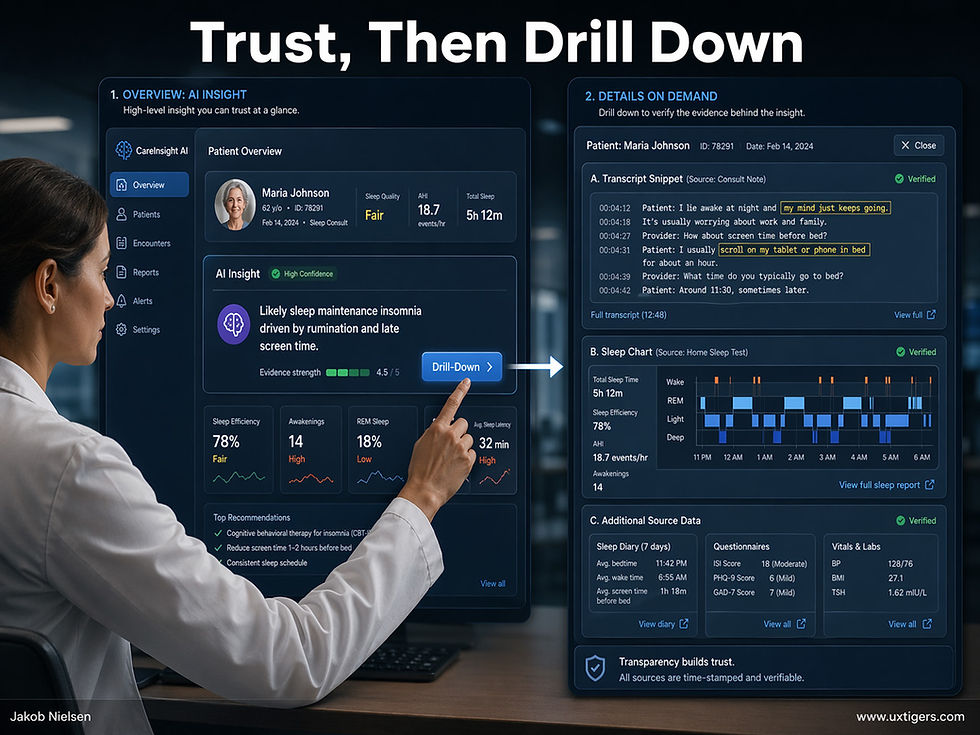
A two-step workflow can be safer for high-value tasks, such as diagnosing patients, where the user initially sees the AI’s simplified data summaries and conclusions, but then can drill down into the underlying details to verify the AI recommendations. (GPT-Images-2)
Map to the Domain’s Mental Models: Your AI’s output should be structured according to the frameworks your users already employ in their daily workflows. Piggyback on established mental models rather than inventing new classification schemes.
Augment, Don’t Conclude: Advanced users bristle at AI systems that try to do their jobs for them. The AI should highlight trends, surface anomalies, and synthesize data; but it should stop short of making definitive diagnoses or final decisions. Leave the agency, and the final judgment, to the human expert.
In the era of Big Data, the role of UX has shifted. We are no longer just making data available; we must make it comprehensible. By utilizing AI as a summarizer and storyteller, rather than just an analytics engine, we can drastically reduce cognitive load and finally deliver on the promise of data-driven decision-making.

Winning the fight against patient troubles (and many other tasks) requires the clinician to win the fight against disconnected and overwhelming data sources. It’s no longer enough to have lots of data. It must be easy to understand. AI to the rescue. (GPT-Images-2)
Uncovering the Dark Matter of Enterprise Workflows
Tacit knowledge is the dark matter of your organization. It consists of the unwritten rules, undocumented workarounds, and intuitive judgments your specialists use to navigate broken legacy systems. Standard operating procedures are usually works of fiction; tacit knowledge is the actual reality.
AI is completely blind to this dark matter. Because AI requires precise, explicit instructions to function reliably, you cannot redesign a workflow until you drag this hidden expertise into the light. If a critical process exists only in a senior employee’s mental model, the AI will confidently generate useless output. You simply cannot automate what you cannot articulate.
However, asking legacy specialists to simply write down everything they know is a knowledge elicitation failure waiting to happen. The first rule of user research dictates: watch what users do, do not listen to what they say. People perform complex tasks on autopilot and cannot easily articulate their own behaviors. Furthermore, many employees naturally hoard tacit knowledge as a form of job security, as we saw in the computer game case study discussed in the previous news item.
To successfully collapse production pipelines and redesign workflows for the AI era, you must extract this knowledge iteratively.
Here is a practical checklist of the top three things you must do to elicit and operationalize tacit knowledge:
1. Conduct Contextual Inquiry, Not Interviews: Do not rely on idealized process maps drawn in a boardroom. Have your workflow architects shadow practitioners while they work. Observe the legacy spreadsheets they secretly check, the quick Slack messages they send to clarify vague requests, and the manual formatting they instinctively apply. Document these hidden micro-interactions. They represent the exact tacit constraints you must explicitly encode into your AI’s instructions.
2. Use “Read/Write AI” to Build Compounding Memory: Do not treat AI as a stateless chatbot. Establish a persistent, shared document (like a Markdown file) that holds the working rules for a specific workflow. When the AI inevitably generates a bad output, use the failure as a diagnostic probe. The human user must identify the unwritten rule the AI just violated, write it down in plain text, and update the master file. Over time, error rates plummet as human intuition compounds into an explicit digital substrate.
3. Reward System Builders, Not Secret Keepers: If tacit knowledge guarantees job security, employees will silently sabotage your AI redesign. You must fundamentally realign corporate incentives. Shift their identity from “manual executor” to “workflow architect.” Explicitly reward employees who externalize their expertise and build reliable cross-domain AI playbooks.

The 3 steps to eliciting tacit knowledge to build AI-optimized workflows. (Nano Banana 2)
Design Engineer Fellowship
A16Z (the leading venture capital firm in Silicon Valley) is launching a “Design Engineer Fellowship.” Deadline to apply is May 22, 2026.
They are looking for “cracked designers who have absorbed engineering into their craft and are thinking in systems, not screens.” Sounds like a good opportunity if you’re like that.

(GPT-Images-2)


