
UX Roundup: Apple 50 Years | AI UX Explained | Good AI Support | New Reasoning Image Model | AI Creativity | Suno 5.5

Updated: Mar 31
Summary: Apple Computer 50 years anniversary | The New UX for AI | Excellent AI support chat from Substack | New reasoning image model: Luma Uni-1 thinks through what to draw | AI is more creative than humans and will likely get even more creative in the future with more compute | Upgraded AI music model Suno 5.5

UX Roundup for March 30, 2026 (Nano Banana Pro)
Happy Easter

Happy Easter from UX Tigers and Jakob Nielsen! (Nano Banana 2)
Apple Computer 50 Years
Apple Computer was founded on April 1, 1976, and turned out not to be an April Fools’ joke, but one of the world’s most important technology companies. Thus, Apple is turning 50 years old this week. Happy Birthday, Apple!
Apple was responsible for a disproportionately large share of the pioneering developments in the history of the graphical user interface.

Happy Birthday, Apple! (Nano Banana 2)
The Computer History Museum hosted an anniversary celebration, which I attended with Apple employee number 66, my old friend Bruce “Tog” Tognazzini. (Tog wrote the first edition of the Apple Human Interface Guidelines in September 1978.)
Many Apple old-timers spoke, including Apple’s second CEO, John Sculley, who emphasized how, for several years, the Apple II kept the company alive while the early Macintosh didn’t sell much. (My first Mac was the 1996 Mac Plus with a whopping one megabyte of memory: that was the first model powerful enough to be more than a toy.)
The panelists discussed many Apple inventions but agreed that there hasn’t been much innovation in the last 15 years. (Since Steve Jobs sadly died in 2011.) Since they were all Apple fanboys, their excuse was that there hadn’t been any breakthroughs from anybody else during this period either. I do like Apple, but I am not a fanatic, so I beg to differ: AI developed by OpenAI and Google DeepMind qualifies as an innovation in both computer technology and user experience that’s bigger than any of Apple’s achievements.

Highlights of Apple’s history. (Nano Banana 2)
Even though Apple has a 50-year history, most of its best work was concentrated within two decades of remarkably fundamental breakthroughs: the first decade from the Apple I to the Macintosh (1976–1985), defining personal computing, and the middle decade after Steve Jobs’ return (2001–2010), defining mobile computing and the touch-driven GUI. Of the four periods outlined in my infographic, the 30 years covered by the second (1986–2000) and the last (2011–2026) were periods of mainly cosmetic advances.
According to my simplified history, Apple might soon start a new decade of drastic innovation. Maybe if the current innovation-stifling CEO is replaced by somebody who understands AI. I have more faith in a revived Apple’s ability to design revolutionary AI experiences than OpenAI’s partnership with Sir Jony Ive, whom I have always thought was good at designing pretty hardware but incompetent at UX. (In general, people who have been awarded a knighthood are not sources of innovation. Luckily, Sir Demis Hassabis seems to be the exception that confirms this rule.)
The New UX for AI: Explainer
I made an explainer video Intent by Discovery: The New UX Architecture for AI (YouTube, 8 min.). The video is based on the article I published last week about that topic. This is a good, detailed article that runs to 5,400 words, but I know many people prefer a shorter introduction to the topic or a more visual presentation. Thus, the explainer video.
I used a similar workflow to the one I have used for a few other recent explainer videos, such as No Average Users: Design for the Extremes (Whales and Tourists) (YouTube, 7 min.) or even Leo Tolstoy: "War and Peace" Book 1 (1805) - abridged animated version (YouTube, 7 min.): I uploaded my full manuscript to Google’s NotebookLM and asked it to produce a “cinematic video overview.”
NotebookLM is fully capable of one-shotting a nice video from any material you care to give it, fiction or non-fiction. In fact, if you want a quick way to learn a new topic, use this two-step workflow: First, have NotebookLM conduct Deep Research on the thing you want to learn. This makes it collect 50 sources or so, which would take hours to read. Second, ask NotebookLM to produce a cinematic overview video of these sources.
One-shot video is fine if it’s a throwaway video that’s intended to be watched once by you and maybe your team. Conversely, if you run a high-end video channel with millions of followers, you should produce and edit your videos manually, based on individual clips made with higher-end video models such as Seedance 2 and Kling 3, as opposed to making do with the slightly simplistic B-roll generated by NotebookLM. (For example, I don’t think it employs multi-shot yet, even though that’s getting to be table stakes in Chinese video models.) I finally got access to Seedance 2, even though it’s not generally available in the United States yet, and used it to make the final segment of my new video. If you watch to the end, it’s clear how much better Seedance 2 is, compared to the B-roll from NotebookLM.
For my Intent by Discovery: The New UX Architecture for AI project, I used a new hybrid workflow. I can’t really recommend it, since it magnified the time to produce the video from roughly 10 seconds for a one-shot production that you don’t touch after prompting, to maybe 3 hours of intense editing in CapCut. I judge the quality of the resulting video to be only 20% better than the raw video from NotebookLM, so the ROI is certainly not there.
My most highly recommended workflow is to simply generate one video and use it, unless it contains an egregious error, which NotebookLM only makes rarely. As an alternative, generate 3 or 4 different videos, review them, and pick your preferred one for publication. This will take less than half an hour, since NotebookLM tends to make videos that are 6–7 minutes long, and will improve your quality by around 10%. All the videos are about equally good, so best-of-four isn’t much better, but you do gain a bit. Also, you can specify different styles for each of your attempts, and then pick one that turned out well as a video.
Here’s what I did, and what I don’t think you should do, unless you’re making videos for fun:
I made three videos, and, crucially, I specified the exact same style for all of them: “Use Vikings, set in the Viking era with period-appropriate outfits, ships and weapons, and environments.”

I specified a Viking-era setting for all the videos I made about AI user experience. (Nano Banana 2)
Because all the videos had the same, very distinct style and settings, I was able to edit a new video by combining my preferred cuts across all 3 original videos from NotebookLM. The edited video flows quite well, because all the scenes are in the same style.
Even though full NotebookLM videos don’t differ much in quality, individual segments do. It usually has a better explanation of a concept in one video and a more visually appealing B-roll clip in a different video. Combining scenes across the videos thus uplifts the quality of the final edit by those 20% I estimated.
However, it is a lot of work to edit segments from different videos together to form a coherent whole. In my case, about 3 hours for an 8-minute final video.

Experimenting with a new video workflow based on NotebookLM. Probably not worth the extra time in most cases. (Nano Banana 2)
Good AI Support Chat
Praise where it’s due: Substack’s AI chat support feature was very helpful to me the one time I used it. Substack is the mailing list service I use for my email newsletter. I have been very satisfied with Substack and recommend it to anybody else who wants to start a newsletter. And I do recommend publishing an email newsletter since it’s the best way to build and retain a loyal audience.
I have never had a problem with Substack — until last week. (And yes, I wrote that em-dash manually. It’s a good tool in English grammar, Sir.) Last Monday, my scheduled UX Roundup newsletter had not been mailed out four hours after the time I had specified when I entered the content into Substack’s CMS. Usually, the emails are sent within a minute, so clearly something was wrong.
On my Substack dashboard, it was very easy to find the “Help” button: at the bottom of the left-hand rail menu, just above the “Settings” button. Clicking this button immediately opened up a highly visible “Chat with Substack Support” pop-up with a clearly identified field to “ask a detailed question.” So far, so easy, in terms of operating the UI.
However, as you know, UX ≠ UI, and this easy UI generated a moment of UX dread for me, based on my previous experience with support chat from other websites. I was hit by my own Jakob’s Law of the Internet User Experience: Users spend most of their time on other websites, so their expectations for any given site are formed by the totality of their experience of those other sites.

Jakob’s Law. (Nano Banana 2)
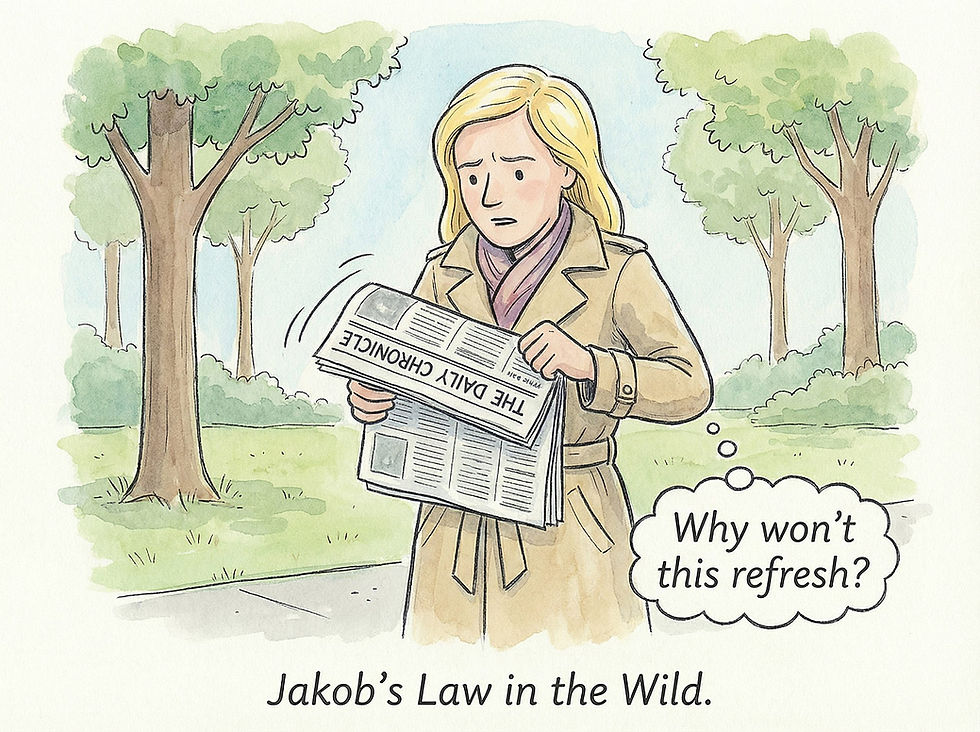
A somewhat literal interpretation of porting Jakob’s Law to the physical world: pulling on a printed newspaper to refresh the news. (Nano Banana 2)

A more absurd interpretation: pulling down the sky to get better weather. This is my favorite in this series of Jakob’s Law cartoons, but it may be too abstracted from the social feed domain to work well as a stand-alone cartoon. (Nano Banana 2)
Other sites almost always have awkward chat support that is slow and rarely very helpful. I thus had low expectations for Substack’s chat support.
However, I did explain my problem in the prompt box and hit Enter, expecting to have to wait for minutes to connect to a call center agent in India who would ponderously ask clarifying questions.
To my happy surprise, Substack’s chat responded within roughly 2 seconds, with a nicely written message, shown in this screenshot below:

Substack’s AI-driven support chat was actually supportive, refuting my expectations that “support doesn’t.”
Fast response times improve usability in and of themselves. Even better, this response followed all the guidelines for good user assistance:
It provided specific instructions for how to troubleshoot the user’s issue.
It told me how to solve the problem in the most likely case, as determined by the troubleshooting step.
It gave me an alternative path to investigate other, less likely, scenarios.
Best of all, the suggested solution worked!
Given the speed, I am convinced that Substack’s support is handled by an AI agent, not humans (even AI-supported humans). After solving the problem, I tested the support chat further by asking it what might have caused the problem in the first place. Again, the answer came almost instantly and provided what I presume are the two most likely reasons, along with instructions for determining whether the suggested top cause had indeed been the problem. The chat also offered me the option to upload a screenshot to help it investigate underlying system bugs. This last step didn’t work in my case because I would have had to have saved a screenshot of the newsletter-posting UI from two days prior, which, of course, I hadn't grabbed. For a recurring problem, as opposed to the one-time problem I faced, taking and uploading screenshots would be feasible, but I don’t know how helpful the AI would be in analyzing such screenshots. (AI is getting better at vision tasks, so maybe this would work well.)
Bottom line: This AI-driven support chat worked! High usability that puts my initial skepticism to shame. Kudos to Substack. Despite having had a problem with the service (for the first time in 3 years), I am now an even more loyal customer.
(Substack’s support reportedly uses an AI from Decagon, a specialized AI customer support platform. I can’t vouch for Decagon beyond this single positive experience, but it recently raised a Series D at a $4.5 billion valuation, so clearly other people think it's good. Another Decagon client is Mercado Libre, which I know has a strong UX team, meaning that their choice of AI support platform is likely to be correct. It’s clear that AI support has become substantially better than human support agents. Decagon has 300 employees, meaning that the value created per employee is $15 million, once again showing how well AI-native companies can do with a small team.)

Substack’s AI support chat defeated my low expectations. (Nano Banana Pro)
New Reasoning Image Model: Luma Uni-1
Reasoning image models are clearly better than plain diffusion models for most purposes. ChatGPT led the way with GPT Image-1 in April 2025, making GPT Image 1.5 that much more of a disappointment when this very limited upgrade was launched in December 2025. Currently, Google’s Nano Banana Pro and 2 take the crown (which version is better varies slightly, depending on your exact needs).
On March 23, 2026, Luma AI launched its bid for a reasoning image model called Uni-1. This model combines image understanding and image generation in a single architecture, designed to reason about scenes rather than merely render pretty pictures. Uni-1’s autoregressive transformer processes language and image tokens through the same pipeline. In contrast to diffusion-based models, it generates content token by token, which allows it to plan before and during image synthesis, improving alignment with complex prompts.
This unified approach is claimed to offer strong spatial and logical reasoning: the model can plan object layout, follow intricate, multi-step instructions, and handle tasks like combining several photos into a coherent new composition. Editing and control are also improved, since Uni‑1 supports reference‑based editing, identity and pose transfer, sketch and visual‑instruction inputs, and conversion of images into more than 70 art styles.
I put Uni-1 to the test by asking it to draw a comic strip based on my news item above about Substack’s excellent AI support chat. Just as I had done with Nano Banana Pro, I posted the full text of my write-up into the prompt box and asked the model to draw a comic strip based on this material. For Nano Banana Pro, I requested funny animal characters, but for Uni-1, I didn’t mention anything about the characters.
Uni-1 proceeded through several reasoning steps, which were extremely slow, but also interesting. Its first conclusion was that since this is a story told by Jakob Nielsen, it wanted to design the lead character to look like me. It generated the following character reference sheet:
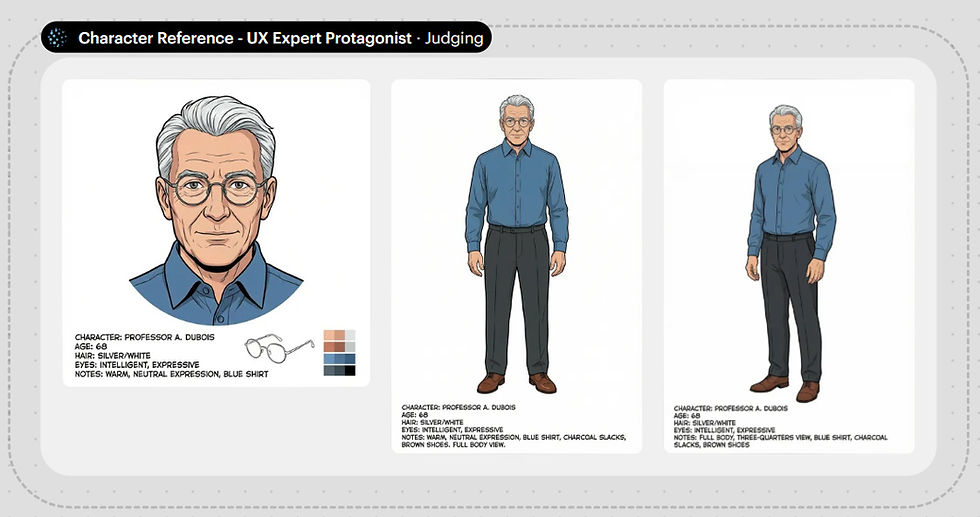
Initial character reference sheet from Luma Uni-1.
This character does look somewhat like me: the right age and hair color, and he uses glasses and wears the same type of outfit I usually wear. (I guess the image model knows all this from a web search.) Still, it doesn’t look completely like me: too much hair, round rather than rectangular glasses, and no sideburns. I requested those three changes, putting Uni-1’s editing features to the test.

Revised character reference sheet from Luma Uni-1: Less hair, sideburns (more muttonchops than sideburns, but I left them alone), and the right style eyeglasses.
Here is the full comic strip Uni-1 proceeded to generate:

Comic strip about my positive AI support chat experience. (Luma Uni-1)
The individual frames are drawn very nicely, in a somewhat European “ligne claire” style, which is one of my preferred styles. Unfortunately, character consistency breaks between frames 4 and 5. (The muttonchops got shaved off, actually improving the look of the character.)
This strip does tell the story of a user who is initially skeptical but then happily surprised by a positive user experience. However, all the specifics are gone. In February 2025, I would have been ecstatic about getting this comic strip to illustrate my article. Today, I don’t think it’s up to snuff, given the comic strips made by Nano Banana 2 and Pro.
AI Creativity May Follow the Scaling Laws
Since the early days of good AI models in 2023, we have known that AI is more creative than humans, at least for certain types of creativity, such as the ideation process of generating many ideas quickly.
A recent study by Qiawen Ella Liu from Princeton University and several colleagues confirms this basic finding. (Hat tip to Ethan Mollick for alerting me to this paper.) As I have mentioned before, having independent scientists replicate research findings substantially increases our confidence that the results are dependable. This new study checks several boxes for increasing results credibility:
A new research group from a new university.
A different method and definition of “creativity.” Here, they studied ideas generated by cross-domain mapping, which is the act of drawing analogies from distant, unrelated fields.
Newer AI models tested, including GPT 4o, Gemini 2.5 Pro, and GPT o3. Yes, these are last year’s models, because academic publishing moves so slowly, but they are newer models than those used in the original research linked above.
The study proceeded in two rounds: First, new product ideas were generated by either humans (140 participants) or AI models, using a variety of target domains (the type of product being designed, such as a desk or yoga mat) and inspiration domains (a different field that was to be used as a source of ideas, such as an octopus or a symphony orchestra). In total, the humans and AI produced 2,800 ideas.

Humans are notoriously limited by fixation: once a problem is framed in a familiar way, people tend to stick to known solutions within a single domain rather than thinking about distant alternatives across domains. (NotebookLM)

Cross-domain mapping is a classic technique to overcome fixation in human ideation. This study showed that it also works for AI. (NotebookLM)
Second, the product ideas were judged for novelty by a new set of 1,002 humans. The AI-generated ideas were rated as more original than the human-generated ideas:
Human ideas: 2.9 on a 5-point scale
GPT 4o: 3.3 (launch date May 2024)
Gemini 2.5 Pro: 3.4 (launch date June 2025)
GPT o3 and Claude Sonnet 4: both scored 3.8 (launch dates April and May 2025, respectively)
GPT 4o and Gemini 2.5 Pro were rated higher than humans with a statistical significance of p<0.01, and Sonnet 4 and o3 were rated higher than both humans and the other AI models with a statistical significance of p<0.001.

Novelty was the key metric for creativity considered in this study. They did find that novelty was not correlated with ratings of usefulness, which is just as important for ideation, if not more so. In my cartoon example, a diamond club is unlikely to be very useful to a caveman hunter. (NotebookLM)

Feasibility is a third aspect of ideation, and in this study, originality and feasibility were negatively correlated. Unfortunately, the paper doesn’t provide data about human feasibility vs. AI feasibility. (NotebookLM)
The study also included an AI model that was not more creative than humans: Llama 3.3 (launch date December 2024), which scored 3.0, but the difference to humans was not statistically significant. (Note that Meta’s Llama models have been a disappointment so far and are not considered frontier AI models.)
It’s very interesting that the AI models from 2025 were rated as more creative than those from 2024.
Of course, this is a sparse set of data points from which to deduce a big trend, but the data does suggest that AI creativity follows a scaling law similar to that of other AI capabilities. Of course, we’ll want more research to assess the creativity of the 2026 AI models before we can truly conclude that AI creativity scales.
I think it’s credible that AI creativity is likely to have a scaling law, since everything else about AI does. This again means that current frontier AI models are likely to outscore human creativity by even more than the models in this latest research. And even more excitingly, we can predict that next year’s models will be even more creative. Possibly with no limit in sight to how creative AI can become as it scales with ever-more compute. (For example, the recent NVIDIA keynote gives me complete confidence that AI compute will be substantially higher next year and even stronger as its roadmap plays out.)
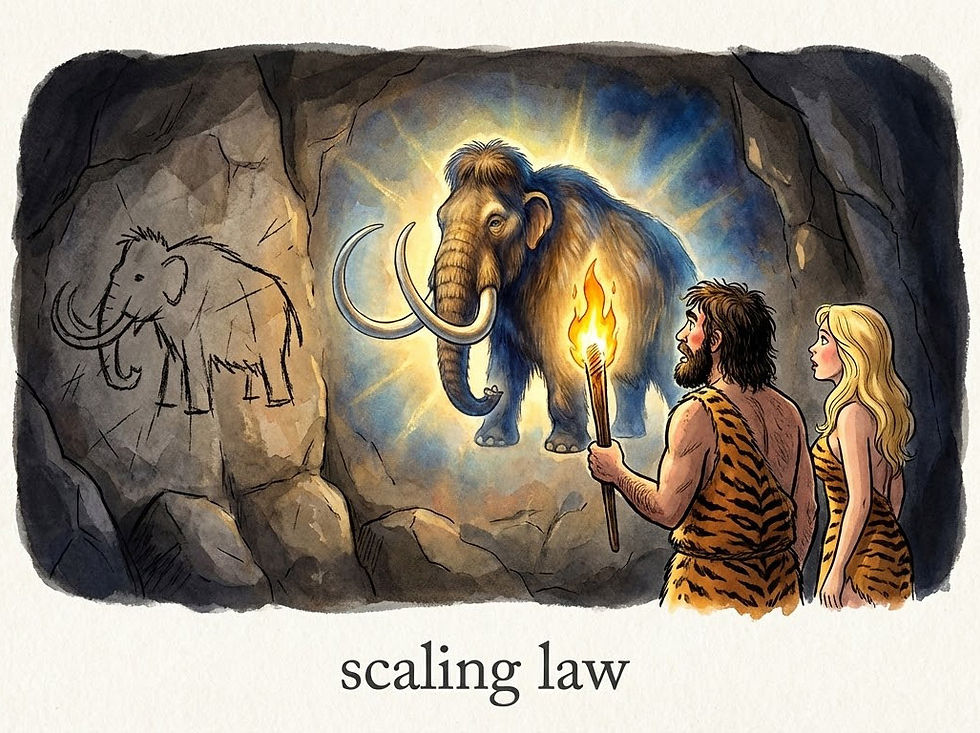
Everything about AI gets better with more compute: problem-solving, image rendering, video production, and probably creativity. (NotebookLM)
OpenAI Admits Video Defeat
OpenAI announced it is shutting down its video model, Sora 2. This is understandable because OpenAI needs to focus its limited compute resources on its money-making enterprise efforts and on achieving AGI no later than the other leading labs, and preferably sooner. Compute spent on less profitable activities leads to a loss of strategic potential.
As discussed in my predictions for 2026, I don’t believe we’ll get true AGI in 2026. However, all the AI lab insiders clearly believe that we are due for a major step up in AI capabilities very soon, and the race is clearly on. Andrej Karpathy’s AI auto-research demonstration clearly showed the potential for AI to improve itself even with limited compute resources. It is likely that the immense compute that OpenAI has freed up by canceling Sora (and the even greater compute of Google and xAI’s Colossus) will achieve much stronger acceleration through recursive self-improvement. Limit the amount of compute for AI to improve itself, and you’ll likely lose the race for the future.

The race for the future is on. The name of the game is computemaxxing for recursive self-improving AI. (Nano Banana 2)
The Chinese video models, especially ByteDance’s Seedance 2 and Kuaishou’s Kling 3, but also MiniMax’s Hailou, Alibaba’s Wan, and Tencent’s Hunyuan are far superior to Sora 2, especially because OpenAI crippled Sora 2 relative to its potential capabilities when it was launched.
American video models like Google’s Veo 3.1, Runway, and Luma have also been pulling ahead in recent months, while Sora has been standing still. In the AI race, standing still is losing.
Since I am a big fan of AI video, I think it’s a shame to lose Sora. It was very promising when it was originally announced as a prototype model without public access. The release version was a little disappointing, especially since OpenAI decided to target it at social media filler, as opposed to supporting independent creators of more ambitious content.
I did make two videos with Sora 2, which are reasonably funny, if I say so myself:
AI Video Invented in 1960 by Bell Communications Research (Spoof TV News Segments)
My one experiment with Sora 1 was a miserable failure.
Back when Sora 2 launched, I made a comparison video, animating the same clips with Sora 2, Sora 1, and Veo 3.
In more positive news, OpenAI announced that its video research team would pivot to focus on world models that can power robotics and other physical‑task agents.
This is a bittersweet moment in AI history. OpenAI was by far the world’s AI leader, starting with the primitive ChatGPT 3.5 launched in November 2022, and pulling ahead further with the launch of ChatGPT 4 in March 2023, the first good AI. The first strong reasoning model, GPT o3 in January 2025, cemented this lead, and the first native image model, GPT Image-1 in April 2025, extended OpenAI’s superiority beyond text to images, as did other advances such as the first Deep Research in February 2025.
GPT Image 1.5 was a huge disappointment compared to Nano Banana Pro and Seedream 4.5 and 5, causing OpenAI to lose its lead in image generation. I would not be surprised if the company also retreats from images, as part of a strategy shift away from the consumer and prosumer business.
How far the mighty have fallen.

The Sora 2 saga set in the Viking age. (Nano Banana 2)
Suno 5.5: Better AI Songs
A few days after the depressing news about OpenAI giving up on video creation, we did get some good news for individual creators: Suno released a new AI music model, Suno 5.5.
Suno has long been the best model for making new songs, especially after Udio threw in the towel and abandoned support for individual creators making new songs in favor of supporting legacy Big Music record labels by making covers of old music from established bands.
As indicated by its version number, Suno 5.5 is a dot release rather than a completely new music model, but it is a substantial upgrade and not just a dot-one release. I tested it out by remaking my existing song about the history of graphical user interfaces (YouTube, 5 min.), which I had originally made with Suno 5.0.
Instead of publishing the complete 5.5 song, I cut together a demonstration video that alternates the same verses from Suno 5.5 with the Suno 5.0 version (YouTube, 4 min.). Having the same verse sung twice in a row makes for a less enjoyable music video, but makes it easier to compare the two Suno releases in an apples-to-apples manner.
I am also working on a completely new music video made fully with Suno 5.5, which will more fairly showcase its capabilities.
My conclusion is that Suno 5.5 does sound better. Instrumentation is richer, and the vocals are more expressive. It still mispronounces a few words: In my demo video, it mispronounced “spatial metaphors,” which is admittedly not a term that occurs frequently in music lyrics, so it can’t have been well represented in the training data. In my experimentation so far, Suno 5.5 does have better pronunciation of UX and AI terminology than Suno 5.0 did.
I continue to be a strong Suno fan, and this new release has only cemented my belief that Suno is the best music model on the market.
The flagship feature in the new release is the ability to use your own voice as the singer. I doubt this is a feature for me, since I don’t aim to produce songs that sound like they were sung by me. But for people who fancy their own singing voice, this is definitely something to try, for even more personal music production.

I like Suno even better after its 5.5 release. (Nano Banana 2)
Google’s Lyria music model also received an upgrade to Lyria 3 Pro: it now generates songs up to 3 minutes long (up from 30 seconds before). I do like its songs, but Lyria is useless for my creative purposes, because it doesn’t respect my creative intent but does its own thing. I give it lyrics, only to be told that it won’t generate a song based on my prompt, but “here’s something similar.” Yes, it’s a nice song about the same topic, but not my words! Bad Google!

Lyria 3 Pro is a no-go for me, because it doesn’t obey my creative intent. Humans must be in charge of AI, not the other way around. I don’t care if it’s The Beatles reincarnate; I won’t use a song without my lyrics. (Nano Banana 2)


