
UX Roundup: How People Use AI | AI Does User Research | Founding Designers | Prompt Engineering | AI Agent Use Cases | Electricity Fuels AI | GPT 5.2 Beats Humans

Summary: How People Use AI for professional and creative jobs | AI conducts user interviews at scale, converting qualitative quotes to quant data | When and how to hire the first designer in a startup company | Prompt engineering debunked: Don’t specify a mastery persona | Longitudinal user research needed to judge AI agent usability | A new generation of power turbines may meet the need for AI electricity | GPT 5.2 132% better than human experts on economically valuable tasks

UX Roundup for December 15, 2025. (Nano Banana Pro)
How People Use AI for Professional and Creative Jobs
Anthropic recently interviewed 1,250 professionals about their use of AI, using an AI-powered interviewing system called Anthropic Interviewer. They gathered detailed qualitative data from 1,000 members of the “general workforce” (jobs like trucking dispatcher, office assistant, salesperson, and teacher), 125 scientists (jobs like molecular biologist, economist, and medical scientist), and 125 creatives (jobs like gamebook writer, visual designer, and music producer).
The Anthropic Interviewer tool conducted all 1,250 interviews automatically, with human researchers collaborating on planning and analysis but not the actual interviewing. Interviews lasted 10–15 minutes each and ran on the Claude AI platform.
In the general workforce sample, 86% of professionals said AI saves them time and 65% said they’re satisfied with the role AI plays in their work. That combination (high utility and only moderate satisfaction) is a familiar UX smell. It usually means the core value is real, but the interaction design is still rough enough to create friction.
Anthropic highlights one reason that AI UIs often feel “off”: people may talk about AI as augmentation (“a collaborator”), while their behavior looks closer to automation (“do it for me”). In this study, self-reports framed AI’s primary role as 65% augmentative and 35% automative, but Anthropic’s observed usage data (from their Economic Index analysis of Claude conversations) showed a much more even split: 47% augmentation and 49% automation.
For AI interface design, that gap is not an academic detail. It’s a product requirement. If users perceive collaboration while actually outsourcing execution, then your UI must support both mindsets without forcing a moral choice between them. It’s also why Aided Prompt Understanding matters: AI won’t reach full value until users can understand why their prompt produced what it did, so they can iterate faster, learn, and feel in control. If the AI is becoming a work partner, then “prompting” is no longer a quirky skill; it’s a mainstream interaction style that the UI must teach, support, and debug.
One of the most startling and significant findings in the study is the prevalence of “shadow AI use,” where users hide their use of AI from bosses and colleagues.

Legacy companies are often so far behind in rolling out official solutions that the majority of employees turn to hidden use of AI, using their own personal subscriptions to improve their work performance without the knowledge or approval of the company. (GPT Image-1)
The research found that while usage is high and satisfaction is strong (86% of the general workforce says AI saves them time), a staggering 69% of workers hide their AI use from their colleagues and bosses. Among creative professionals, that number holds steady at 70%.
Let that number sink in. Seven out of ten people are using the most transformative technology of our generation, but they are treating it like a guilty secret. They are the secret cyborgs.
Why? The study reveals a deep-seated AI stigma. We are conditioned by the educational system to view outside assistance as “cheating.” If you didn’t write every word of the essay yourself, you didn’t “do” it. (This model is in fact appropriate for education, where the purpose of an assignment is to learn from completing it personally.) Users carry this mental model into the workplace. They fear that if they admit to using AI, their output will be devalued, or they will be seen as lazy or incompetent.
Furthermore, there is a rational fear of obsolescence. Workers worry that if they demonstrate that an AI can do 50% of their job, their employer will decide they are 50% less valuable. Or redundant.
This secret usage is a massive failure of current enterprise design. We are building tools that users feel they must use in the dark. This leads to suboptimal workflows: users generate content in ChatGPT, then painstakingly “humanize” it or retype it into Word just to hide the metadata or scent of AI — such as extensive em-dashes. They avoid using team-collaborative AI features because those features create a paper trail of their laziness.

Busy-work to modify AI work to look human-created establishes an extraneous strep in the workflow and is suboptimal. (GPT Image-1)
This validates my recent writing that the three critical human skills for the AI era are Agency, Judgment, and Persuasion. These users are exercising extreme Agency by are proactively finding tools to solve their problems, often circumventing IT policies to do so. They are using Judgment to decide when the AI's output is good enough. But they are failing at Persuasion, since they haven’t yet convinced their organizations (or themselves) that this new way of working is valid.
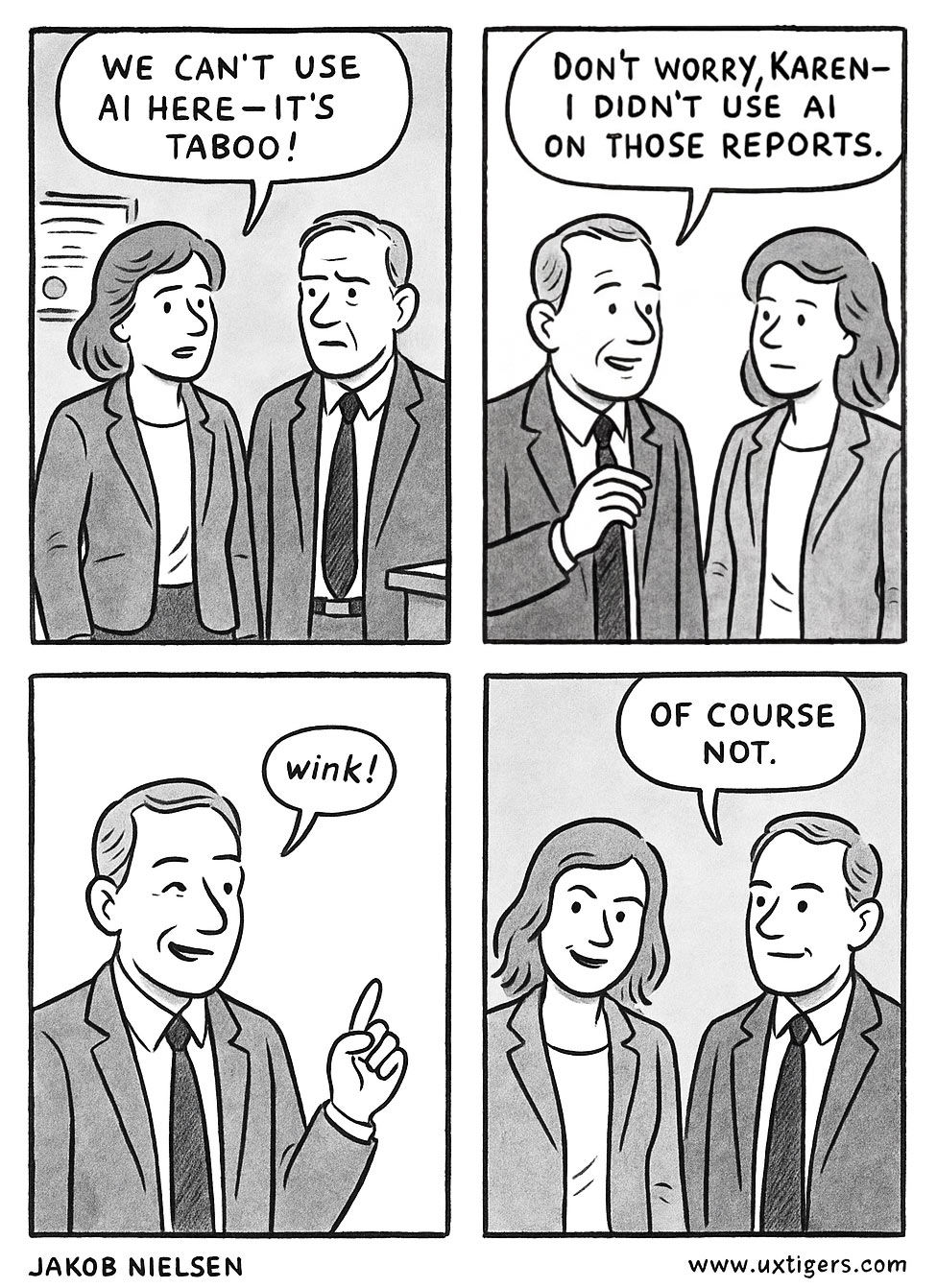
Many organizations still maintain outdated attitudes that cause employees to hide their use of AI. As long as AI users don’t fess up, they will fail to persuade their colleagues of the benefits of AI. (GPT Image-1)
The study paid special attention to creative professionals: writers, designers, and artists. This group reported the highest productivity gains (97% said it saved time) but also the highest anxiety about their professional identity.
The data reveals that the most successful creatives are using a specific workflow pattern that I call the AI Sandwich:
Top Slice (Human): The user provides the creative spark, the strategic context, and the “vibe.” They write the “super-prompt” or set the constraints.
Filling (AI): The AI generates volume in the form of endless ideas, variations, outlines, or rough drafts. This aligns with Jakob’s Fourth Law of AI: Ideation Is Free. The cost of generating 50 ideas has dropped to zero. The AI provides the divergent thinking.
Bottom Slice (Human): The user curates, refines, edits, and polishes the best output. This is the convergent thinking.

The AI sandwich is a three-layered approach to creative work. (Nano Banana Pro)
The study noted that creatives often feel a loss of control. They feel the AI is driving the decisions. This is largely a failure of the current Chat UI paradigm.
Chat is linear and ephemeral. It is terrible for the Sandwich workflow. It forces the user to describe visual or structural changes using text (“Make the second paragraph punchier and move the logo left”), which violates the heuristic of Flexibility and Efficiency of Use.
We need to move beyond the chatbot. We need hybrid prompt-GUI interfaces for AI.
Canvas over Chat: Creatives need spatial interfaces where they can see multiple AI-generated options side-by-side, drag and drop the best elements from each, and combine them.
Direct Manipulation: If the AI generates an image or a UI layout, I should be able to click an element and tweak it manually. I shouldn't have to write a new prompt to move a button. The future of AI creative tools is not “Text-to-Image”; it is “Text-to-Draft, Mouse-to-Final,” along the lines I have described as indirect prompting, but with GUI support.
Curator Tools: Since the AI is good at generating volume, the human’s role shifts from maker to manager. The UI needs to support this by providing better tools for filtering, sorting, and comparing outputs.

Current AI is a poor match for workflow enhancement, partly because many users feel the need to hide their AI use and thus limit themselves to individual tasks rather than entire workflows for full teams. And partly because of the linear nature of the current AI user experience, which doesn’t adequately support the exploratory nature of creative use of AI, which should be creation through discovery and navigation of the latent design space. (Nano Banana Pro)
Seventy percent of creatives mentioned trying to manage peer judgment around AI use. One map artist said: “I don’t want my brand and my business image to be so heavily tied to AI and the stigma that surrounds it.” The creative interviews revealed a fundamental tension around control. All 125 creative participants mentioned wanting to remain in control of their creative outputs, yet many acknowledged moments where AI drove creative decisions.
This tension has direct implications for interface design. For creative tools, the research suggests users want the efficiency of intent-based outcome specification, while maintaining the psychological sense of authorship. Interfaces that make users feel like directors rather than passengers may see better adoption and satisfaction.
Creatives are finding practical workflows that work for them: a social media manager reported reduced stress because AI “created a ton of efficiency for me so I can focus on my favorite aspects of the job (filming and editing).” A music producer described using AI for “lists of interesting word pairings” to spark song ideas. These use patterns suggest AI works best for creatives when it handles the generative exploration phase while humans retain curatorial and refinement control.
The scientists in the study provided a stark contrast to the creatives. While creatives were willing to tolerate some hallucinations for the sake of inspiration, scientists were deeply skeptical. They expressed a desire to use AI for hypothesis generation but felt they couldn’t trust it for core reasoning tasks. They relegated AI to low-level coding or formatting tasks. Again, we see the detrimental effects of AI stigma, with many of the scientists stuck with an outdated understanding of AI: in this case, its tendency to hallucinate, even though hallucinations have dropped dramatically with every new generation of AI, especially modern reasoning models that double-check their own work.

Scientists worry about AI hallucinations. While it’s good to double-check AI work, especially for its claim about science data, hallucinations are dropping every year. (Nano Banana Pro)
The research reveals professionals already imagine their future relationship with AI. 48% of general workforce interviewees envisioned transitioning toward positions focused on managing and overseeing AI systems rather than performing direct technical work. (More likely, 90% will have to make this move over the next decade.) One pastor captured the aspiration: “if I use AI and up my skills with it, it can save me so much time on the admin side which will free me up to be with the people.”
Anthropic’s data suggests workers are already positioning themselves for this shift, and UX designers need to create interfaces that support these evolving human–AI partnerships rather than simple automation.
The emotional data is telling: across occupational categories, professionals showed high satisfaction paired with high frustration: they’re finding AI useful while encountering significant implementation challenges. That’s precisely where thoughtful UX design can make the difference.
AI-Driven User Interviews
Traditionally, user research projects had to choose between depth (qualitative information from a few people) and breadth (quantitative surveys with many people). Surveys are rigid; they cannot ask “Why?” when a user gives a surprising answer. Human interviews are fluid and empathetic, but expensive and hard to scale.
The 1,250 user interviews Anthropic did for the project discussed in the previous news item demonstrates a new third way: AI-Moderated Research. These many interviews were conducted by a special version of its own AI model Claude, with a system prompt modified for interviewing. This modified model is called Anthropic Interviewer, and is designed as a three-stage system: planning, interviewing, and analysis.
In planning, they used a system prompt to encode hypotheses and best practices, had the AI generate a structured interview plan, including an interview rubric, and then did a human review pass to finalize it. In interviewing, the AI conducted adaptive conversations in real time with a second system prompt focused on interview best practices. In analysis, a human researcher worked with the tool to answer the research questions and pull illustrative quotes, and they also used an automated AI analysis tool to cluster emergent themes and quantify prevalence across participants.
This workflow treats AI analysis as a way to convert qualitative signal into quantifiable patterns. This is the direction I expected when I wrote “Conducting User Interviews at Scale With AI” in February 2024. The technology has now improved to make AI interviewing more practical: AI removes scheduling friction, can run hundreds of interviews, and then transcription and auto-classification can “transform qual into quant.” This also echoes the GE case study I covered back in 2023, where AI helped teams sift huge volumes of unstructured user input and surface the “needles” worth reading. Now, with tweaks to general models like GPT 5.2, Gemini 3 Pro, or Claude Opus 4.5, anybody can run user interviews at scale without a team of data scientists. Much progress in only two years.
In this new paradigm, the UX researcher becomes the Orchestrator. We define the learning goals and the hypotheses. We design the “interviewer agent.” Then, we use AI to synthesize thousands of pages of transcripts into clusters and themes. This allows us to get the richness of qualitative data (the “why”) with the statistical weight of quantitative data (the “how many”).
If you are a user researcher, you need to add AI study design and AI thematic analysis to your toolkit immediately. This is the future of discovery research. It allows us to map the territory of user needs at a resolution we’ve never seen before, finding the long tail of use cases that a small sample would miss.

The AI interview system progresses through three phases. A fourth step is to iteratively improve the system for the next project, for example by tweaking the questions the AI asks of your users. (Nano Banana Pro)
Anthropic also measured the participant experience with being interviewed by AI, and the ratings were strikingly positive: 98% rated satisfaction 5 or higher (on a 1–7 scale), 97% felt the conversation captured their thoughts well, and 99% would recommend the format. That matters because an AI interviewer that feels robotic or leading is worse than useless: it produces junk data with a veneer of scale.
Hiring the Founding Designer for a Startup
The first UX professional in a company becomes the “founding designer” and sets the tone for everything to come if/when the company moves beyond the startup stage and becomes successful.
The ADPList newsletter recently published a long article with advice on when and how to hire a founding designer, based on insights from hundreds of startups. I strongly recommend that you read the full article, especially if you’re in a startup or are considering launching one. The article is full of useful, detailed advice, but two major insights are:
When to hire the founding designer? Earlier than you think, but later than most UX influencers would like.
Avoid hiring? Candidates wedded to the “Big UX” process and use words like “DesignOps.” Also avoid specialists who are only strong at one part of field. Specialistrs may be later hires if your company grows big enough to need a large UX team, but when you only have a single UX expert in the entire company, he or she must be a “UX Unicorn” who can design and vibe-code a prototype Monday, test with 5 users Tuesday, and ship the revised design Wednesday.
I made a small comic strip based on the article (again, read the whole thing). The story is set in Singapore, partly because I love that country, and partly because ADPList was founded there.


(Nano Banana Pro)
Prompt Engineering Debunked: Don’t Specify a Mastery Persona
Savir Basil and colleagues from the Wharton School's Generative AI Labs examined whether assigning expert personas to AI models (e.g., “you are a physics expert”) improves their accuracy on difficult factual questions. The researchers tested six previous-generation AI models (GPT-4o, o3-mini, o4-mini, and Gemini Flash variants) across two challenging benchmarks featuring PhD-level science questions and graduate-level problems in engineering, law, and chemistry.
The results were clear: expert personas generally do not improve AI accuracy. Across both benchmarks, persona prompts produced results statistically indistinguishable from a no-persona baseline in most cases. Domain-matched personas (a physics expert answering physics questions) offered no consistent advantage. Low-knowledge personas like “toddler” or “layperson” did harm performance, reducing accuracy in multiple models.
The researchers also discovered a failure mode: when Gemini 2.5 Flash was told that it was an out-of-domain expert persona (e.g., asking a “Physics Expert” a biology question), it frequently refused to answer, stating it lacked relevant expertise, even when the model actually possessed the knowledge.
The study debunks the common prompt engineering guideline of assigning expert personas for factual tasks. Instead of adding “you are a world-class expert in X,” users will get more value from focusing on clear task-specific instructions, providing relevant examples, or improving evaluation workflows.
However, personas aren’t useless: they can still shape tone, style, and how an AI frames its response, for example, by writing in more or less complicated language and employing domain-specific terminology.
Guidelines informed by the new research are:
Cut the Preamble: When seeking factual answers or reasoning, do not waste time or token limits on “Act as an expert” instructions. It is a placebo that does not trigger deeper knowledge retrieval.
Focus on the Task, Not the Role: Power users should invest effort in refining task-specific constraints, providing examples, and establishing evaluation workflows rather than crafting elaborate persona backstories.
Reserve Personas for Tone: Continue to use personas only when the style of the output (e.g., “explain this like a pirate”) is the goal, rather than the accuracy of the content.
I am happy to see this research finding, because I always thought that it beggared the imagination to believe that AI would get smarter simply because you told it that it was an expert. Even though it does not help to tell the AI that it’s an expert, it can often be helpful to inform the AI about the target audience of anything you request for it.
As an example, here are two comic strips from Nano Banana Pro about a wine I recently enjoyed. For the first comic strip, I simply uploaded a photo of the label and asked for the story behind the wine. For the second step, I further specified that the target audience for the comic was sommeliers who wanted to know when to serve this wine and what to tell their guests about it.
When the AI was creating a comic strip for a general audience, it produced a rather generic story about how wine is made, with no specifics about the particular wine, except for the point that the rocky soil makes it harder for the vines to grow, which again influences the wine’s flavor profile. When told to create content for sommeliers, the AI not only included much more technical and detailed information but also differential information to distinguish this bottle of wine from other, similar wines (other vintages, competing vineyards).


(Nano Banana Pro)
Longitudinal Usability Needed to Judge AI Agents
AI agents do work on behalf of the user beyond the simple “answer this question” interactions with chatbots. In collaboration with Harvard University, Perplexity has released an analysis of millions of agentic uses of its Comet AI-enabled web browser from July to October 2025. (They define “agentic use” as one that involves the agent taking control of the browser or taking actions on external applications — such as email or calendar clients — through connectors.)
The full paper provides extensive details on agent use across occupations and tasks, and between countries (spoiler: rich countries use AI agents more than poor countries do). I don’t think this data is too exciting, because agent use will likely change substantially as AI improves. (All respect to Perplexity for doing this research and for shipping an early AI-native web browser with some agentic capabilities, but the truth is that Comet is extremely primitive relative to the long-term vision for AI agents, and even what agents will likely be able to do in a year or two.)
The most interesting data from this study is the comparison between users’ initial agent use and their later agent use. Perplexity reports: “New users often test the waters with low-stakes queries. They ask about travel plans, movie recommendations, or general trivia. Gradually, there’s a shift.”
The statistics show that early agent use is often in the “media & entertainment” or “travel & leisure” category. Eyeballing the chart in the paper, I estimate about 39% of early agent use in these two categories, but only 23% of later agent use, for a relative drop of 41%. (Almost cut in half.) In contrast, two higher-value (but also higher-risk) topics of “productivity & workflow” and “learning & research” account for 41% of early use and 58% of later use, for a relative increase of 41%.
Over time, a strong shift from relatively frivolous to cognitively oriented use cases.

How does it affect users when they switch from frivolous to cognitively demanding AI use? We don’t know. (Nano Banana Pro)
The fact that Perplexity documented these big shifts in usage categories over time tells me that user research into AI agents should be longitudinal. Our traditional user testing methodology is great at assessing day-1 issues. (And remember that you will have zero day-N usage if users don’t make it past their initial exposure to your design, so we do need that old-school usability evaluation.)
But very little user research, especially of AI, considers month-long changes in user behavior and how the UX design can support or hinder users’ movement to higher-value tasks. More longitudinal user research, please. The big AI labs clearly have the budgets to conduct such research, and they also have a strong motivation to get their products right to foster long-term user growth, not just initial delight. I hope (and even expect) to see longitudinal studies from the labs. But it would be best if we also had some independent studies, so if you’re a researcher, please try.

Since users’ behavior with AI agents shifts with long-term use, user research must pivot to more longitudinal methods. (Nano Banana Pro)
Modern Power Turbines
I never thought I would cover developments in the super-hardcore world of building power turbines for electricity generation. But since the lack of electricity capacity outside China is emerging as the limiting factor in achieving superintelligence, improving the engineering of power turbines (which has always been important) has become critical.

I was always a software guy. But we can’t ignore the material reality that underpins the new world of intelligent user experience. While I will never be an expert in electrical engineering, I applaud the people who invent better power turbines so that we can meet the immense increase in electricity production required to improve the world. (Nano Banana Pro)
The company Boom, which was founded to develop the first supersonic passenger airplane after Concorde, has announced a 42 MW natural-gas turbine optimized for AI datacenters, built on its supersonic technology.
The launch customer is a 1.21 GW supercomputer AI datacenter for OpenAI. As we know, OpenAI is suffering from a pronounced lack of compute, preventing it from scaling up advanced AI capabilities, so this new power source will be a major benefit to humanity.
While I would not have expected a synergy between building AI data centers and supersonic flight, Boom claims there is: they originally developed their turbine technology for the airplane engines, which means that they are designed to work when it gets hot. (Whereas traditional engines for comparatively slow airplanes are designed for freezing environments.) This aligns with AI supercomputers, which (outside of China) are mainly built in warm climates such as the Southern states in the USA and in the Middle East. Conversely, once the supersonic airplane flies, its engine technology will have accrued hundreds of thousands of hours of real-world experience (albeit on the ground), making it the most tested new jet engine ever to carry passengers.

(Nano Banana Pro)
Boom is building a new factory that will produce 2 GW of these new turbines each year, starting in 2029, with 1 GW produced in 2028. This is the equivalent of bringing two large nuclear power plants online every year! This is obviously not enough, but still a significant improvement in the outlook for improving our living standards in the 2030s.
For comparison, the USA currently has about 40 GW of datacenter capacity (AI and non-AI, such as serving Netflix movies), and this needs to grow to 106 GW over the next 10 years to power the economy’s superintelligence pivot. In other words, 66 GW in 10 years = 6.6 GW per year. While 2 GW per year isn’t enough and we urgently need other providers to step up, the new Boom turbines will do their share.

If we want to avoid this scenario outside China, there can be no delay in building out any electricity source we can get our hands on. Emissions-free sources like nuclear and solar are preferred, but insufficient for now, so for the next two decades or so, natural gas turbines are second-best and also needed. (Nano Banana Pro)
GPT 5.2 Beats Human Experts on Half-Day Tasks
OpenAI clearly felt the heat from Google having the best AI language model with Gemini 3 Pro and the best (by far) image model with Nano Banana Pro, and reportedly declared “Code Red” to get back in the game. For now, they released an update to ChatGPT: GPT 5.2. Rumors are strong in the AI influencer community that they will also improve their by-now obsolete GPT Native Image-1 model soon, maybe as early as January. (Let’s hope they can find enough compute to support these improved models.)
According to OpenAI’s own numbers, GPT 5.2 shows small improvements on some benchmarks, but a big gain on maybe the most important of current AI benchmarks: GDPval, which is a set of 1,320 “economically valuable” tasks that typically take human experts a few hours to complete.
In head-to-head comparison with human experts, GPT 5.2 Pro performs better on 60.0% of the tasks. Humans are still better on 25.9% of the tasks, and 14.1% of the tasks were tied. In other words, on this measure of valuable work performance, AI is now more than twice as good as humans.
By comparison. GPT 5 Thinking won 35.5% of the tasks and human experts beat this model 61.2% of the time. (3.3% of tasks were tied in the judgment of the independent human experts who serve as judges in this competition.) GPT 5 was released August 7, so only 4 months prior to GPT 5.2’s release date of December 11. During these four months, task superiority flipped from human experts being 72% better than AI to AI being 132% better than humans. An astonishing rate of improvement.
OpenAI claims that GPT-5.2 outperforms Gemini 3 in benchmark scores, but I don’t believe they are being fair in how the comparisons were conducted. If you want to assess Google’s AI capabilities, you should test their best released model, which is Gemini 3 Pro with “Deep Think” enabled, and OpenAI didn’t do that in the published benchmark comparisons.
Admittedly, activating Deep Think makes Gemini much slower, but when we’re talking about economically valuable tasks that take human experts around 4 hours to complete, we ought to be willing to wait 10 minutes for AI to do the job. Still much faster than humans, and those many extra reasoning tokens improve the quality of the output substantially.
AI is now better than humans on tasks that take about half a day. (Though not on all such tasks, for sure. AI is a different kind of intelligence than meatware, so it doesn’t progress at the same rate in all fields. There is a jagged border, not a straight one, between areas dominated by biological intelligence and those dominated by machine intelligence, which evolved in a very different manner.)
We know that the duration of tasks that AI is capable of performing doubles roughly every 7 months. This means that AI should be able to perform full-day tasks around July 2026. It is becoming a pressing UX problem to solve the design problems of slow AI.

AI’s improving task performance is clear from the latest data. Beating humans on week-long tasks will likely happen by the end of 2027. Full-year projects in 2031 (also known as “your job”). (Nano Banana Pro)
Another impressive aspect of GPT 5.2 is not as visible to consumer users, but is highly important to enterprise users who pay for API access: prices have dropped immensely. The ARC Prize has tested most leading AI models on a benchmark called ARC-AGI-1. GPT-5.2 Pro (X-High) scored 90.5%, whereas GPT-o3 (High) scored 88% a year ago. I’m not that excited about these raw scores for two reasons: First, these types of puzzle-solving benchmarks do not represent what AI needs to get better at. (The GDPval benchmark is a better test, because it includes real business tasks.) Second, benchmarks that are so saturated that even middling AIs like those from a year ago score 88% are not meaningful for measuring progress at higher levels of intelligence.

I appreciate that independent labs like the ARC Prize test all the leading AI models on the same tasks. These results are more credible than the benchmarks published by the model developers themselves. (Seedream 4.5)
Despite these criticisms, ARC Prize should be applauded for being an independent testing authority and for using the same test for different generations of AI. Here’s the kicker: Last year, it cost $4,500 for the API tokens required to solve the average task in the test. This month, it costs $15.72 for the new model to solve the same tasks, and doing a better job of it. This represents a 286x drop in the cost of intelligence in a year. If this same pace of cost improvements holds up next year, each of these tasks will cost 5 cents.

Intelligent work that cost $4,500 in 2024 may drop to 5 cents by the end of 2026. (Nano Banana Pro)
Why is this price drop important? If you’re building an enterprise AI agent, you should “skate to where the puck will be” in the sense of designing features that are currently too expensive relative to the value they provide the customers. For the sake of the argument, let’s say that a human can perform the tasks in the test for $100 per task. Last year, it would have been ridiculous to suggest to any company that they buy an AI tool that charged $4,500 per task. But at $15.72 (and dropping fast), it’s now a no-brainer to replace the humans with AI, even if you need to retain a higher-paid human to oversee the AI agents.

As intelligence becomes cheap, it becomes a commodity, which means it can be applied to problems that were previously unsolvable due to the cost of allocating sufficient human brainpower. This coming expansion of humanity’s ability to solve its problem paints an optimistic picture of our future. (Nano Banana Pro)
Music Highlights
I cut together a highlights reel with clips from the best songs I made with AI in 2025. (YouTube, 15 min.)
The reel progresses chronologically, from January to December, so if you don’t have time to watch the whole thing, try to watch a bit from the beginning and then fast-forward to some of the last clips. You will be astounded by the quality difference between early and late 2025, especially in lop synch, movements, and rendering of fine details such as hair.

Contrary to this thumbnail, the future of music isn’t here yet; we still need further improvements before my music videos can rival those from the major labels. But considering the progress in a single year, we’re not far from that day. (Nano Banana Pro)
10 Days Until Christmas
To get into the Christmas spirit, try designing custom ornaments with Nano Banana Pro. Here are a few I made. (Prompt credit: LudovicCreator.)

I had a hard time making an ornament with “UX Tigers” transcribed into proper Viking runes. (The closest phonetic transliteration being ᚢᚴᛋ : ᛏᛁᚴᛁᚱᛋ.) There are too many pseudo-runes in the training data from various fantasy games.
I wonder what it would cost to have these custom Christmas tree ornaments manufactured to a sufficiently high quality to do justice to the images. Just as we have image-to-video, we should have image-to-product. Hopefully, in a few years, we’ll get good at-home 3D printing.


