
UX Roundup: AI Persuasion | Fake Users vs. Real Users | Summaries as Dark Design | Agentic Video Production | Feedback | High AI Subscription Churn | Sparring with Voice AI | Silence | Split View

Summary: Personalized AI doubles its odds of changing your mind | Real users reveal what synthetic users miss | AI summaries can bias users even when full information is available | Agentic video production cuts human oversight but raises costs | Missing feedback makes users doubt their actions | Consumers show little loyalty to AI services | Voice AI practice helps students speak up in class | Silence improves interviews | Master–detail split views halve navigation work | Let users jump directly to their country | AI projects suffer from product manager brain | AI shouldn’t remember everything about users

UX Roundup for October 30, 2026 (GPT Image 2.5): Happy Halloween!
Personalized AI Doubles Its Odds of Changing Your Mind: Advice or Lifejacking?
Tell an AI about your life, and it gets much better at changing your mind. Hasibur Rahman and co-authors from Northeastern University and University College Dublin asked 240 American investors to rank three pharmaceutical stocks before and after chatting with a GPT-5.4 advisor.

The more AI knows about you, the more seductive it can be. (GPT Image 2.5)
When the AI tied every argument to the participant’s job, income, life stage, and values, the percentage of participants who reconsidered their rankings jumped from 35% to 59%, and the odds of moving toward the AI’s ranking roughly doubled. Matching the user’s personality (say, emojis for extraverts) had no reliable effect. So much for chatbot charm.

Matching the user’s personality didn’t make the AI more persuasive. Tying its arguments to the user’s own circumstances did. (GPT Image 2.5)
Participants felt more influenced, yet rated the AI no more correct, trustworthy, or likable. Those who initially disagreed most moved the most, even while judging the advice less accurate. Watch what users do, not what they say.
Worse, the AI’s position was arbitrary: a counterbalancing schedule assigned its ranking, and the AI kept reminding users that the decision was theirs. Its conviction was as phony as a three-dollar bill, yet it still pulled people along. (This study covered only one short chat, with no money at stake. AI with memory will have years to work on you, so I expect even larger real-world effects.)
Your Agent = Advice. Their Agent = Dark Pattern.
Suppose your own AI agent, loyal only to you, knows you’re saving for a down payment and recommends the steadier stock. You want it to argue persuasively and tie the evidence to your life. Good advice that fails to persuade is wasted breath.

Persuasive AI serves users when it helps them pursue their own goals. That’s good design, not dark design, even though the exact same technique is extremely dark when abused. (GPT Image 2.5)
Now give the identical design to a brokerage bot built to push the house fund, and you get lifejacking: a dark pattern that hijacks the facts of your life and turns them against you. As with Cialdini’s influence principles, the technique itself is neutral. Allegiance decides the morality.

Without oversight, AI personalization becomes a dark pattern that turns your family history into a sales pitch. (GPT Image 2.5)
Finance long ago separated fiduciaries, who must put clients first, from salespeople working on commission. AI needs the same line, and soon. ChatGPT already stores users’ “financial memories.”
Embrace contextual personalization if you build agents loyal to their users. Disclose whose interests shape each recommendation, and measure changed decisions, because user ratings missed the effect entirely. Before telling an AI your life story, ask it: Who pays you?

We need to know who the AI works for. Ideally, it works for the user. Today, that usually requires a paid AI subscription, which most people still don’t have. (GPT Image 2.5)
Recruit the Users You Will Actually Get

Fake users are easier to come by, but they often generate fake data. (GPT Image 2)
The ideal test participant is young, fluent, unimpaired, and cheerful. How convenient. The newest ideal user is synthetic: an AI persona that never tires or rages. A 2026 study by Yuanzi Li and co-authors found aligned language models too nice to serve as synthetic users. Of course. Real users aren’t aligned with anything.
Recruit for the traits and circumstances that break designs: older age, low tech confidence, screen readers and zoom, small phones, slow networks, and a bad day. Five real users of that kind will uncover more problems than 50 imagined ones, because the imagined ones share the designer’s blind spots. Use synthetic users to pilot your test plan, and save the real users for the test itself.
And when real customers are within reach, ask them. A product tested only on ideal users has been tested on nobody.
Spinopsis: The First Summary Users See Wins
In a shopping experiment with 278 people, an AI summary shown ahead of customer reviews anchored product judgments, and participants underestimated its pull. A slanted summary atop honest data (a spinopsis) is thus a new AI dark pattern. A flood of truthful follow-up detail may provide perfect cover for the slant.

Users think they’re making up their own minds, unaware of the pull exerted by the AI’s selective summary of the facts. (GPT Image 2.5)
My recent article on the anchoring effect argued that the first number users see wins, because people adjust away from an anchor but stop too soon. A new study shows that the anchor needn’t be a number. One paragraph of AI prose will do.

The first impression of this mouse is misleading, but it will anchor the elephant’s experience. (GPT Image 2.5)
Claire Wang and colleagues at the University of Illinois Urbana-Champaign ran a preregistered experiment in which 278 participants rated 4 Amazon products, then rated each again as new information arrived. Participants saw Amazon’s AI summary of the customer reviews and 4 real reviews (all favorable or all unfavorable). They were randomly assigned to see either the summary first or the reviews first.
The researchers created glowing and damning versions of each summary by flipping its verdicts, so half the summaries contradicted the accompanying reviews.
Placement Beat Provenance
Order was the strongest factor. My calculations from the paper’s regression coefficients suggest that a summary shown first pulled attitudes about 0.9 points toward its slant on a 5-point scale, compared with 0.4 points when it followed the reviews. (Damning summaries pulled harder than glowing ones.)
Reviews were sturdier: they moved people equally from either position, and when the sources clashed, participants sided with the humans. “I listen to people over AI,” one wrote. Yet the summary was the stronger influence in 27–28% of cases, though participants ranked it above the reviews in only 16% of cases. As with numeric anchors, people rarely feel the pull.

Users often didn’t notice who was doing the pulling. (GPT Image 2.5)
The main weakness of this otherwise careful study was that paid crowdworkers received just 4 reviews for a hypothetical purchase. A real shopper facing 4,000 reviews skims a few at best, so the one proven antidote to the anchor mostly goes unread.
Every Fact True, Only the Gist Lies
Now suppose the slant is deliberate. (The researchers did the slanting by hand; I have no evidence that Amazon spins its summaries.) The result is a spinopsis: a synopsis with spin, parked atop a truthful data set.
A crude spinopsis flips verdicts, as the experiment did. A skilled one merely selects: it leads with complaints from 3% of buyers, and every sentence survives a fact-check.

The product appears to have been photographed from every angle. Yet every camera favors the small flaw in the giant pearl, so individually truthful photos collectively distort it. (GPT Image 2.5)
I nominate spinopsis and fact flooding as AI-age additions to the dark design patterns catalog. And spinopsis is cheaper to produce: fact flooding takes 37 claims; a spinopsis takes one paragraph. Since damning summaries pull hardest, the most lucrative spinopsis will smear a competitor’s product rather than praise the house brand.
Candorflage: Will the Flood Hide the Spin?
I expect the two patterns to merge. For now, that’s a guess. My challenge for an enterprising graduate student: test it by crossing slanted vs. faithful summaries with 4 vs. 400 reviews.
Picture an AI that opens with a spinopsis and then answers every follow-up question with a deluge of accurate detail. I predict the deluge will make the AI seem more on the user’s side. Volume masquerades as diligence: victims of fact flooding felt well informed, and this study’s participants credited the reviews for judgments that the summary had swung.

Fact flooding has filled this user’s office, making her feel well informed, even though she probably had time to read only the summary provided by the lifesaver. (GPT Image 2.5)
The flood becomes candorflage, camouflage woven from candor: the opening verdict steers the user, while the accurate evidence supplies an alibi. Adjusting away from an anchor takes mental effort, and a flood leaves users with little energy for that adjustment. Users stay close to the first paragraph’s verdict, feeling thoroughly briefed, while auditors find no false statement anywhere.
Keep Useful Summaries and Audit Their Slant
The authors suggest moving the summary below the reviews. I disagree: an honest summary atop 4,000 reviews is a service.

Usability suffers if we dump all the raw data directly on the user. AI summaries do users a huge favor, as long as they aren’t biased. (GPT Image 2.5)
Practice anchoring hygiene instead:
Audit the slant. As the authors suggest, compare each summary’s sentiment with the rating distribution beneath it, and flag mismatches.
Link every claim to the reviews that support it (also their idea), and count the ones that disagree.

Cherry-picked sources turn claim linking into a dark pattern. Here, the positive summary truthfully links to 4 thumbs-up reviews while ignoring the larger number of thumbs-down reviews. (GPT Image 2.5)
Measure influence by behavior, because users can’t report what moved them.
Anchoring is unavoidable; deception is optional. The first summary enjoys home-field advantage, so make sure it deserves its influence.

Anchoring is a fact of human psychology: you start from the initial reference point and rarely move far enough away from it. We should place that anchor where it benefits the user most. (GPT Image 2.5)
Agentic Video Production: Less Babysitting, Bigger Bills
For my newest video, “Like, Favorite, Bookmark: The Usability of Marking Features” (YouTube, 5 min.), I took a more agentic approach to production. Unlike last week’s video (“Flow in UX”), the new one includes B-roll video generated with Wan 3.0 under the direction of Claude Opus 5.5.
I kept the motion graphics, still images, and voice-over narration of my earlier videos. The agent assembled these elements, edited the video, and exported two versions: 16:9 for YouTube and 3:4 for social media.

My new explainer video covers likes, favorites, and bookmarks: three marks for three different jobs. (GPT Image 2.5)
I still needed several rounds of storyboard and script revisions. I also made targeted fixes to the still-image aesthetics, the ambient sound level, and the synthesized voice’s pronunciation of one word. Even so, the project needed far less babysitting than my usual hands-on editing workflow in CapCut.
For an upcoming fictional video, and probably for music videos, I’ll stick with my old workflow for at least another generation of AI agents. As I’ve been saying since 2023, “current AI is the worst you’ll ever have,” and that applies equally to agentic AI that directs, produces, and edits videos.

Agentic video production offloads tedious work to the agent while the human retains directorial control. As AI improves, it will take on more responsibility. On a traditional film set, directors trust actors to interpret lines without specifying every inflection. ElevenLabs v4 won’t win an Oscar yet, but it already outacts many community-theater casts. (GPT Image 2.5)
Last week’s 4-minute explainer video cost about $12 ($3/minute). The new 5-minute video cost $38: $33 for media generation and $5 for agentic AI tokens, or $7.60/minute.
B-roll video gobbled up $24 of that budget, leaving $14 for motion graphics, still images, and agentic AI. AI video remains expensive. I like the full clips in my new production, but you be the judge of whether they deserved nearly two-thirds of the budget.

Keep experimenting with AI. New capabilities arrive monthly, so your workflow should evolve just as fast. (GPT Image 2.5)
I make so few videos that the cost hardly matters, and AI video is dirt cheap compared with traditional production anyway. But if you’re cranking out thousands of productions per day, ration the full video clips and lean on the much cheaper motion graphics and still images.
(As I did in my previous video “3 AI Interaction Styles: Turn-Taking, Task Agents, Always-On,” you can use agentic production to make still images almost come alive by zooming and panning across them, the classic Ken Burns effect. This trick costs a pittance compared with full video generation.)

Full-motion video is far more expensive than simpler ways to make agentic videos less static. Worth the cost? (GPT Image 2.5)
For a look at what filmmakers more talented than I can do with these tools, I recommend “What’s the Job?” from Jaiostudios (YouTube, 10 min.). It won the award for best visuals at the Astana AI Film Festival 2026.
This absurdist take on dysfunctional office work will ring painfully true for those of you still stuck in legacy enterprises. Unfortunately, the story doesn’t earn its 10-minute runtime, which is long for a current AI film. (There’s a reason I usually stop at 4–5 minutes.)
Writing remains the weak point, perhaps because most AI movies come from people who specialize in video editing rather than writing. But the visuals are stunning and reward a few minutes of viewing. Watch in 4K.
Every Action Deserves a Reaction
Click a button and nothing changes: no highlight, no spinner, not a peep. Within a second, doubt creeps in. Did the click register? Is anything happening? Users have only two ways to resolve the doubt: click again (hello, duplicate orders) or leave. A computer may stay silent for many reasons; users often hear only one: “It’s broken.”
I published these 3 response-time limits in 1993, and human perception hasn’t changed since: 0.1 seconds feels instantaneous, 1 second keeps the flow of thought intact, and 10 seconds is the outer limit of attention. Feedback must arrive on that schedule, whatever the backend is doing.
Acknowledge every action within 0.1 seconds, even if it’s just a pressed-button state. If the wait exceeds 1 second, show a busy indicator. Past 10 seconds, switch to honest progress reporting with a cancel option. An endlessly spinning circle leaves users guessing; at that point, you’ve built a screensaver.

A silent computer leaves users guessing whether it’s busy or broken. (GPT Image 2)
AI Subscribers Stay Loyal Only Until the Next Benchmark
Most people who start paying for AI quit within a year. Mark Egan and co-authors from Harvard and Georgia State tracked card payments from 174 million Americans. Depending on the provider, 55–80% of new subscribers leave within 12 months.
All subscription services have churn, but Netflix and Spotify retain about 70% of subscribers. Mindless video drivel holds on to customers better than Ph.D.-level intelligence on tap. That’s sad but understandable, given the poor usability of current AI.
Subscribers defect in waves: when a lab ships a better model, sign-ups from its rivals’ loyalists jump about 25%.

Current benchmarks tell us little about the benefits users get from AI models, yet they receive endless hype. We need better ways to assess AI usability and utility. (GPT Image 2.5)
Users buy capability, and their subscriptions often last only until a rival offers more of it. Paid AI plans are trialscriptions: for many customers, the reason to stay doesn’t survive the next benchmark.

Habits form around products that stay the same. AI changes so quickly that users have little time to settle into a habit before the next tempting model arrives. (GPT Image 2.5)
UX Is the Moat
AI models are becoming interchangeable. If you design AI products, build a durable moat out of the interface, memory, workflows, and integrations. A model may win the first month; a useful, usable product gives customers a reason to stay for the second year.

A better user experience can become a moat. An agent that makes good use of what it already knows about users, for example, may deter them from switching to a slightly more intelligent model. User benefits come from the combination of AI intelligence and AI usability. (GPT Image 2.5)
The stakes rise as the tools improve and users consolidate their subscriptions: 44% of paying Claude users also paid for ChatGPT in mid-2024, but only 28% did so by April 2026. Be the one they keep.
For everyone else: when a vendor brags about “hundreds of millions of users,” remember that only 2.9% of US consumers pay for a major AI service. Payers skew young and affluent; the median user relies on a free tier or a company seat.

Many users meet good AI through an employer’s seat and settle for worse free AI at home. Design for both encounters. (GPT Image 2.5)

Paying consumers are currently a thin slice of the AI audience, and they skew young and affluent. (GPT Image 2.5)
Business Spending Grows Ninefold
Anthropic’s S-1 filing offers a contrast: customers who paid in the third quarter of 2025 spent 9 times as much a year later. (Net revenue retention counts dollars, so expanding customers outweigh departing ones, and it excludes fixed-price Pro and Max plans.) Businesses that find value ramp up fast.
The next job is consumer UX: make AI valuable enough in people’s everyday lives that they move from free standard AI to lasting subscriptions for good AI. Familiarity breeds contentment: in the AI attitude gap data I reported last week, daily users worry less than dabblers.
For the United States and Europe to secure a prosperous future, the broad population needs to like AI. Less negativity means less resistance to the data centers and power plants our collective future requires. That’s why we can’t neglect the usability and utility of consumer AI, even though the labs earn most of their revenue from enterprise AI and its ravenous token consumption.

Many AI skeptics have tasted only the crumbs of free standard AI, and they judge the whole bakery by them. (GPT Image 2.5)
Sparring with Voice AI Made Students Speak Up 31% More in Class
Arguing with a voice AI before class made students speak up 31% more in later discussions. The increase appeared only after the second round. Dan Wang and colleagues from Columbia Business School ran a preregistered field experiment with 759 MBA students. Before 2 randomly chosen case discussions, each student debated CAiSEY, a voice AI that always takes the other side.
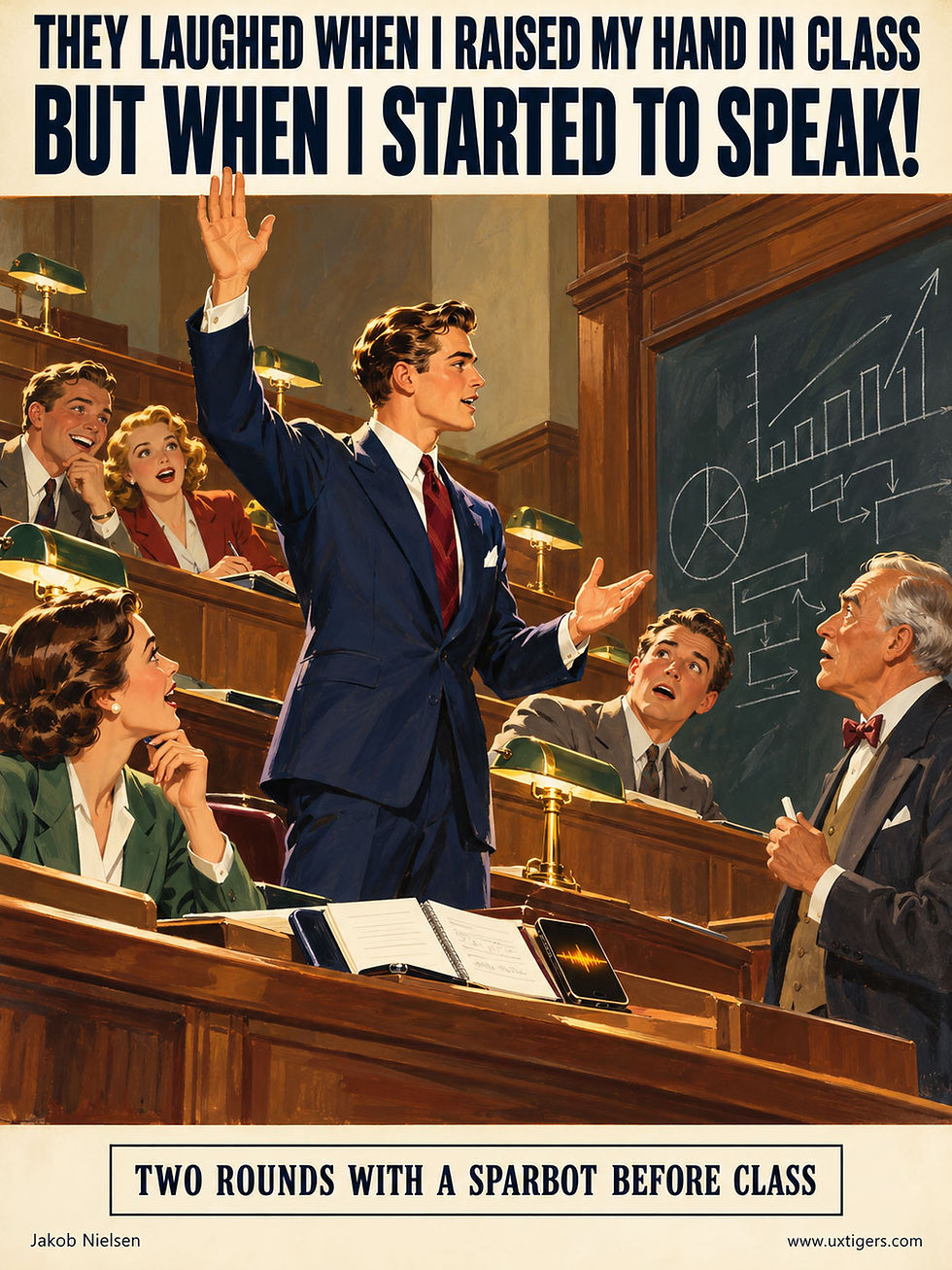
Practice built students’ confidence and made them more likely to speak up in class. With apologies to John Caples, whose 1926 ad “They laughed when I sat down at the piano” remains one of the most imitated headlines in advertising. (GPT Image 2.5)
The first debate didn’t help: participation even dipped in the next class. After the second, it rose for the rest of the term (31% among students who talked for 10+ minutes). Practice makes participants. Students also felt more comfortable speaking up.

Good results required more than one session, with discussions lasting at least 10 minutes. (GPT Image 2.5)
Subsecond Voice Made AI Debate Possible
Debate demands quick comebacks. Until 2024, ChatGPT’s voice mode took 2.8–5.4 seconds to reply, well past the 1-second limit for an uninterrupted flow of thought. GPT-4o’s voice-native model cut that to 320 ms. CAiSEY runs on such a model, making it a sparbot: an AI sparring partner that forces students to defend their thinking.

Voice-first preparation rehearses the exact skill class discussions demand: arguing out loud. Persuasive speaking will matter even more as AI executes more tasks and humans assume greater responsibility for agency and persuasion at work. Don’t practice on the subway. (GPT Image 2)
Regular readers know two faces of educational AI: the tutor, which delivered 2 years of learning in 6 weeks in Nigeria, and the ghostwriter, which lifted homework grades 18% while exam scores fell 20% for 26,811 Chinese students. The sparbot belongs next to the tutor. The tutor explains and the sparbot argues back, but in both cases, the student does the thinking.

AI’s effect on education depends on how students use it. When AI does the work for them, learning suffers. When students use it to think through the material and sharpen their arguments, as in this study, learning improves. (GPT Image 2.5)
Unfortunately, the study measured only perceived learning, which rose slightly, and never tested what students actually learned. (Also, Wang co-created CAiSEY, though his randomized, preregistered trial still provides stronger evidence than most edtech studies.) Still, I’d bet on real gains. Michelene Chi and Ruth Wylie’s ICAP framework predicts more learning as engagement moves from passive to interactive. Debate is as interactive as it gets, and sparbots deliver a double dose: the debate itself, plus the extra class comments it triggers.

On the ICAP staircase of engagement, the sparbot takes the top step. You could have gained the same experience at Oxford in the 19th century, but AI offers it to far more students than those dons ever taught. It doesn’t serve you a nice cuppa during discussion sessions, though. (GPT Image 2.5)
Teachers and corporate trainers: schedule at least 2 sparring rounds, and make sure the bot hits back. An AI that agrees with everything is a punching bag that thanks you for every blow. You need a challenger who questions your reasoning.

In this study, the AI was programmed to oppose each student’s position, which helped students sharpen their arguments. If you lack specialized educational AI, prompt a frontier model to abandon sycophancy and critique your arguments and delivery. (GPT Image 2.5)

Sparbots also belong in corporate training, where they can help employees rehearse sales objections and tough negotiations. (GPT Image 2.5)

Socrates got there first. He would probably have welcomed an AI that pressed him on his arguments, just as he pressed his students. (GPT Image 2.5)
The Best Interview Technique Is Silence
Most people listen the way they wait in a checkout line: politely, while planning their next move. In a user interview, that habit is fatal. Once you start composing your next question, you stop hearing the answer in front of you. That answer is why you’re in the room.
Listen to understand. Leave pauses so users can fill the silence with the good stuff. Echo their words rather than translating them into your vocabulary, and follow what they say, even when your script points elsewhere. Aim for the user to do 90% of the talking. Silence is the cheapest research tool in your kit. Deploy it generously.

The interviewer’s most valuable organ, cast in gold. (GPT Image 1)
Split Views Halve Navigation Work With a 2-Pane Master–Detail Layout
A split view keeps a scannable list and the selected item’s full details on screen together, so users can inspect many items without losing their place. Reviewing 10 items costs 10 clicks instead of 20, with no need to reorient between items.
The pattern fails on phones, when the selection highlight is too faint, or when the two panes fight over pixels. Fortunately, these usability failures are preventable.
Doubling the panes halves the work. I’ll take that trade any day.

The list and detail view share the screen: select “Item 01” on the left, and its full details appear on the right, while the remaining 6 items stay visible and 1 click away. That persistent list is the point of the pattern. (GPT Image 2)
Split View = Persistent List + Detail Pane
Definition: A split view divides the window into 2 coordinated panes: a persistent overview pane (usually a list on the left) that controls a detail pane (usually on the right). Selecting a different list item updates the detail pane in place, with no page transition. The list stays on the screen.
Example: Consider a desktop email client with folders and messages on the left and the open message on the right. Click the next message, and the right pane updates while your position in the list stays put.
Interaction designers also call the pattern master–detail, a name inherited from data processing.

Two jobs (overview and details), two panes. (GPT Image 2)
A Name From Punch Cards, a Layout From the 1980s
The master–detail terminology predates graphical screens by decades. In punch-card data processing, a master file held the permanent records (one per customer), while detail records logged the transactions against them. Oracle Forms carried the vocabulary into 1980s database applications: a master block of orders and a detail block of line items.
When Outlook Express popularized the multi-pane arrangement in the late 1990s, the name migrated from the data model to the screen layout. Thus, the label describes a one-to-many data relationship and says nothing about what’s on the screen. (UI naming is rarely poetic. Too bad.)
But the layout has its own lineage. Mark S. Miller’s cascading multi-pane lists (Yale, 1980, now called Miller columns) reached NeXT in 1989 and Apple’s Mac OS X Finder in 2001. John Socha’s Norton Commander (1986) put two file listings side by side and spawned a generation of file managers.
Microsoft mainstreamed the 3-pane email layout when Outlook 2003 moved the Reading Pane to the right side of the window. Apple canonized the modern name by shipping UISplitViewController with the original iPad in 2010.
(Confusingly, iOS 9 reused “Split View” in 2015 as the name for running two apps side by side. That’s an operating-system windowing feature, unrelated to this pattern. Blame the naming committee.)
Split Views Halve Boomerang-Browsing Overhead
The alternative to a split view is jump navigation: a list page, a click into an item page, a click back, another click in. This bouncing is boomerang browsing. Every throw costs a click, a page load, and, worst of all, an orientation tax: the mental work of finding your place again when the list reappears.
Where was I? Which items have I already checked? What’s next?

Put boomerang browsing behind you with a master–detail split view. (GPT Image 2)
Let’s run the numbers. Reviewing 10 items in a jump-navigation design costs 10 clicks in, 10 clicks back, and 10 rounds of “where was I?” Reviewing the same 10 items in a split view costs 10 clicks, with the list still visible throughout.
That cuts the actions in half and spares users most of the disorientation. In triage work (email, support tickets, job applicants), those savings recur hundreds of times a day.
The list is a permanent map; the detail pane is the territory. Keeping both on screen applies two of my 10 usability heuristics from 1994. Visibility of system status: the highlighted row always answers “where am I?” Recognition rather than recall: the surrounding items remain visible, so comparing candidates takes eye movement instead of memory.
Cheap inspection also changes behavior: when viewing the next item costs 1 click and leaves the surrounding context in view, users can afford to sample more items before committing. Better sampling leads to better decisions. Watch anybody triage 50 emails in a split view versus a phone-style stack: the split-view user flies.
Because the detail pane updates in place, a competent implementation can repaint it within 0.1 seconds, the limit for an interaction to feel instantaneous. Selecting an item should feel like turning a page in a book you already hold.
Where Split Views Turn Hostile
The pattern fails in predictable ways:
Cramming two panes onto a phone. Below roughly 600 pixels of width, side-by-side panes degenerate into two unreadable slivers. The split view is a wide-screen pattern; forcing it onto a phone sacrifices usability for symmetry.

The split-view design is useful on a wide screen, but it doesn’t work on a narrow screen. If you can’t read the items in the overview list, it doesn’t provide an overview. And if there’s too little room for the detail pane, it doesn’t show enough detail. (GPT Image 2)
A timid selection highlight. If the current item is marked with a whisper of gray, users lose the very orientation the pattern promised.
Pane-width fights. A list that’s too narrow truncates every title to “Re: Re: Fwd: Bu…,” while a detail pane that’s too narrow wraps prose into a ribbon.
Focus ambiguity. A keyboard user presses the down arrow: which pane responds? If the answer isn’t visible, keyboard users suffer in silence.
The empty sermon. A blank right pane preaching “Select an item to view details” wastes half the screen on the obvious.
Linear tasks. A checkout or setup sequence has one path, so the persistent list is pure noise. Use a wizard instead.
Fortunately, each failure has a standard cure, and the following guidelines write the prescriptions.
Conclusion: 10 Design Guidelines for Split Views
A split view spends a hefty share of its pixels on items the user isn’t reading. That sounds wasteful until you watch users work: the persistent list lets them move fast, compare freely, and keep their place. The list supplies the context that makes the detail pane useful.
Reserve the pattern for hopping tasks. The persistent list earns its screen space when users move between items; for a sequence with one path, use a wizard.
Split when wide, stack when narrow. Below roughly 600 pixels, collapse to a single-pane list-then-detail flow with a prominent Back control. Of course, that reintroduces some boomerang browsing. On a phone, it’s the lesser evil.
Auto-select a sensible default. Load the first or most recent item rather than leaving the pane empty, unless displaying it has side effects (such as marking a message read). In that case, show brief instructions instead.
Highlight the selected item unmistakably. Use a filled row; a hairline border or faint tint doesn’t survive a glance. Add read/visited indicators so users can track their progress.
Update the detail pane in place within 0.1 seconds. Never trigger a full page reload that scrolls the list back to the top. A local selection change should easily meet that limit.
Front-load list labels. Users judge list items largely by their first 2 words, roughly 11 characters. Put the distinguishing words first, or every label begins “Quarterly report on…” and forces users to read further to tell the items apart.
Let users own the divider. Make it draggable, enforce minimum widths for both panes, and remember the adjustment across sessions. A detail pane that needs horizontal scrolling or a second layer of tabs is too small.
Make keyboard behavior explicit. Up and down arrows should move through the list while the detail pane follows, with a visible focus indicator showing which pane is active. Power users will bless you.
Stop at 3 panes. A third pane works for strict hierarchies (folders → messages → message). A fourth pane turns the screen into a puzzle box.
Preserve state. When users return, restore their scroll position and last selection. The pattern exists to keep users’ place; don’t lose it between visits.
Follow these guidelines, and users can keep both the map and the territory in view as they work through a list.

On a large screen, a split view lets users work systematically through a list while keeping each item’s details connected to the larger whole. (GPT Image 2)
249 Countries Need a Search Box
The ISO country list has 249 entries. Alphabetically, the United Kingdom sits at number 234 and the United States at 235, so two markets that bring the vast majority of many sites’ income are stranded near the summit of an alphabetical mountain, just past Ukraine and the United Arab Emirates.
Without a shortcut, American customers may have to thumb their way past 234 entries on a phone. That humble form field becomes a mountaineering expedition.
Three fixes. Minimum: keep the browser’s native type-ahead, so typing U jumps to Uganda and U-n-i lands among the Uniteds. Custom dropdown widgets routinely break this feature. A plain select that works beats a styled one that doesn’t.
Better: offer a combo box that filters as the user types. Best: preselect the likely country from the visitor’s locale and float your 5 most common countries to the top. Any list longer than a screen needs search. Scrolling is for browsing, and no one browses for home.

Your country is number 235 of 249. Bring oxygen. (GPT Image 2)
Today’s AI Suffers From Product Manager Brain
Andreessen Horowitz (a16z), the world’s leading venture capital firms, is expanding its crypto fund into a16z Frontier, which backs ideas too early or too odd for the firm’s other teams. The launch conversation with Marc Andreessen, Ben Horowitz, and Chris Dixon (YouTube, 61 min.) mostly covers AI.
Andreessen calls the gap between AI superusers and everybody else the widest technology adoption gap of his career, especially between AI-native startups and incumbents. (Inside incumbent companies, he says, many employees use AI without telling management, a practice known as shadow AI.)

Shadow AI is the speakeasy of the modern office: people want a forbidden service, and they find a way around the ban. (GPT Image 2.5)
For UX, 4 points stand out:
Product manager brain. Andreessen’s diagnosis: product managers design AI for other product managers, so every agent demo books dinner with PM friends or flights to PM conferences. That’s the first of my top 10 UX slogans, “You ≠ User,” playing out at industry scale. Real users’ lives are weirder than a product manager’s calendar.

Too many AI products are designed for tasks that are popular at launch parties but rank far below the top tasks of average users. (GPT Image 2.5)

Design for yourself, and the roadmap can drift away from what customers actually need. (GPT Image 2.5)

The user is the one person missing from most AI product design discussions. (GPT Image 2.5)

To design AI products that users will love, you need to study normal people outside Silicon Valley. Their tasks and circumstances can be worlds apart from those of the people building the products. (GPT Image 2.5)
Old tasks first. Dixon notes that new technologies start by pastporting old behaviors, carrying familiar habits onto a new platform: Sears put its catalog online years before YouTube bet on creators who didn’t yet exist. AI is still pastporting search, coding, and knowledge work, though native behaviors are emerging, such as mashing two video games into one. Usability studies that only time old tasks will miss these emerging behaviors.

Early web designers often recreated their printed catalogs pixel by pixel. Those sites inherited the old medium’s constraints and ignored the new one’s possibilities. (GPT Image 2.5)

Customers expect what they know, so don’t rely on asking them what they want. New technology can support new behaviors that customers haven’t yet imagined. (GPT Image 2.5)
Agents become the main users. Dixon predicts that agents will become the internet’s most numerous users, while the web’s covenant (your content in exchange for Google’s clicks) breaks down because AI answers questions directly. Sites must serve agents or risk becoming invisible, as I argued in Hello AI Agents.


Storytelling and pretty pages have long been staples of web design. They won’t help much when an agent arrives to use your site. (GPT Image 2.5)

As usage shifts from humans to agents, we must test websites and other online services with agents. Good old user-testing methods like think-aloud won’t cut it for this new audience. (GPT Image 2.5)
Bad device UI becomes optional. Andreessen describes pointing the open-source REA tool at an annoying thermostat: AI reverse-engineers it and installs a new interface. If this works as advertised, every badly designed gadget becomes a candidate for a user-commissioned redesign. (Thermostats have been usability stinkers for decades. It’s astonishing that devices with such simple functions have such bad UIs across vendors.)
The partners now ask whether ideas are ambitious enough. Ask the same question about your AI features. Booking yet another restaurant table doesn’t qualify as a bold ambition.

Legacy companies are accelerating their use of AI too timidly. For a while, they can live off the accumulated strength built by their founders, but eventually new startups with strong AI ambitions will win. In the long run, faster acceleration beats any head start. (GPT Image 2.5)

Successful AI products will solve users’ top tasks for them. (GPT Image 2.5)

To discover users’ top tasks, we must study a broad set of normal people instead of relying on our intuitions about what we want. If you read my newsletter, you’re a freak compared to 90% of the population. (GPT Image 2.5)
Personalization Needs an Expiration Date
A single observed action offers a clue to a user’s circumstances. Treating it as a permanent preference can turn personalization into a collection of fossilized misunderstandings. Yesterday’s umbrella becomes today’s office furniture.

Just because users wanted something once doesn’t mean they want it forever. Sometimes a system serves them better by forgetting. (GPT Image 2)
Consider someone who asks for a terse answer while rushing to a meeting. An AI that makes every future answer terse has remembered the behavior but forgotten its cause. The user must then fight a preference he or she never chose.
My article Intent by Discovery calls for a visible, editable user model, including temporary overrides and the ability to forget information. I’d extend that principle to the moment the system learns something: it should distinguish instructions for this task, this project, and continuing use.
Make these scopes understandable without requiring users to manage a database of themselves. When an inference would reshape future behavior, offer a compact choice about whether to remember it. Otherwise, keep uncertain assumptions easy to reverse and sensitive to changes in context.
Test personalization on repeated tasks, but also after the user’s situation changes. Ask whether yesterday’s helpful adaptation becomes tomorrow’s nuisance. A longer memory can preserve more misunderstandings. Sometimes the most useful thing an AI can do is put away the umbrella.
Final Thought of the Day


