
UX Roundup: No More Web | Social Knowledge Work | Auto-Logout | Agents in the Field | Agentic Training Video | Unused Research | Synthetic Users | Onboarding | AI Restraint

Summary: Will agents kill the Web? | AI makes knowledge work more social | Auto-logout hurts users | Field study of how developers work with AI agents | Making an agentic training video | Unused research findings mean wasted research dollars | Synthetic users still can’t replace real ones, except in pilot tests | Onboarding shouldn’t block users’ first task | AI works better when it asks less and says less | Enterprise software has trapped users in learned helplessness | Anthropic’s agents log 6 hours for every employee hour, making human attention the bottleneck | UX teams are pancaking, though half still haven’t reorganized for AI

UX Roundup for November 13, 2026 (GPT Image 2.6)
Death of the Web?
Kate Moran and Sarah Gibbons wrote an excellent overview of the UX implications of “the agentic experience revolution.” I recommend reading the full piece because Moran and Gibbons are among the most insightful thinkers working where AI, UX, and service design meet. (Disclosure: they’re my former colleagues and the two most talented people I hired during my 25 years running a business.)
Most striking is the authors’ prediction that websites will get only “rare + occasional direct visits” from human users, since people will instead interact almost exclusively with personal AI agents, which will transact with companies on each user’s behalf.

When agents do the shopping, a human visitor becomes an anomaly worth investigating. (GPT Image 2.6)
In other words, agents will kill the Web. Or at least, they’ll kill web design.

The Web will survive, but its stickiest designs are about to go hungry, now that the customer’s agent reads the exit terms before anybody lands. (GPT Image 2.6)
(In a delicious historical irony, the Web’s foundational protocol, HTTP, has called the web browser a User-Agent since the early 1990s. For 35 years, that label was a lie: browsers acted as double agents, dutifully rendering whatever layouts, scripts, and pop-ups the vendor’s server commanded. Pop-up blockers were the first small mutiny. Personal AI finally gives users a true user agent, one that answers only to its human boss.)

For 35 years, the browser wore a User-Agent badge while taking its orders from the vendor’s server. (GPT Image 2.6)
Moran and Gibbons don’t put a date on this prediction, so I will. I’m bullish on AI agents, but decades-old habits loosen their grip slowly. Sloths move fast compared with human nature, and large corporations make sloths look like Olympic sprinters. AI capabilities improve by the month, consumer habits shift by the year, and corporations reorganize by the decade. Adoption runs on the slowest clock.

Sloths are Olympic sprinters compared with large corporations, and adoption runs on the slowest clock. (GPT Image 2.6)
My prediction: agents won’t top 50% of ecommerce sales until 2030, so humans will remain your primary users for the rest of this decade. Driving direct human visits below 10% on major websites will take a full decade, until 2036.
People delegate chores long before pleasures: the agent reorders the toner while its owner keeps browsing for vacations and wedding dresses. Eventually, though, human web browsing will shrivel to almost nothing. Aim your UX strategy toward agents now, because in a big organization, turning that corporate supertanker will take all 10 years.

People delegate chores long before pleasures, which is why human browsing will outlive human buying. (GPT Image 2.6)

I predict that web design will be all but extinct 10 years from now. Start planning your experience strategy for this future today, since turning a large organization around will take until then, and learning to thrive in agent-mediated experiences will take work, too. (GPT Image 2.6)
Moran and Gibbons raise a dilemma without resolving it (because nobody knows the answer yet): how do you design indirectly for an experience your customers receive directly from their own agents? Your company will deliver what the authors call “design tokens,” which carry experience hints instead of a finished UI. Thus, what you ship becomes hintware: suggestions that somebody else’s software is free to honor or ignore.

Hintware in action: you may suggest, and the customer’s agent may decline. (GPT Image 2.6)
Each customer will see only the interface generated by his or her personal agent, tailored to that individual’s needs and preferences. (For example, users with functional limitations will be freed from the tyranny of substandard accessibility solutions and get a UI optimized for their exact abilities. With an audience of one, no user is a special case.) Your company’s design tokens will nudge this UI, but the agent will have the final say. How do we design for this emerging world? That’s the UX challenge of the decade, and I’m glad Moran and Gibbons are on the case.

When the interface is generated for an audience of one, no user is a special case. (GPT Image 2.6)
One rule already seems safe, though: design the invariants. Invest in what stays true no matter who renders it, such as accurate product facts, fair policies, and service that keeps its promises.

Design through experience hints rather than pixels and copy. Doing it well is the challenge of the coming decade. (GPT Image 2.6)
Old-school web design already rehearsed a mild version of this surrender. The Web was born as hintware: the original HTML declared only that a line was a heading or a list item, and each user’s browser decided how to draw it. Early web designers, schooled in magazine ads and mail-order catalogs, demanded pixel-perfect control over every page, but those rigid layouts were miserable to use across browsers and screen sizes, from tiny phones to wall-sized televisions. Adaptive and responsive pages won because they bowed to each user’s hardware.

The first designers to lose control of the layout took it badly. Responsive design was only the rehearsal; agents are about to take far more. (GPT Image 2.6)

Designers surrendered full layout control when content moved into web browsers. Agentic design means losing many of the persuasion mechanisms that made design commercially valuable during the website era. (GPT Image 2.6)
Yet agentic UX goes much further than responsive design ever did. Responsive design forced companies to surrender layout geometry to the user’s screen, while the seller still controlled the persuasive funnel, the visual seduction, and (all too often) the dark patterns. Agentic design hands persuasion to a fiduciary agent that will, I hope, work strictly for the buyer. That agent becomes the choice architect, deciding what the customer sees first, which option is the default, and which alternatives appear side by side.
The competition used to be one click away; now it sits in the next column of the agent’s comparison table.

Agents demote you from destination to column C, where your offer lines up beside every rival’s. (GPT Image 2.6)

Designers who survived the phone assume that agents are one more screen size. This time, the layout isn’t the only thing being taken away. (GPT Image 2.6)
As I said in my song No More User Interface from August 2025, “Agent talks to agent now // making deals, we wonder how.” (Lord Byron wouldn’t have been impressed by my rhyming “now” with “how.”) Jokes aside, we need to know how our agent decides to act on our behalf. Human Agency (a song from the previous month) makes the broader point that human agency should remain in charge.

When agents negotiate with agents, the humans deserve more than a receipt. Human agency should remain in charge. (GPT Image 2.6)
Whose agent is it, anyway? Loyalty follows the paycheck. The travel agents sidelined by the early Web took their commissions from the airlines, and Moran and Gibbons warn that the owner of a free AI agent has every incentive to sell manipulation as a service.
(Remember the old rule: If you’re not paying for the product, you are the product.) The Web’s first act cut out the middleman. Its second act brings one back, and this time, the middleman had better be on the buyer’s payroll.

Loyalty follows the paycheck. If your agent costs you nothing, find out who is paying for it. (GPT Image 2.6)

The old travel agent is half right. The Web that cut out the middleman is about to bring one back, and this time, the middleman had better work for the buyer. (GPT Image 2.6)
Your customer’s AI won’t fall for fake scarcity timers, decoy pricing tiers, or moody lifestyle photography, because those tricks prey on limited human attention: people scan pages and satisfice, grabbing the first good-enough option.
An agent has attention to burn, so the fine print becomes the headline. It will strip away the interface theater and compare competitors fact by fact.
Thus, every consumer gets a purchasing department, and spec sheets beat seduction. Visual branding will wither into computable reputation.

Here’s the flyer as an agent reads it, with the renewal price in giant type and the free trial in the footnotes. (GPT Image 2.6)

Moody lifestyle photography is wasted on a buyer who reads only the spec sheet. (GPT Image 2.6)
A brand is a shortcut for people too busy to check, and agents are never too busy. Restaurants already live in this future: inside a delivery app, the lovingly designed dining room counts for nothing, and the kitchen competes on star rating, price, and minutes to your door.

Visual branding withers into computable reputation, where the display counts for less than the track record. (GPT Image 2.6)
Expect fierce corporate obstruction along the way. Businesses that depend on impulse clicks and friction will try to block external agents, right up until the agents’ market share makes blocking them commercial suicide.
A blockade is a cartel without enforcement: the first competitor to welcome agents collects every agent-placed order. For all but near-monopolies, a store that agents can’t read doesn’t exist.

Blocked agents skip the siege and shop next door, because a store that agents can’t read doesn’t exist. (GPT Image 2.6)

A blockade holds only while every ox stays in the circle. The first one to break ranks and welcome agents collects their orders. (GPT Image 2.6)
Nor will the tricksters retire. They’ll retrain and target the agent instead of the human, but I like the buyers’ odds in that arms race. Human biases never get a security update, but an agent’s weakness is a bug, and one patch protects millions of users.

A con that fooled an agent yesterday is patched for millions of users today. Human biases never got that update. (GPT Image 2.6)

Even well-meaning designers were often tempted by shades of dark design. The old tricks fail when a personal agent generates each user’s interface on the fly. (GPT Image 2.6)
Nobody knows the final syntax for experience hints yet. So how do you start turning that enterprise supertanker in 2026, while humans still drive most of your revenue? Make three no-regret moves that will serve both humans and agents:
Run dual-track usability testing. Keep testing your site with 5 human users, because humans will pay your bills until 2030, while also testing your core tasks with 5 frontier AI agents every quarter. Log where agents go astray (state-heavy checkouts, buried fees) and let those findings guide your fixes. The two tracks age differently: findings about humans keep for decades because human nature doesn’t change, while findings about agents spoil within months.

Usability findings about people keep for decades, because human nature doesn’t change. Findings about agents spoil within months, so retest every quarter. (GPT Image 2.6)
Decouple product truth from page layouts. Rescue critical rules, compatibility specs, and policies currently locked inside marketing prose, accordions, or PDFs, since structured, unambiguous data helps impatient humans today and feeds personal agents tomorrow. In an agent’s comparison table, every missing fact is a blank cell, and blank cells lose.

Rescue the product truth that’s buried in brochures and PDFs. Agents can’t recommend what they can’t read. (GPT Image 2.6)

“Call us” and “See PDF” are blank cells to an agent, and Shop C just lost the sale. (GPT Image 2.6)
Wean your business off dark-pattern revenue. Audit how much of your current conversion rate relies on user confusion, cancellation mazes, or impulse upsells. That revenue is a stranded asset: a toll booth on a road that’s about to get a bypass. Buyer agents will vaporize those margins well before 2036, so rebuild your unit economics around real product value while you still have time to make the transition.

Dark-pattern revenue is a stranded asset once buyer agents fly straight over the cancellation maze. (GPT Image 2.6)
Back to my headline: Will agents kill the Web after killing off web design? No. Even when direct human visits generate just 1% of a company’s digital business value, companies should still have websites. Two motives resist delegation: pleasure and proof. Enthusiasts will keep browsing for fun, and wary customers will check the source before a big commitment. The future website is part showroom, part public record.

Proof is one of the two motives that resist delegation. Before a big commitment, wary customers will still read the source with their own eyes. (GPT Image 2.6)
ROI is a fraction: return divided by investment. Declining human traffic will slash the return, but AI agents will slash the investment even faster. Human web designers will vanish, and every human UX expert will work on design tokens and the service design of AI-optimized workflows, while internal AI agents design and build the website directly from the company’s experience strategy.

Web design will vanish, but UX work will move upstream to experience strategy and service design. (GPT Image 2.6)
By the 2040s, designing and building a 10,000-page website will cost $1. Even for 1% of your old traffic, why not spend the dollar?

By the 2040s, a 10,000-page website will cost $1. At that price, even 1% of your old traffic is worth serving. (GPT Image 2.6)

I predict the end of web design, but UX jobs will endure. Move upstream to stay employed a decade from now. New tasks require new skills, and those skills take time to develop. (GPT Image 2.6)
The venture twins, Olivia and Justine Moore, are my favorite Silicon Valley investors, and in a fitting coincidence, they published an analysis of the agent economy the day after Moran and Gibbons’s piece. G&M, a16z: different shops, same topic. Agents now top the agenda in both UX and business. When my favorite UX analysts and favorite VC analysts reach the same conclusion from almost opposite angles, they may be onto something.

The Moore twins use the term “B2A” for the new agent economy. A2A may be more accurate, since businesses and users will each be represented by agents. Still, B2A seems to be catching on, so let’s use it. (GPT Image 2.6)
The Moores open with a bold claim: AI agents are now the Internet’s primary users, so companies that spent years walling out bots must now compete for their business. The growth curves are hockey sticks. Shopify reported that AI-driven traffic to its stores grew 8x year over year in the first quarter of 2026, while orders from AI-powered searches grew almost 13x. If the two measures are comparable, each AI-referred visit yielded about 60% more orders than a year earlier (13 ÷ 8 ≈ 1.6). Human Security saw traffic from agentic browsers jump 8x between August and October, with Meta’s Muse (an Always-on Agent) driving 60% of it.

The companies that spent years walling out bots must now compete for the agents’ business. (GPT Image 2.6)
Should these growth rates move up my 2030 forecast? No. Growth rates are loudest when the base is smallest: Muse didn’t launch until September, and Moran and Gibbons point out that its 10 million downloads amount to only 3.4% of adults in the United States and Canada.
The more telling evidence comes from software developers, who make up less than 1% of the world’s workforce but adopted agents first. By June, agents accounted for nearly 40% of the traffic to Stripe’s documentation. Documentation is the developers’ Web, and where developers go, the rest of us follow a few years later.

Growth rates are loudest when the base is smallest. Check the denominator before you move your forecast. (GPT Image 2.6)
The twins’ most valuable insight concerns distribution. Earlier platform shifts (the Web, mobile) each paired a new capability with a new way to reach customers, whereas AI has so far overdelivered on capability and underdelivered on distribution. The slowest clock strikes again. Agents close that gap because once they graduate from answering questions to completing tasks, they steer where the money goes.
Today’s generative engine optimization (GEO) mostly ends once the customer has discovered you, whereas agents continue through evaluation and purchase, so the entire funnel moves inside the agent. The Moores also explain corporate obstruction more charitably than I did, noting that most enterprises still block agent traffic for fear of fraud and chargebacks. Identity infrastructure can cure that fear, but nothing cures an addiction to impulse clicks.

Most enterprises still block agents for fear of fraud and chargebacks. Identity infrastructure can cure that fear. (GPT Image 2.6)
Here, the VC view and the UX view part ways. The Moores advise treating agents as customers in their own right, but I say the agent is no more your customer than the browser was: it represents the customer. Notice which letter went missing on the way from B2C to B2A.
Their own anecdote shows why the missing C matters: when the twins asked ChatGPT to produce a video ad with three plug-in tools, it upsold them on a paid plan from one of the vendors. Maybe the upgrade was necessary. But an agent that sells to its own user is one commission away from becoming a double agent.

B2A dropped the C. The agent is no more your customer than the browser was: it represents the customer. (GPT Image 2.6)

The law has started to take the user’s side: when your agent shops, you are the one in the store. (GPT Image 2.6)
AI Makes Knowledge Work More Social: A 13-Month Study of 12,000 Employees
Microsoft Copilot adopters collaborated more, reached about 2 more colleagues per month, and leaned harder on trusted coworkers, apparently to vet AI output. The method, a staggered rollout tracked for 13 months, deserves replication in other domains.
The hermit hypothesis has intuitive appeal: why interrupt a colleague when a chatbot is at hand? But the hermits never showed up when a new study by Giuseppe Soda and colleagues at Bocconi University in Milan tracked more than 12,000 employees for 13 months as a consumer-products multinational rolled out Microsoft Copilot.

AI promised to spare colleagues interruptions, then handed them a new chore: checking the machine. (GPT Image 2.5)

Predictions of AI-induced isolation didn’t survive contact with the data: adopters initiated more collaboration, mostly in live meetings and calls. (GPT Image 2.5)
Kudos to the authors for taking this rare long view. Most AI research is a one-hour snapshot of whether today’s task gets faster, which covers only half of the task-artifact cycle that my former boss John Carroll and colleagues at IBM described in 1991: tasks shape tools, and adopted tools reshape the tasks. As I discussed in a previous newsletter item, AI’s biggest effects appear in the second half, after people reorganize their work.
This study waited long enough to watch the loop close.

Snapshot studies win the race to publication. That helps explain why 13-month field studies are so rare and so valuable. (GPT Image 2.5)
Staggered Rollout = Natural Experiment
Copilot access arrived at different times as budgets allowed, turning a routine rollout into a natural experiment that compared 1,992 adopters with 2 months of sustained use against 9,876 never-adopters. (Budget limits are the unsung heroes of causal inference.)
Definition: Difference-in-differences compares changes among adopters with changes among non-adopters over the same months, canceling out shared shocks.

When budgets stagger an AI rollout, the people who wait become the comparison group for a natural experiment. (GPT Image 2.5)
The data are purely behavioral: Microsoft Viva Insights logged meetings, calls, emails, and chats, while a separate system logged Copilot use, so there’s no gap between what people say and what they do. And both groups followed parallel trends before adoption, so the later divergence can’t be dismissed as sociable people adopting AI sooner.
Wider Reach, Fewer Cliques, Stronger Core
In their first 3 months with Copilot, adopters initiated 1.4 more hours of collaboration per month than never-adopters: 1.3 hours of meetings and calls, and only about 10 minutes of email. (So much for AI freeing us from meetings.) A second analysis, exploiting the timing of Copilot feature releases, found that a 10x increase in use added about 3.4 collaboration hours per month.

Meetings and calls, the channels built for back-and-forth clarification, accounted for 1.3 of the 1.4 extra hours. (GPT Image 2.5)

AI summarizes the meeting, and then the team meets to check the summary. Validation work breeds more validation work. (GPT Image 2.5)
The adopters’ networks grew in two seemingly opposite directions:
Wider: Adopters worked with about 2 more colleagues per month, and fewer of those colleagues worked with one another. Their reach extended beyond their cliques.
Deeper: More of their time went to colleagues with long shared histories.

Adopters added about 2 collaborators a month, many from outside their usual circle, bringing fresh eyes for checking AI output. (GPT Image 2.5)

Lower network clustering, rendered in furniture: AI drafts pull in reviewers from departments the author rarely visits. (GPT Image 2.5)

Network scientists call it reduced clustering. The office gossips have their own term for it. (GPT Image 2.5)

The adopters’ web grew bigger but less tangled, with more distinct contacts, fewer of whom know one another. (GPT Image 2.5)

Adopters leaned harder on colleagues with long shared histories. An old friend’s flaws are known quantities; the AI’s are not. (GPT Image 2.5)

Preferential reinforcement, zoology edition: real vampire bats favor roost-mates who fed them before. (GPT Image 2.5)
Why both? AI cuts the time needed to produce a draft, but understanding and defending it take as long as ever, which leaves users with epistemic debt.
Outsiders supply independent scrutiny, while insiders supply trusted judgment. Together, they form the AI user’s vetwork: the colleagues who vet machine output before it counts.

The two hourglasses of epistemic debt show that AI compresses the time to produce an answer, but not the time to understand it. (GPT Image 2.5)

Generation is now almost free. Validation still costs what it always did: other people’s time. (GPT Image 2.5)

Every vetwork needs a cleaner wrasse: a colleague who picks out the hallucinations before the output goes anywhere important. (GPT Image 2.5)
Replicate This in Other Domains
Caveats: one business unit with highly interdependent work, only 3 months of post-adoption estimates, 2024–2025 AI that’s generations behind today’s agents, and logs that can’t reveal whether colleagues scrutinized the AI output or rubber-stamped it. Even so, I know of no better causal evidence on AI’s social effects at work.

Trust can multiply epistemic debt: output endorsed by a trusted colleague feels settled even when nobody checked it. (GPT Image 2.5)

Logs reveal who met whom and for how long, never what they discussed. Some of the new collaboration may be about the AI itself. (GPT Image 2.5)
I expect AI to increase collaboration where output is hard to verify and to reduce it where automated tests can verify output cheaply, as the authors suspect for software development.

Where automated tests verify AI output cheaply, collaboration may shrink rather than grow. (GPT Image 2.5)
Other domains need the same treatment:
Stagger AI rollouts on purpose, ideally in random order, after months of baseline logging.
Measure each domain’s collaboration acts: code reviews, medical second opinions, legal sign-offs, design critiques.

Medicine already has a ritual for vetting in the second opinion, which makes it a prime domain for replicating this study. (GPT Image 2.5)
Track for a year, because the cycle turns slowly.
Add a small diary study. Logs show that people meet; only people can say why.
The Draft Is Where Work Begins
By moving the bottleneck from producing answers to getting them accepted, AI sets requirements for the next generation of tools: built-in review, visible provenance, and honest disclosure of AI use. Thus, the cycle turns again.

The task-artifact cycle on the store shelf: every new AI tool creates the task that requires the next one. (GPT Image 2.5)
Auto-Logout Considered Harmful
Security teams set short session timeouts to protect abandoned accounts, and the goal is sound. But the execution decapitates the wrong party, because the person deep in a task is, by definition, the legitimate user. The cruelest failures are technical.
Unfortunately, typing into a long form field sends no requests to the server. Thus, after 20 minutes of hard work, the server declares the customer idle and drops the blade mid-sentence.
Separate what the timeout conflates: credentials and content. Expire the login whenever policy demands, but keep every keystroke. After re-authentication, restore the exact state the user left behind, down to the cursor position.
Three guidelines: count typing as activity, warn 2 minutes before expiry with a one-click extension, and restore all input after a forced logout. A timeout should cost the user one password, never one hour of work.

Auto-logout mostly protects companies from customers who were about to finish. Expire the session, not the work. Your customers aren’t Louis XVI. (GPT Image 2)
15 Hours of Field Research Reveals What Lab Studies of AI Agents Miss
Shadowing 11 developers as they used AI agents at work revealed patterns that tidy, one-task lab studies miss, such as developers juggling up to 17 tasks. Every profession adopting AI agents needs such field studies.

Lab studies, surveys, and benchmarks of AI use are everywhere. A field study of real work is a rare sighting. (GPT Image 2.5)
Field studies of real AI use are rare, so I applaud Yi-Hung Chou and co-authors (UC Irvine, University of Southampton, and SAP Labs) for running one. They shadowed 11 professional developers for about 90 minutes each during their own work with AI coding agents, then hand-labeled 4,481 activity segments, each reviewed by a second researcher. Bravo!

Observed in their natural habitat, several developers barely touched code. They spent their time directing and checking AI agents. (GPT Image 2.5)
In the 1910s, Wolfgang Köhler’s captive chimpanzees solved his banana puzzles with sticks and boxes. But it took Jane Goodall’s 1960 fieldwork at Gombe to document wild chimpanzees making termite-fishing tools in daily life. Labs show what users can do with your task. The field shows what they do with their own work.

Köhler’s captive chimpanzees solved the puzzles he set. Goodall’s wild chimpanzees showed what apes do with their own time. Lab studies and field studies of users differ the same way. (GPT Image 2.5)
Real Work = Many Tasks + Team Norms + Colleagues
Real work comes in piles: participants handled 1–17 tasks per session, and one developer made more than 100 task switches per hour. Several developers dispatched an agent, switched tasks while it worked, and returned later to check. Some fought this switchflation with timers and notes.

Participants worked on 1–17 distinct tasks per session, and one developer switched tasks more than 100 times per hour. A lab study that assigns one task can’t see this. (GPT Image 2.5)

Developers dispatched agents, moved on to other tasks, and came back later to check. Agent tools should show which agent is stuck waiting for its human. (GPT Image 2.5)

Delegation looks relaxing until you count the timers. One developer set 10-minute timers as reminders to check on parallel agent tasks. (GPT Image 2.5)
Social context is also visible only in the field. Agent-first team norms let two developers auto-merge well-defined agent changes without review, but questions of history, permissions, and alignment still went to colleagues: “I mostly only talk to humans now about intent and access,” one developer said.
Documentation gained a new reader: the agents. The authors’ three management patterns (Supervisor, Delegator, and Learner) shifted as developers changed tasks. Watch people do one lab task, and you’ll mistake a mode for a personality.

Team norms decide how much AI output gets reviewed, and only field observation can see them. Two developers auto-merged well-defined agent changes without review. (GPT Image 2.5)

Developers used agents to explain unfamiliar code but asked colleagues about the history and intent behind it. (GPT Image 2.5)

Agents supply technical facts. Decisions about scope, system design, and who works on what still go to human colleagues. (GPT Image 2.5)

Documentation now serves two readers: people who need to understand the system and agents that need context to work on it. (GPT Image 2.5)

The study’s three management patterns (Supervisor, Delegator, and Learner) are ways of working, and developers switched among them as they switched tasks. (GPT Image 2.5)
A Method Worth Stealing
The study’s 5 design elements transfer to any profession:
Real work, real setting. Participants did their own projects during a meeting-free block, without being asked to think aloud.
Label only what’s visible. The scheme says Check AI Response rather than Read AI Response, because nobody can see reading.

The researchers coded only observable behavior. A developer looking at an AI response gets coded as checking it, because nobody can see reading. (GPT Image 2.5)
Anchor on the prompt. Trace what informed each prompt and how participants checked its output, even across task switches.

Tracing every prompt showed that some prompts manage the agents themselves, such as asking whether they’re still running or how many subagents are active. (GPT Image 2.5)
Find the natural task marker. Git branches tied actions to tasks, much as matter numbers and ticket IDs do in other fields.

Git branch names visible on screen let the researchers attribute every action to a task. Every profession has a natural task marker like this. (GPT Image 2.5)
Show people their timelines. Several participants were surprised by where their time went. Watch, don’t ask.

Shown visualizations of their own sessions, several participants were surprised by where their time had gone. Watch users; don’t ask them. (GPT Image 2.5)
Of course, standard fieldwork caveats apply (only 11 people, meeting-free sessions, a researcher watching), but none undermines the lesson.

Participants might have checked AI output more diligently with a researcher watching. Observer effects are a standard caveat of field studies. (GPT Image 2.5)
Every Profession Needs Its Own Shadowing Study
Why should non-developers care? Coding agents matured first, so developers are the advance scouts for all knowledge work. Shadow lawyers, analysts, and marketers next, and track how many agent tasks they juggle, how they check the output, and what they still ask humans. Expect different norms: hospitals don’t auto-merge. (I hope!)

Other professions have their own natural task markers. Lawyers already log their work in 6-minute increments. (GPT Image 2.5)
When I ranked 50 research methods, field observation came in only 23rd, held back by cost and poor suitability for remote research. Fortunately, both penalties are shrinking for screen-based AI work: 2 of these 11 sessions ran remotely, and I predict that AI video analysis will soon handle most of the annotation drudgery.

Field observation placed only #23 in my ranking of 50 research methods, held back by its cost. I predict that AI video analysis will slash the cost of annotating screen recordings. (GPT Image 2.5)
Goodall didn’t learn how chimpanzees live by building a better cage. Keep running usability tests to fix your UI, but to see how AI changes work, watch the work: shadow 10 customers for 90 minutes each before designing your next agent dashboard.

Keep running usability tests to fix your UI. Just don’t mistake the calm of a one-task lab session for real work with AI agents. (GPT Image 2.5)
Making an Agentic Training Video: Closed vs. Open Questions
I made a 24-minute training video, Closed vs. Open Questions in User Research (YouTube), adapted from my article about Closed vs. Open Questions.

New training video: When and how to use closed and open questions. (GPT Image 2.6)
The production budget was:
Speech synthesis, ElevenLabs v4: $5
Reference images, GPT Image 2.6 Sunburst: $1
B-roll video animation, MiniMax H3: $17
Agentic video editing and motion graphics, Claude Fable 5.2: $14
Foley effects for motion graphics, ElevenLabs: included as a small part of the ElevenLabs cost above
Total: $37 = $1.54 per minute of final video
I prorated the cost of Claude Fable 5.2 from the Ultra subscription fee of $200/month. AI influencers on X who have run comparable workloads through both subscriptions and Anthropic’s API estimate that Fable tokens cost about 15 times as much at API prices.
At API prices, agentic production would have cost $210 and the full video $233, which is still under $10 per finished minute: loose change next to traditional training-video production.
Because I average less than one video per week, the subscription limits easily cover my needs.
A training company or corporate training division producing hundreds of hours of video per week would need API pricing. But such a shop could also reuse assets tracked by the AI production agent and refine specialized production “skills” for each video type.

A series of training videos costs far less per episode than one-off productions because each project can reuse earlier work. (GPT Image 2.6)
I burned tokens on retakes and refined my editorial judgment over several iterations, adjusting details such as B-roll ambience and Foley levels for the motion graphics. A commercial training operation would resolve these choices in the first week, making later production runs cheaper.
Costs stayed low because the video contained no acted scenes. ElevenLabs’ new v4 model handled the voiceovers reliably and needed few retakes, and voice generation is also far cheaper than video generation.
I used a cheap video model (MiniMax) instead of the better but far pricier Seedance 2.5 model because the video clips were simple and played as background B-roll for the narration. Two examples show a user interview done wrong and then right; while the “researcher” and the “respondent” talk, the visuals remain still images.
A full video of these characters acting out the interview with perfect lip sync would have required many retakes and would probably have been convincing only with Seedance. The cost of that minute would have ballooned from $1.54 to perhaps $50.
I spent an additional $2 to generate subtitles in 12 languages, for a total of 4,464 captions at 0.04 cents apiece. Again, dirt cheap.
For a multinational’s training video, though, it would be better to create new motion graphics in each language and redub the narration, which I estimate would cost under $10 per language for videos indistinguishable from local productions.
Thus, IBM, with branch offices in 170 countries, could localize a training video for all of them for under $2,000. That estimate even covers fresh versions for countries such as Australia, with a proper Aussie accent and local terminology. Traditional production would have priced that level of localization out of reach.
Finally, I made a portrait-oriented social-media version for only $12, or 1/3 the cost of the YouTube version, because most of the original work could be reused. Using a cheaper model (Opus 5.5) saved even more, and that model sufficed because the repeat version demanded fewer creative choices and no human editing.

Agentic production makes platform-specific video versions cheap enough to become routine. (GPT Image 2.6)
Watch the video on YouTube. Agentic video now works well for a medium-length lesson on a single concept. Would you watch a full course made this way (say, one on user interviews rather than a single lesson on closed vs. open questions)? I doubt it. Still, at roughly $554 for a full-day course (usually 6 hours of class time), agentic production could make highly specialized courses viable.

At these prices, even courses for tiny niche audiences become feasible. Whether audiences would watch AI-generated video for a full day is another question. The results are already strong, but Hitchcock-level entertainment remains about two years away. (GPT Image 2.6)

Watch my video on the difference between closed and open questions in user research. (GPT Image 2.6)
Unused Research Is Wasted Research
Users have one requirement, and it fits in a speech bubble: just make it work. They don’t award points for your research repository, your beautifully tagged insights, or the 40-page findings deck moldering in a shared drive. Research pays off only when a finding becomes a shipped fix.
So don’t sit on the data. Leave every study readout with 3 committed fixes, each with an owner and a deadline, and schedule the retest before the meeting ends.
A finding in a drawer helps nobody; a fix in production helps everybody. Everything else is expensive filing.

The complete user requirements document, pop-art edition. (GPT Image 1)
Simulated Users Belong in a Pilot Test, Not in Your Data
AI-simulated users still can’t replace real customers in user research. But pilot tests debug the study itself, and at that task, simulated participants delivered better critiques than paid human pilots. Pilot with AI first, then with a human, and only then run the real study.
A survey on AI misinformation asked how often, in the past 30 days, respondents thought they had encountered online content created or modified by AI. Sounds fine.
In a new study comparing pilot methods, a paid human participant suggested adding examples, and an AI chatbot saw no problem. But when simulated respondents answered while thinking aloud, the flaw jumped out. AI-savvy personas answered “Often,” trusting their ability to spot AI content, while less AI-savvy personas answered “Rarely” or “Not sure.”
The question mistook detection confidence for exposure, and the answers would have looked normal.

Ask people how often they encountered AI content, and you mostly learn how good they think they are at spotting it. (GPT Image 2.5)
Still No Substitute for Real Customers
I still see AI-simulated users as a poor substitute for research with actual customers. In 2024, I gave AI test users a skull rating in User Research with Humans vs. AI, because the point of user research is to be surprised by real people (see also What AI Can and Cannot Do for UX). My 2025 usability scaling law predicted that we’ll need human test participants until at least 2045.
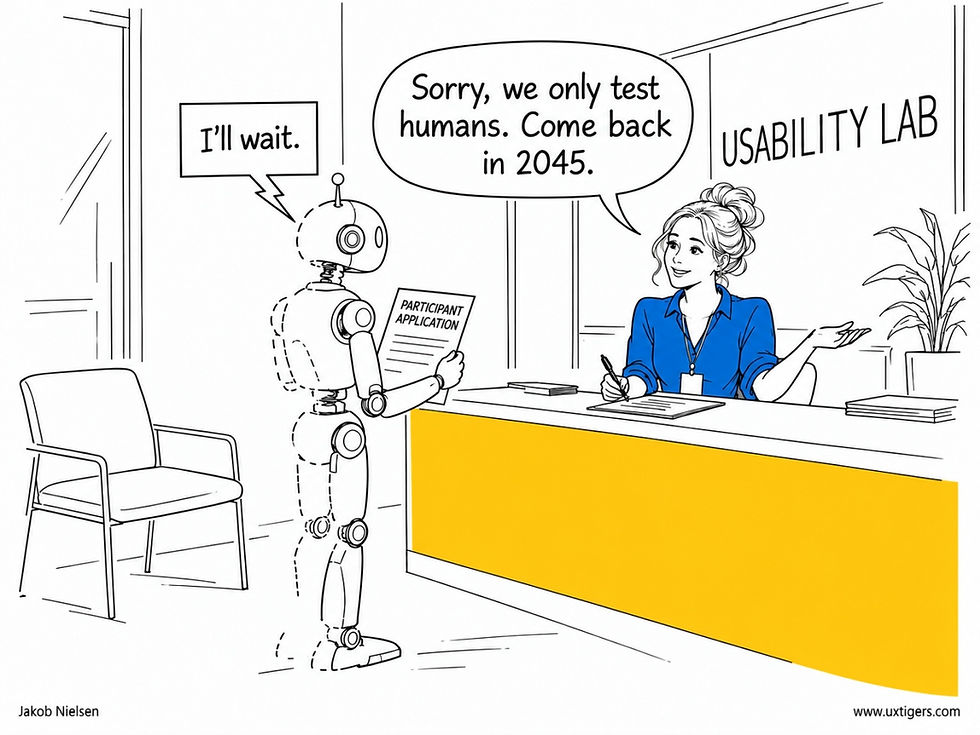
My usability scaling law predicts that user research will need real human participants until at least 2045. The robots will have to wait. (GPT Image 2.5)
The skull stays. But a pilot test doesn’t study users.

In 2024, I gave AI test users my skull rating: simulations reproduce the average, while real users deliver the surprises. The skull stays. (GPT Image 2.5) See also my full comic strip about the real Hamlet play.
A Pilot Tests the Test
Pilot testing is step 7 in my 12-step process for usability testing, and teams skip it far too often. As I wrote there, the goal of a pilot is “to test the test, not to test the design.” You run 1–2 participants through the full protocol to expose confusing instructions and leading wording, then usually discard their data.

Pilot testing is step 7 of my 12-step process for usability testing. Teams that skip it usually discover their study’s flaws in step 8, in front of real participants. (GPT Image 2.5)
Filmmaking has an equivalent: while the crew sets the lights and camera, a stand-in of similar height and coloring holds the star’s mark. Stand-ins are the “second team,” stars are the “first team,” and nobody expects a stand-in to act or puts one in the movie.

Stand-ins cost less than stars, and simulated users cost less than customers. Both savings tempt producers to put the cheap version in the final cut. Don’t. (GPT Image 2.5)
Why should AI personas succeed as stand-ins after failing as participants? Because a pilot doesn’t need them to predict real users’ answers. As the study’s authors argue, a question that splits readers is broken, whether people or personas do the splitting. AI participants make an excellent second team.

When respondents read one question in several incompatible ways, the question is broken, whether the readers are people or personas. (GPT Image 2.5)
Unexpected Readings Beat Expected Answers
Sanchaita Hazra and co-authors from the University of Utah, the Allen Institute for AI, and the University of Washington named their system UnexpectedParrots because most simulation tools predict a population’s expected answers, whereas theirs hunts for unexpected interpretations. It generates 50 personas from the target demographics, has each take the study while thinking aloud, and has a critic mine the reasoning traces for misreadings and forgotten questions.

Most simulation tools chase the expected answer. In a pilot, the valuable respondent is the one who reads the question differently. (GPT Image 2.5)

Facilitators spend whole sessions coaxing real participants to keep thinking aloud. Simulated participants never stop, and their reasoning shows where each question gets misread. (GPT Image 2.5)
On one survey, the authors compared the system with 6 paid human pilot participants ($200, the price of several simulation rounds) and with Claude Opus 4.6 critiquing the questionnaire directly. On a 0–3 quality scale, both AI conditions beat the humans: 2.44 with simulation and 2.31 without, vs. 1.53. Only 2 of the 6 humans offered any criticism. The simulation’s biggest edge was coverage: it found 49 high-quality problems that the simulation-free AI missed, while the reverse happened only 11 times.

Critiques mined from simulated participants outscored those from paid human pilots, 2.44 to 1.53 on a 0–3 quality scale. Polly also flags overlapping answer ranges. (GPT Image 2.5)

When no answer option fits, respondents pick the closest one, and the data look fine. Only the reasoning reveals the missing option. (GPT Image 2.5)
Then, 12 experienced researchers tried UnexpectedParrots on their own studies. In one researcher’s Ethiopian field survey, it caught a question asking people who owned no phone whether “that phone” had an active SIM card. She had recently found that kind of flaw the expensive way: in the field. Another researcher studying grocery-store returns realized she’d never asked how customers paid: “How did I miss that question? Wow.”

Pilots catch broken skip logic, like asking people who own no phone whether that phone has an active SIM card. (GPT Image 2.5)

Simulated participants also surface the questions you forgot to ask, the kind of critique the researchers valued most. (GPT Image 2.5)
The study has its weaknesses. The human pilots were crowdworkers critiquing each question in a text box, whereas a proper pilot involves observing what participants do. Also, 4 of the paper’s own authors rated the critiques, and the system’s critic ran on a newer model (Claude Opus 4.8) than the baseline, which muddies the comparison. One researcher found that the simulated Indian respondents seemed straight out of the 1980s, though she still judged the critiques accurate.

The simulated respondents never existed, and some seemed stuck in the 1980s. Researchers still judged their critiques accurate. (GPT Image 2.5)
Pilot Twice: Bots First, Then a Human
Run a botpilot (a pilot session with simulated participants) once your study plan is drafted, and rerun it after each revision, because personas see the study fresh every time. Read the reasoning, not the answers.
Triage like a methodologist. In the study, researchers demoted the critic’s severity ratings 4 times as often as they promoted them. A botpilot is no autopilot.

The AI critic rated 46% of the structural errors high severity. After review, researchers kept only 21% at that level. (GPT Image 2.5)

Missed opportunities were the researchers’ favorite critiques, but adding every one turns a survey into an expedition. Triage. (GPT Image 2.5)
Then run a human pilot with 1–2 representative users for any important study, since only humans reveal true session length, fatigue, and the local context that models get wrong.

Cardboard guests reveal that the aisle is too narrow. Only real guests reveal who refuses to sit next to whom. Pilot with AI first, then with a human. (GPT Image 2.5)
Never count simulated answers as findings. The second team leaves the set before the cameras roll.
For small studies that would otherwise go unpiloted, a botpilot alone beats the usual nothing.

Skipping the pilot only postpones a study’s flaws until the budget is spent. Even a quick botpilot beats burying your head in the sand. (GPT Image 2.5)
Conclusion: Save the First Team for the Shoot
Each human participant sees your study with fresh eyes only once, so don’t waste that first look discovering that a question asks two things at once. Let the second team stand under the hot lights while you fix the blatant flaws, then call in the first team. Let AI test the test; let humans test the design.

Each participant sees your study with fresh eyes only once. Let the bots find the dead ends first. (GPT Image 2.5)
Never Let Onboarding Block the First Task
John Carroll and Mary Beth Rosson (PDF), then at IBM, named the problem in 1987: the paradox of the active user. People arrive wanting to produce something, so they skip the manual, the tutorial, and the tour, even when learning would pay for itself within the hour. You can’t repeal that paradox with a marching band.
A user who opens your app to add one task will click Next 6 times without reading a word, or more likely just close the app. Either way, your tips are confetti.
So design for the paradox instead of against it. Let the user act immediately; the first screen should already be the product.
Teach at the moment of need: a one-line hint beside the feature the user just touched beats a 6-panel tour of features he or she hasn’t met yet. Make every tip dismissible, never repeat a dismissed one, and measure onboarding by tasks completed in the first session rather than tours finished. Users learn by doing, so let them do.

The tour is mandatory. The task is optional, apparently. (GPT Image 2)
Less Is More for AI: Cap the Questions, Trim the Feedback
Two new papers put data behind Less Is More, one of my top 10 UX slogans: AI serves users better when it asks less and says less. In that article, I argued that AI makes extra output almost free, so restraint becomes the scarce ingredient. Words are free to generate but expensive to read.

AI made words almost free to write. Reading them still costs the user exactly what it always did. (GPT Image 2.5)
1–3 Questions Keep 86–94% of the Value

When output costs nothing to produce, knowing when to stop becomes the rare skill. (GPT Image 2.5)
Xuanming Zhang and co-authors tested 8 LLMs as customer-service agents in 4 domains, and instead of just counting questions, they assigned each one an attention cost, charging extra for questions that are hard to read or not worth asking.

The new attention metric puts a price on every question. Users have always paid this bill; now it’s itemized. (GPT Image 2.5)

A question that’s hard to read costs extra attention and earns a lazy answer, which triggers yet another question. (GPT Image 2.5)
Asking less did little harm. Capping agents at 1–3 questions cut attention cost by 36–73% while keeping 86–94% of the task reward earned with unlimited questions. Checking each question against the user’s earlier answers cut attention cost by another 13%, with little loss of reward. (That’s my UX slogan #3, Make It Easy, in AI form: never ask for something the user already told you.)
Without a budget, an agent becomes a nagent, pestering users with needless questions like a toddler stuck on “Why?”

Capping agents at 1–3 questions kept 86–94% of the task reward. A 3-question budget is generous. (GPT Image 2.5)

Checking each question against the user’s earlier answers cut attention cost by another 13%. Never ask for what the user already told you. (GPT Image 2.5)
At equal attention cost, the most efficient models gained more than twice as much reward from their questions as the others.

The most efficient models got more than twice as much reward from their questions. The best question builds on what you already know. (GPT Image 2.5)
Longer Feedback, Worse Fixes
Tsvetomila Mihaylova from Aalto University and co-authors tested LLM-generated feedback across 3 models and 3 formats in a live online introductory web-development course. In the pooled data, longer feedback was associated with lower correctness on the next submission, more subsequent attempts, and slower resubmission.

Longer AI feedback went with lower correctness on the next submission. A fix the student can’t find doesn’t fix anything. (GPT Image 2.5)
Their title, It’s Complicated, is honest: the data are correlational, and I suspect messier code earns longer critiques.
Still, the result fits what John Morkes and I found in 1997: 79% of our test users scanned web pages instead of reading word by word, and a student staring at a failed exercise is no more patient. The authors propose testing bounded message length. I wouldn’t wait for the results.

When students need a second AI to summarize the first one’s feedback, the first one has failed the Less Is More test. (GPT Image 2.5)
Put Every AI on an Attention Budget
The Hávamál, the Old Norse poem of Odin’s advice, warns that whoever is never silent utters many senseless words. Odin would flunk today’s garrulous chatbots. So put your AI features on an attention budget: no more than 3 questions per task, each checked against what the user already said. Lead feedback with the most important issue, and measure attention cost alongside task success.

Set a budget of 3 questions per task, and expect the agent to test it immediately. (GPT Image 2.5)
Less is still more, especially now that AI generates words for almost nothing while users pay for every one of them with their attention.
Enterprise Software Has Trained Users to Applaud Failure
I consider it a disgrace that enterprise software can earn gratitude for losing employees’ work less often. After decades of UX research and practice, users should expect routine tasks to be painless. Instead, shoddy systems train them to celebrate a day with fewer interruptions.

Gratitude for a mostly crash-free workday shows how far decades of failure have lowered expectations. (GPT Image 2)
As I explain in my article on satisfaction and expectations, people judge their experience against what they expected, and repeated misery grinds that benchmark down until an objectively bad experience feels like a pleasant surprise. A satisfied user can still be a badly served user.
The damage extends beyond crashes. Employees memorize arbitrary codes, reenter information, and maintain private spreadsheets to compensate for software their employer bought to improve productivity. Eventually, these rituals become “knowing how to do the job,” and the interface’s defects disappear into the training manual.
When employees have no choice of system, their endurance says as little about product quality as perfect attendance says about a prison. Thus, a cheerful satisfaction score can coexist with hours of wasted labor.
The disgrace is structural. The buyer isn’t the user, so the market hasn’t punished bad usability. Users have no exit, only a helpdesk ticket, and after enough ignored tickets, they stop filing them. That is learned helplessness.
The low bar hides in the data, too, because satisfaction surveys look fine when the gap between expectation and delivery has closed from the wrong side. So time the tasks instead of trusting the smiles.
6 Agent Hours for Every Human Hour: Attention Is Now the Bottleneck at Anthropic
Anthropic’s AI agents log 6 hours for every employee hour, and juniors’ share of technical hires fell from 27% to 9%. Human attention is now the bottleneck, so agents must triage their requests, and hiring increasingly rewards judgment over execution.

Agents supply 6x the horsepower, but a human still reads the map, so human reading speed now sets the pace. (GPT Image 2.5)
What happens when AI agents put in more hours than the humans? Anthropic, which runs on its own Claude agents, offers a preview. Nathan Wilmers and colleagues from the Anthropic Institute analyzed an extensive set of internal data plus 17 employee interviews and found that, by August 2026, employees’ agents worked 6 hours for every human hour.
More Output, Fewer Juniors
The gains are real.
Code commits per engineer are running at 5 times their pace of 6 months earlier. When 192 engineers adopted coding agents, their output jumped relative to 74 holdouts, and agent-written code was reverted no more often than handwritten code. Lawyers processed more contracts; salespeople closed more deals.

Salespeople closed more deals as agents took over logging and routine email, leaving the humans more time with customers. (GPT Image 2.5)
But juniors’ share of technical hires plunged from 27% to 9%. Don’t panic: Anthropic tripled in size over the past year, matching my 2023 prediction that AI won’t cause mass unemployment.
Anthropic keeps hiring, but it hires different people. Its early-warning system, which flags jobs at risk of AI disruption so affected staff can move into new roles, deserves copying.

With juniors down to 9% of technical hires, someone needs to explain where tomorrow’s seniors will come from. (GPT Image 2.5)

Anthropic’s early-warning system flags jobs at risk of AI disruption, so staff can move to new roles before the flood arrives. (GPT Image 2.5)
Human Attention = The Bottleneck
Agents spend about 80% of interactive sessions idle, waiting for human input, and reading all their output would devour more than half of an employee’s workweek, even in non-technical jobs. One engineer compared the job to babysitting: the child who wants a juice box opened sounds as alarmed as the child with a bleeding finger.

When every agent waits on the same human, the order of service becomes a lottery. (GPT Image 2.5)
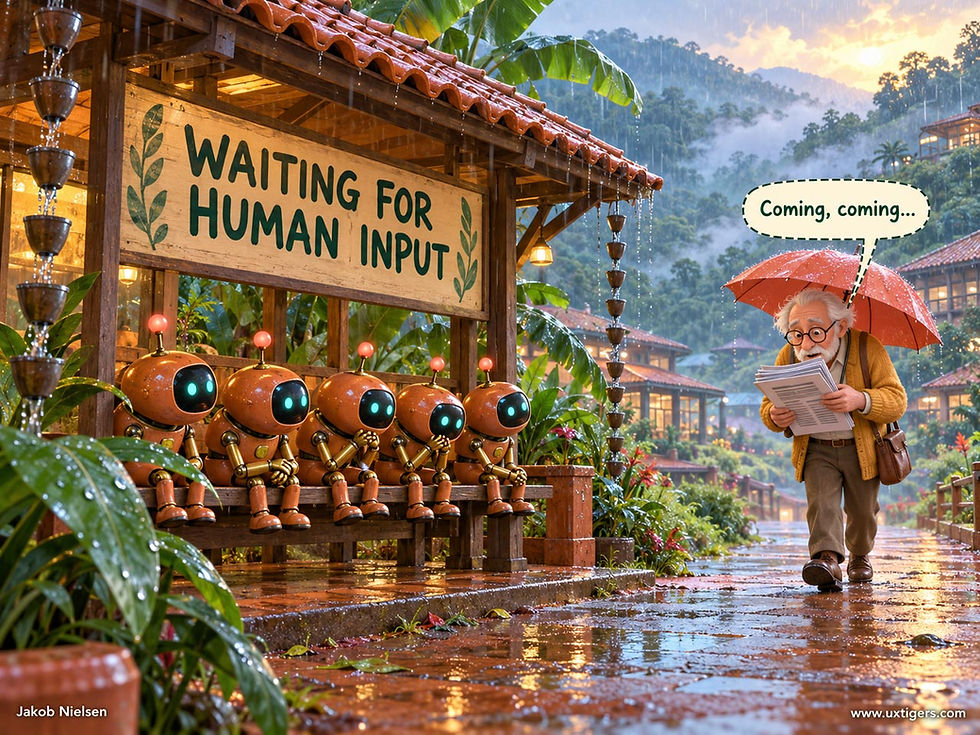
Agents spend about 80% of interactive sessions idle, waiting for their human to show up. (GPT Image 2.5)

Alarmflation: when the juice box and the fire get the same alert, the human opens the juice box. (GPT Image 2.5)
When every request claims emergency status, alarmflation teaches people to stop listening, as I explained in my vigilance article. So employees are building triage tools, and meta-work, such as writing agent specs and having agents review agents, grew from 10% to 22% of agent sessions between fall 2025 and spring 2026. Better still, agents should rank their own requests and interrupt only for bleeding fingers.

A summary helps only if it’s shorter than the thing it summarizes, a lesson some agents have yet to learn. (GPT Image 2.5)

Managing agents is now real work, with meta-work growing from 10% to 22% of agent sessions between fall 2025 and spring 2026. (GPT Image 2.5)
Hiring Rewards Judgment Over Execution
Interviewers’ comments on candidates’ creative AI use have tripled for technical roles and quadrupled for other roles since 2024. Among technical candidates, remarks about autonomy and judgment grew the most, while comments on domain expertise declined. (One manager wants staff who can switch domains because AI will stay jagged: brilliant at some tasks, weak at others.)

Interviewers now probe autonomy and judgment more than domain expertise, and judgment starts with spotting the one real emergency. (GPT Image 2.5)
Early in your career? Follow my advice to prioritize experience: build projects that prove you can direct agents, overrule their bad ideas, and explain your reasoning.

The new portfolio centerpiece: proof that you directed agents and overruled their bad ideas. (GPT Image 2.5)
Good babysitters earn their keep by spotting the bleeding finger, since anybody can open a juice box. That’s now the job at Anthropic, and it’ll soon be the job at your company. Design agents that make this judgment easy, and build your career on exercising it.
The UX Pancaking Has Begun: 7 Patterns as AI Reshuffles Design Teams
AI has rebuilt design work, but org charts lag behind. Ioana Teleanu documents 7 patterns of change, led by the pancaking I predicted in 2024: thinner teams with broader roles. By 2028, expect squads of 2–3 humans directing agents; by 2030, designers will design the factory that generates the screens.
Rare Insight, Rarer Data
My good friend Ioana Teleanu is one of the few UX experts who grasp how UX is changing in the AI era. So are Josh Clark, whose Sentient Design (with Veronika Kindred) I reviewed in June, and my former colleagues Sarah Gibbons and Kate Moran of Gibbons & Moran.
Even better, Ioana collects and compiles empirical data, while most AI commentary (including some of mine) is speculation. Her 4-part AI Goodies series documents the workflows of 30+ designers, 3 master designers, and 5 leading design organizations, and she runs the Design Wellbeing Index, an annual survey of designers. Her early-adopter samples overstate typical progress but preview the mainstream.
Workflows Changed First
Part 1 found designers directing teams of Claude Code agents, with AI producing and humans judging. But as Cem Kurtaraner warned, “We’ve lowered the cost of proposing solutions, but not the cost of judging them.”
In Part 2, three master designers diverged: Frank Bach (Anthropic) built his own tool, Brian Lovin (Notion) returned to Figma, and Dann Petty directs Claude and is “basically a design team of three.” Mastery means knowing how much AI to use.
Part 3 showed leaders such as Stripe and Vercel feeding their design systems to AI agents as context.
Org Charts Change Last: 7 Patterns
Part 4 asks what AI does to team structure. So far, little: half of the 900+ designers in the AI in Design 2026 survey by Designer Fund and Foundation Capital report no significant structural change. Still, Ioana found 7 patterns:
Smaller teams, broader responsibilities. Charlotte Relyea and colleagues at McKinsey describe a tech company that shrank product pods from 8–10 people to 4–6, plus AI agents, roughly doubling capacity, with roles fused into definers (product plus design) and builders (development, testing, and operations). This is the pancaking I predicted 2.5 years ago: UX spread thinner and wider, staffed by “UX Unicorns” with full-process skills. The distinction between definers and builders echoes my February 2025 analysis that traditional UX agencies are doomed, though plenty of jobs remain for both UX innovators and UX optimizers.
No guaranteed seat for product designers. Only 71% of design leaders include a product designer in their ideal team, and most of the rest choose a design engineer. Ioana rightly objects that building interfaces differs from understanding users. Titles are optional. Watching users isn’t.
Hybrid work, few hybrid titles. 65% of designers do more PM or engineering work, and 40% see PMs and engineers doing more design, yet only 7% report new AI-focused roles. Existing jobs simply grow.
Stable headcount, swelling scope. 60% of design leaders expect to keep or grow headcount, but 19% of respondents saw staff cuts with output targets held or raised. Ioana fears AI productivity becoming “a very sophisticated justification for overwork.” Scopeflation is setting in, as the job inflates while title and pay stand still.
Decisions move down. About half of the 50+ AI front-runners studied by Sagar Goel and colleagues at BCG push reversible decisions to the people closest to the work, while irreversible calls tend to stay at the top.
Managers become coaches. Most of BCG’s front-runners report middle managers shifting from coordination to coaching, raising Ioana’s sharpest question: how will juniors build judgment when AI does the work they used to learn from?
Hiring changes faster than career ladders. Half of design leaders prize AI fluency in new hires, but only 28% have formalized the shift, and a measly 4% have adjusted compensation, even though 73% of designers feel expectations rising.
Patterns 5–7 are pancaking, too: fewer layers, more ownership.
Predictions for 2027–2030: From Pancake to Crepe
Factories took 40 years after Edison’s first power stations to rebuild around electric motors, but design teams will rebuild around AI in under a decade. Here are my predictions as we approach superintelligence in 2030:
2027: Org charts catch up. Scopeflation will become a retention problem, pushing most large companies to rewrite design career ladders around each designer’s scope of ownership.
2028: Squads of 2–3 humans. Definer and builder roles fuse as agents take over production, making Dann Petty’s one-person design team ordinary.
2029: AI judges, too. AI critique will beat most human critique, cutting the cost of judging, and AI coaches will train juniors faster than apprenticeships did. But we’ll still need human test participants until at least 2045.
2030: Designers design the factory. Superintelligence will generate each user’s interface on the fly, as Sentient Design envisions, so designers will specify goals, components, and evaluation rules: QA the factory, not the widget. More people than ever will do UX work, but few will push pixels.
Don’t Wait for the Org Chart
Your workflow has changed even though your job description hasn’t, so act like a definer now and keep watching real users. In 2024, I said UX would become a pancake, spread thin but still delicious. By 2030, it’ll be a crepe: thinner still and just as tasty.
Here, Alice and Zimo tour the great design-team reshuffle in Azure Scenic Comic style, made with GPT Image 2.5:


Final Thought of the Day


